

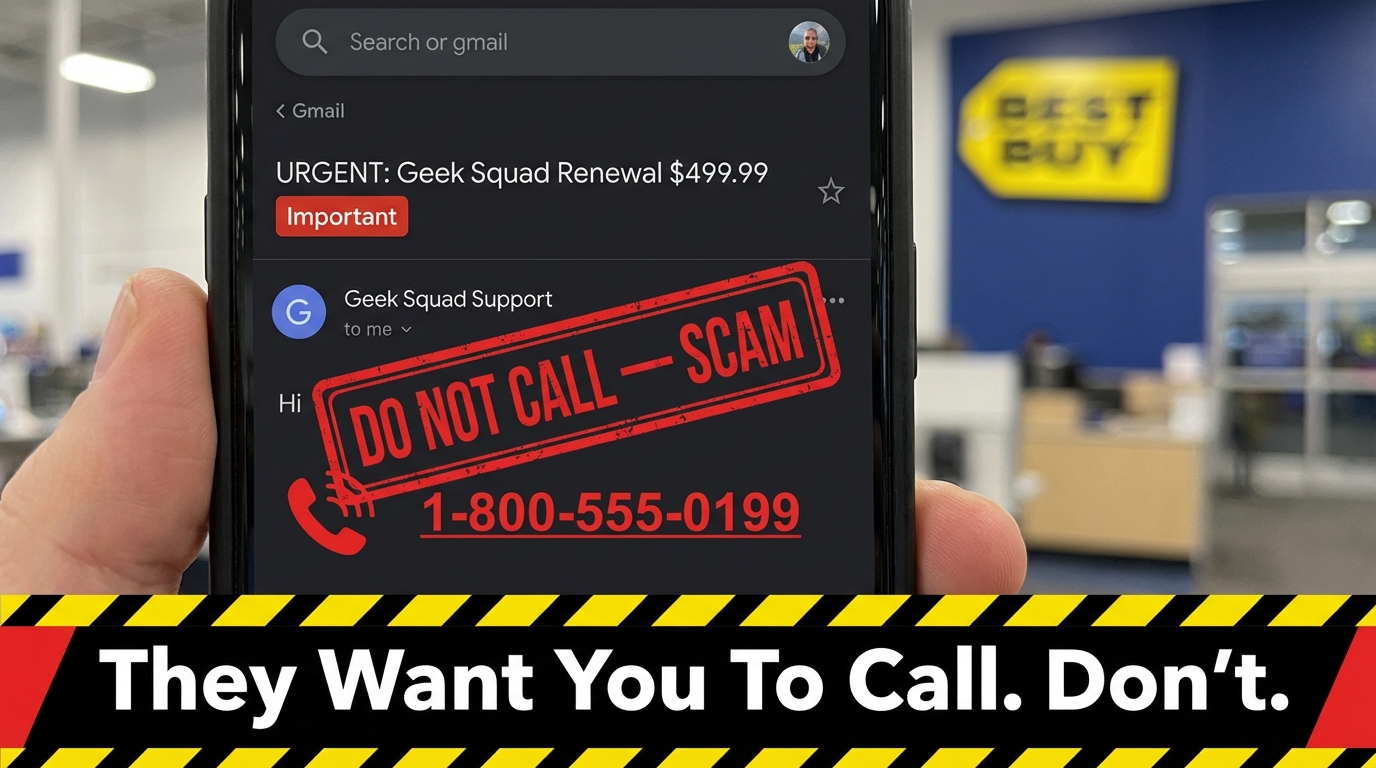

That Urgent Geek Squad Email Is Almost Certainly a Scam — Here's What to Know
The geek squad subscription scam is one of the most widely reported fraud schemes in the United States right now. If you just received an unexpected email claiming you owe $300–$500 for a Geek Squad subscription renewal, here's the short answer:
It is almost certainly a scam. Geek Squad does not send unsolicited renewal notices, and the real company will never ask you to call a phone number in an email to dispute a charge.
Quick-answer checklist — signs it's a scam:
- The email came from a Gmail, Yahoo, or other free email address (not @bestbuy.com)
- You were never a Geek Squad customer
- The email demands you call a number or click a link within 24 hours
- The charge amount is between $200 and $600
- The greeting says "Dear Customer" instead of your actual name
The scale of this problem is staggering. In 2023 alone, roughly 52,000 people reported scammers impersonating Geek Squad to the FTC — more than the number of reports involving Amazon (34,000) or PayPal (10,000). Business impersonation scams overall topped $1 billion in reported losses that year, three times what was reported in 2020.
These scams work because they exploit a simple human instinct: panic. A fake invoice claiming hundreds of dollars is being charged to your account creates instant fear. Scammers count on that fear to make you act before you think.
This guide walks you through exactly how the scam works, how to verify whether a message is real, and what to do if you've already engaged with one.
Anatomy of the Geek Squad Subscription Scam
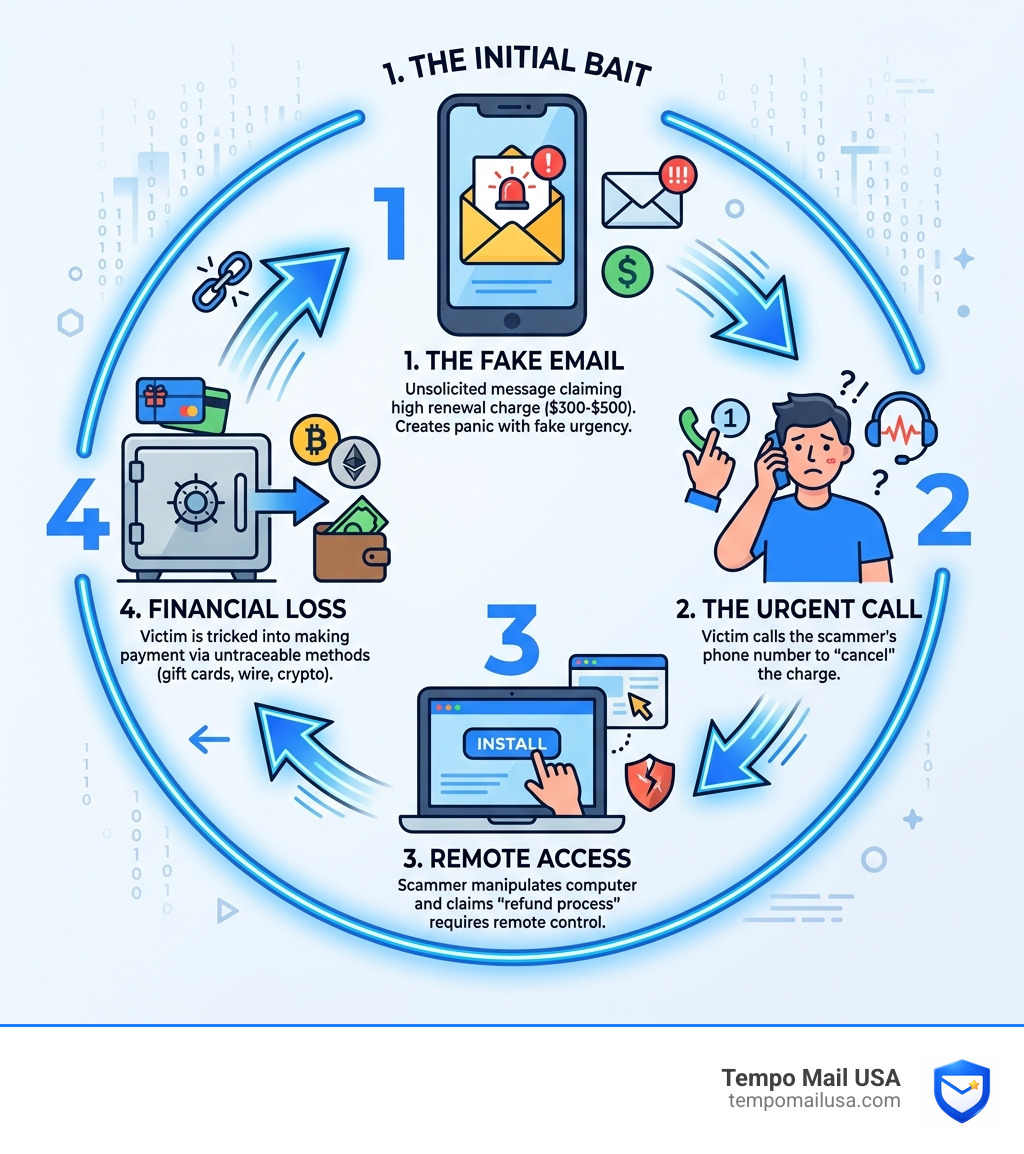
To protect yourself, we first need to pull back the curtain on how these criminals operate. According to recent reports, The Geek Squad scam is back. Here's what you need to know. The core of the strategy is the "Auto-Renewal" hook.
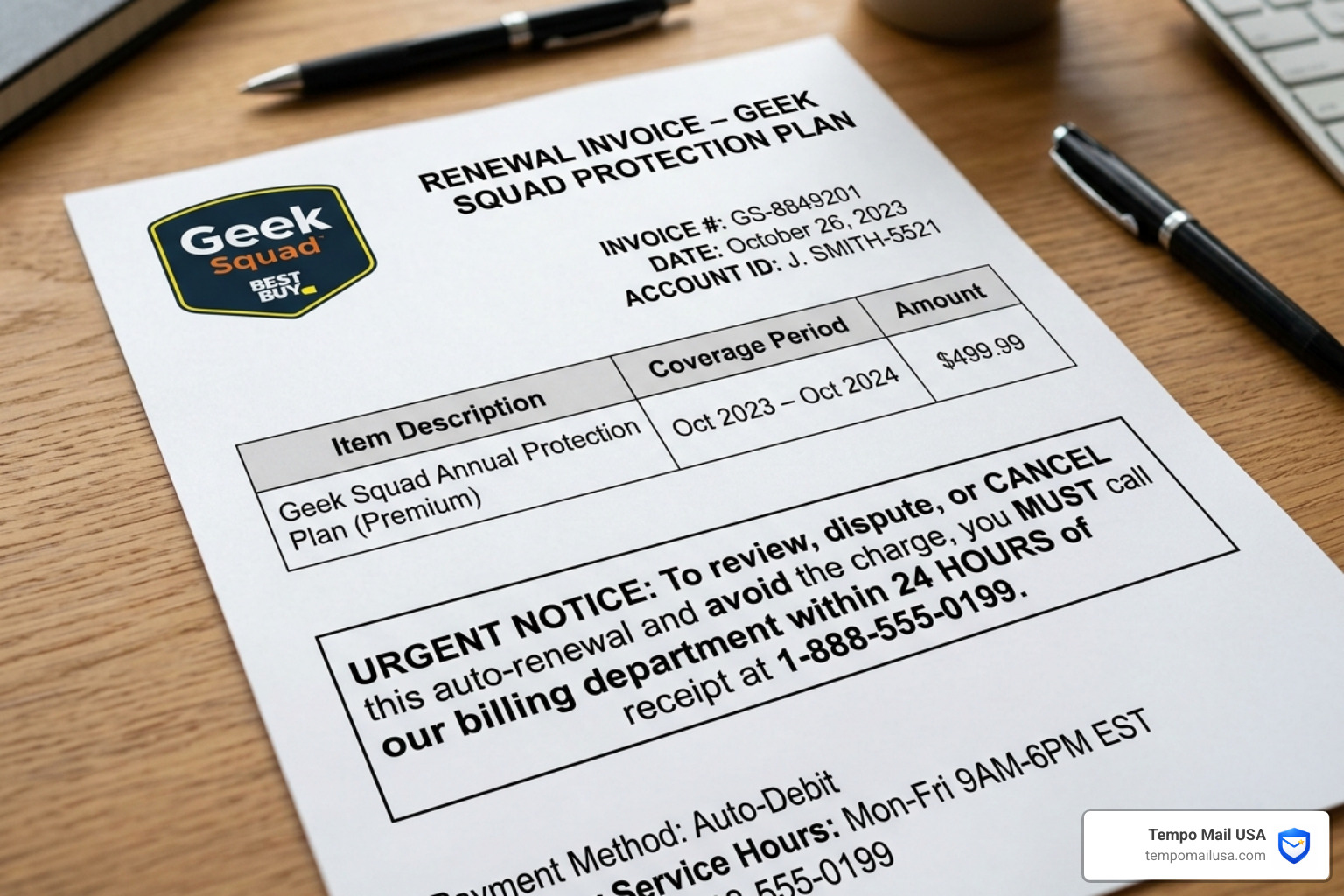
You receive a professional-looking email or PDF invoice stating that your "Geek Squad Protection Plan" has successfully renewed. These fake bills typically claim charges ranging from $300 to $500—an amount high enough to cause alarm, but low enough to seem like a plausible annual service fee.
The scammers use "urgency tactics," giving you a strict 24-hour window to "cancel" the transaction. This artificial deadline is designed to bypass your critical thinking. They don't want you to check your bank account first; they want you to pick up the phone and call the fraudulent support number listed in the email.
Identifying the Geek Squad Subscription Scam via Email Headers
One of the most effective ways to unmask a fraudster is to look at the "From" field. While the name might say "Geek Squad Support," the actual email address behind it often tells a different story.
As noted in the GEEK SQUAD SCAM EXPOSED - Budget Seniors report, scammers frequently use random Gmail, Outlook, or Yahoo accounts. They might also use "spoofed" addresses that look close to the real thing but contain extra characters (e.g., support@geeksquad-billing.com instead of @bestbuy.com).
Technical indicators to watch for include:
- The Sender Domain: Real Geek Squad communications come exclusively from @bestbuy.com or @geeksquad.com.
- Reply-To Address: If the "Reply-To" address is different from the "From" address, it’s a massive red flag.
- Generic Subject Lines: Look for subjects like "Invoice #827364-Renewal" rather than personalized account information.
The Refund Overpayment Trick
If you make the mistake of calling the number in the email, the scam moves into its second, more dangerous phase. The "agent" on the other end will act helpful, claiming they can process your refund. However, they will insist that they need "remote access" to your computer to "securely" process the reversal.
Once they have control of your screen using software like AnyDesk or TeamViewer, they use "screen manipulation." They might open a fake "command prompt" to show you "viruses" or, more commonly, they will ask you to log into your bank account. While you are logged in, they may black out your screen or use "Inspect Element" tricks to make it look like they accidentally deposited $5,000 instead of $500.
They then play on your guilt, claiming they will lose their job unless you return the "overpayment." They will demand you pay the difference via irreversible methods like gift cards, wire transfers, or cryptocurrency. This psychological isolation ensures you don't talk to family or your bank until the money is gone.
Red Flags: How to Spot a Fake Geek Squad Email
The Federal Trade Commission (FTC) provides clear guidance on How to recognize a fake Geek Squad renewal scam | Consumer Advice. Even as scammers use AI to improve their writing, several classic red flags remain:
- Grammar and Spelling Errors: While getting better, many scam emails still contain odd capitalization or awkward phrasing (e.g., "Your service is going to expire soonly").
- Generic Greetings: Legitimate companies you have a contract with will usually use your name. Scams use "Dear Customer" or "Valued Member."
- Threatening Language: If the email suggests your "account will be suspended" or "legal action will be taken" if you don't call immediately, it’s a scam.
- The 24-Hour Deadline: Real billing disputes are handled over days or weeks, not hours.
Verifying a Legitimate Geek Squad Communication
If you are a genuine Best Buy customer and are worried about a charge, there are safe ways to verify. You can find More info about McAfee Geek Squad renewal scams and how they differ from real billing.
- Check Your Official Account: Log in directly to BestBuy.com. If you have an active subscription, it will be listed in your "Plans & Subscriptions" dashboard.
- Check Your Bank Statement: Before calling anyone, check your actual credit card or bank app. If there is no "Pending" charge for that amount, the email is a lie.
- In-Store Verification: If you’re still unsure, walk into a physical Best Buy store and speak to a representative at the Geek Squad counter.
The Financial Fallout: Why Scammers Target Your Data
Why is the geek squad subscription scam so persistent? Because it is incredibly lucrative. In 2023, the FTC received over 330,000 reports of business impersonation, with losses exceeding $1 billion.
Seniors are particularly targeted; adults over 60 account for more than 60% of tech support scam victims. This is often due to a combination of higher trust in established brands and less familiarity with the technical nuances of remote access software.
Beyond the immediate loss of cash, these scams feed into a larger ecosystem of "Data Brokering" and "Identity Theft." When you engage with a scammer, your information is often added to a "sucker list" that is sold on the dark web. This leads to:
- Secondary Scams: "Recovery scammers" who call you a week later pretending to be the police helping you get your money back (for a fee).
- Identity Creation: Scammers use your PII (Personally Identifiable Information) to take out loans or open fraudulent credit lines.
- Credential Stuffing: If they get your password, they will try it on every other site you use, from Amazon to your primary email.
Protection Strategies Against the Geek Squad Subscription Scam
Prevention is always cheaper than recovery. To stay safe in 2026, we recommend a multi-layered defense strategy.
First, ensure you have "Advanced Malware Protection" installed. Modern security suites can often detect and block the remote access tools scammers try to make you download. We also suggest using NordVPN secure browsing to encrypt your connection and block known malicious phishing domains before they even load in your browser.
Other essential habits include:
- Two-Factor Authentication (2FA): Even if a scammer gets your password, 2FA prevents them from entering your accounts.
- Enterprise-Grade Password Managers: These tools won't "auto-fill" your credentials on a fake phishing site, providing a built-in warning system.
- Credit Monitoring Software: Services that alert you the moment a new inquiry is made on your credit report can stop identity theft in its tracks.
Building a PII Firewall with Identity Proxying
The best way to stop a scam is to ensure the scammer never gets your real email address in the first place. This is where we advocate for a "PII Firewall."
By using "Secure Identity Proxying," you can provide third-party services with a temporary email alias instead of your primary address. This ensures that if a service's database is leaked or sold to data brokers, the scammers only have an alias that you can delete at any time.
At Tempo Mail USA, we provide these temporary email aliases as a front-line defense for your privacy. Using a temporary email for one-off tech inquiries or software downloads keeps your primary inbox clean and makes it much easier to spot a geek squad subscription scam. If you get a "Geek Squad" email to your primary address, but you only ever used a proxy email for Best Buy, you know instantly it's a fraud.
Recovery Steps: What to Do if You’ve Been Targeted
If you realize you’ve fallen for a scam, every second counts. Use the comparison table below to determine your next steps based on your level of engagement.
| Stage of Scam | Immediate Action Required | Secondary Protection |
|---|---|---|
| Opened Email Only | Do nothing; delete the email and mark as spam. | Scan device with antivirus just in case. |
| Clicked a Link | Close the browser; clear your cache and cookies. | Run a full malware scan immediately. |
| Called the Number | Hang up. Do not provide any more info. | Block the caller's phone number. |
| Granted Remote Access | Disconnect the Internet immediately. | Uninstall remote software (AnyDesk/TeamViewer). |
| Shared Financial Info | Call your bank to freeze all accounts. | Place a fraud alert on your credit reports. |
For detailed recovery guides, refer to Geek Squad Subscription Scam: Don't Fall For This. If remote access was granted, we strongly suggest taking your computer to a legitimate professional (in person) to ensure no "persistence" malware or keyloggers were left behind.
Frequently Asked Questions about the Geek Squad Subscription Scam
How can I tell if a Geek Squad email is legitimate?
A legitimate Geek Squad email will always come from a @bestbuy.com or @geeksquad.com domain. It will never include an urgent 24-hour deadline, nor will it ask you to call a phone number to "cancel" a charge. Real billing issues are reflected in your official Best Buy account dashboard, which you should access by typing the URL directly into your browser.
What should I do if I gave a scammer remote access to my computer?
Immediately disconnect your device from the internet (turn off Wi-Fi or unplug the ethernet cable). Use a different, clean device to change all your passwords, starting with your email and banking accounts. Uninstall any remote desktop software the scammer told you to download, and perform a full system scan with reputable antivirus software.
Can I get my money back if I paid a scammer with a gift card?
It is very difficult, but not impossible. Contact the company that issued the gift card (e.g., Apple, Google, Target) immediately. If the funds haven't been spent by the scammer yet, the company may be able to freeze the card and issue a refund. However, once the scammer "redeems" the code, the money is usually gone forever.
Conclusion
The geek squad subscription scam relies on the gap between your anxiety and your technical knowledge. By understanding the "Refund Overpayment" tactics and the "Urgency" hooks, you effectively close that gap.
Maintaining high "Digital Hygiene" is your best long-term defense. This includes using 2FA, monitoring your credit, and utilizing a PII Firewall. We encourage you to use services like Tempo Mail USA to keep your real identity hidden from the data brokers who fuel these scam operations. More info about secure temporary email services can help you stay one step ahead of the fraudsters.
Stay vigilant, stay skeptical, and never let an "urgent" email dictate your financial decisions.