
Crafting Your Own Disposable Email Address

Why Custom Temporary Email Matters for Your Online Privacy
Custom temporary email lets you create disposable email addresses with your choice of prefix and domain, protecting your real inbox from spam and data breaches. Here's what you need to know:
Quick Answer: How to Generate a Custom Temporary Email
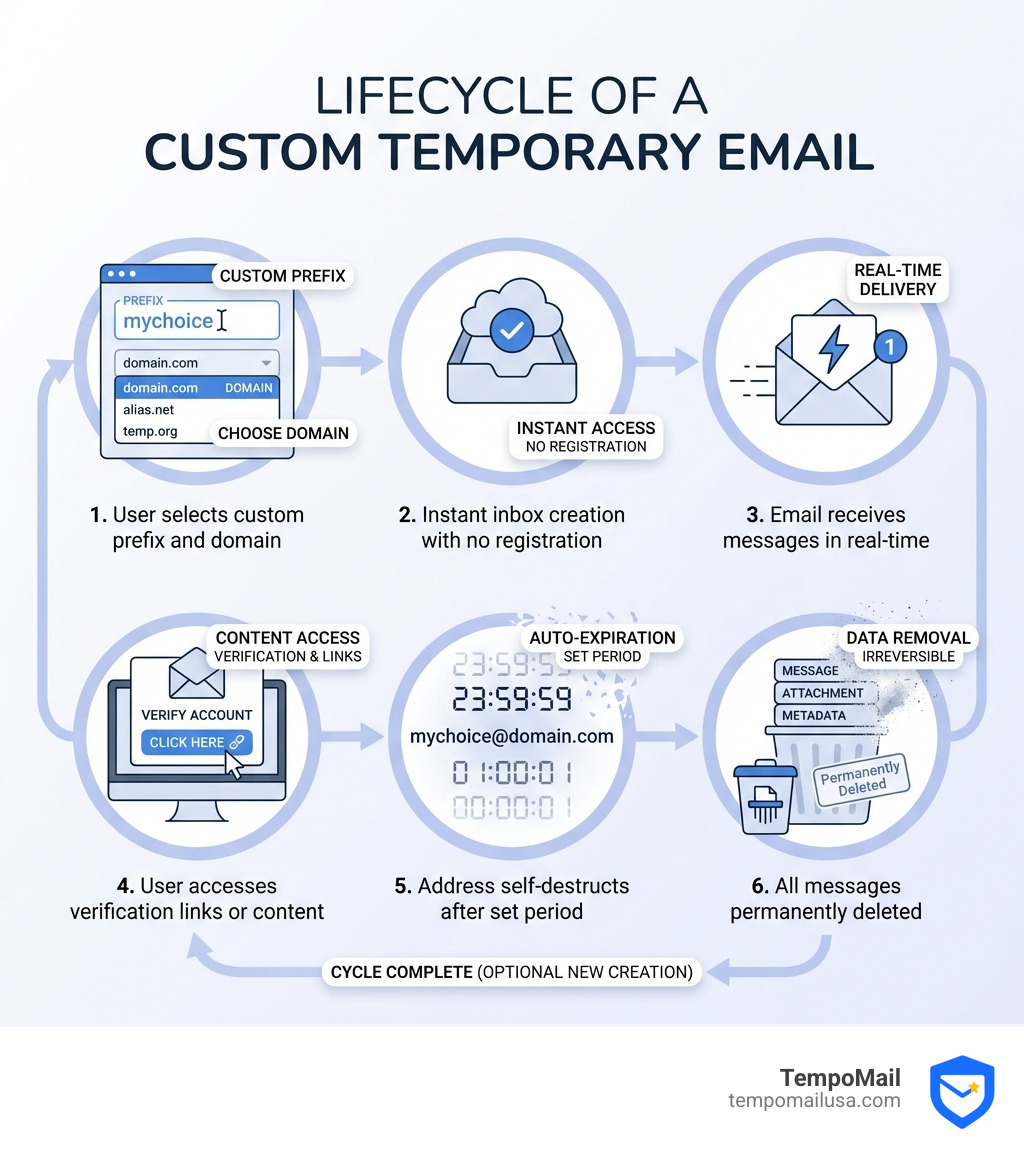
- Visit a temporary email service that offers custom options (like TempoMail)
- Choose your custom prefix - pick any name you want before the @ symbol
- Select from available domains - choose from multiple domain options
- Access your inbox instantly - no registration or personal information required
- Use it anywhere - paste the address into sign-up forms, downloads, or registrations
- Let it self-destruct - the address expires automatically after use
Tired of giving out your real email just to download a file, sign up for a webinar, or grab that one-time coupon? You're not alone. Nearly 99% of apps and services require an email address for sign-up, and many of those databases eventually get hacked or sold to spam lists.
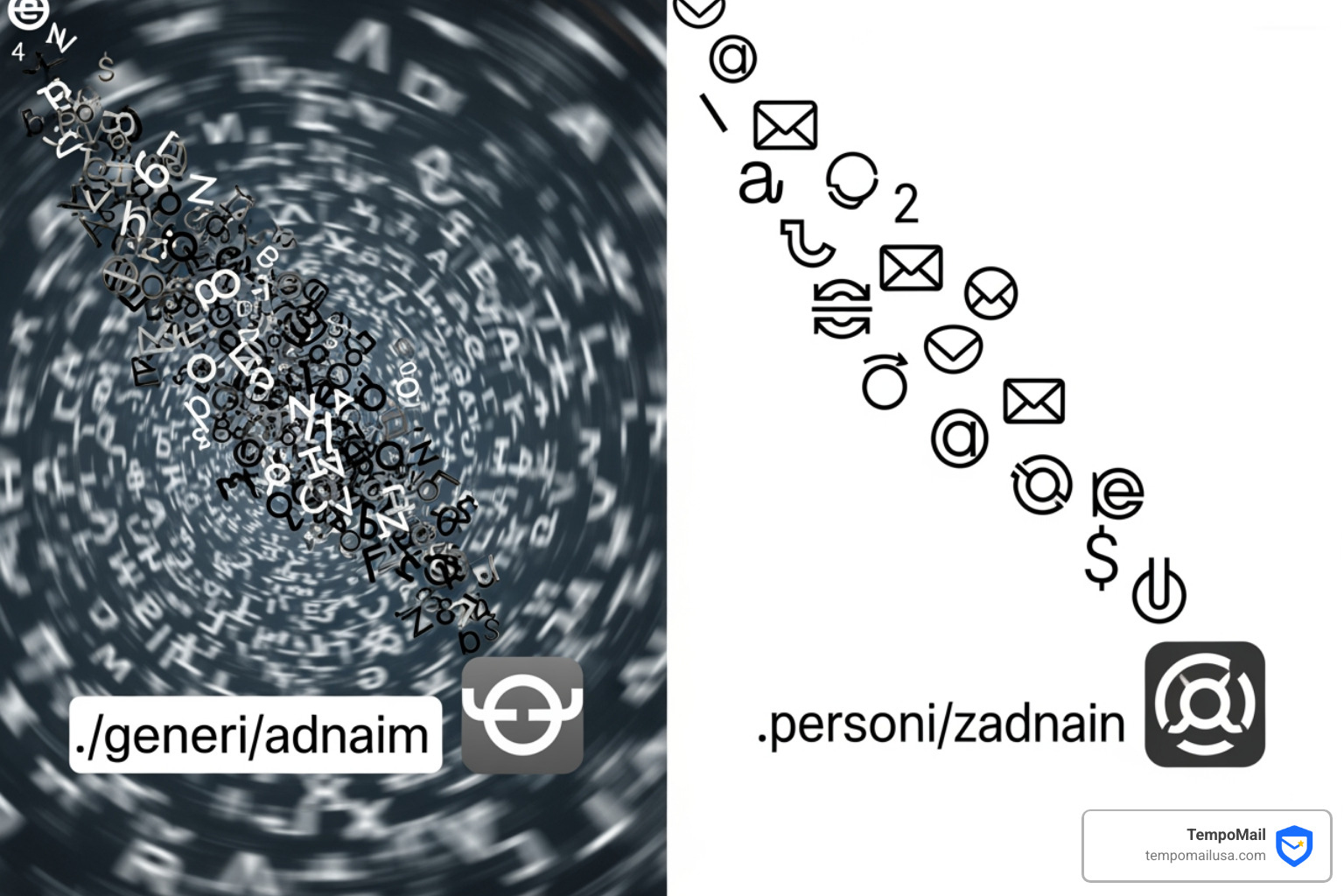
That's where custom temporary email comes in. Unlike standard disposable addresses that give you a random string of characters, custom temporary email lets you create memorable aliases with your chosen prefix and domain. You get yourname@domain.com instead of x7k9m2@randommail.com.
The difference matters because custom addresses are easier to remember during active sessions, look more professional when testing applications, and give you better control over your digital identity. You can organize different addresses for different purposes - one for shopping trials, another for newsletter sign-ups, and another for forum registrations.
But custom temporary email isn't just about convenience. It's a privacy layer that severs the link between your permanent identity and one-off online interactions. When that address gets compromised or starts receiving spam, you simply let it expire. Your real inbox stays clean, and your personal information stays protected.
I'm Mohammad Waseem, and I've built and managed multiple temporary email platforms, testing everything from API integrations to spam filtering systems. Through hands-on work with custom temporary email services, I've learned what actually protects user privacy versus what just sounds good in marketing copy.
The Power of a Custom Temporary Email
When we talk about a custom temporary email, we are moving beyond the basic "burner" address. Standard disposable services often assign you a random, gibberish string like a1b2c3d4@provider.com. While this works for a quick download, it lacks the flexibility and professional utility required for more complex tasks.
A custom alias serves as a sophisticated identity proxy. Think of it as a digital firewall. By using a custom prefix (the part before the @) and a specific domain (the part after), you are practicing "isolation by design." If you use amazon-trial@domain.com and suddenly start getting spam from a local car dealership to that specific address, you know exactly who leaked or sold your data.
PII Protection and Identity Proxying
At TempoMail, we view your email address as your "online passport." Every time you share it, you're handing over a piece of your Personally Identifiable Information (PII). A custom temporary email acts as a buffer. It allows you to interact with services—be it for store loyalty cards, streaming trials like Netflix or Hulu, or public Wi-Fi—without ever exposing your primary identity.
The ability to choose your prefix and domain also helps bypass filters. Some websites block common disposable domains. By having a variety of fresh domains at your fingertips, you ensure better deliverability and acceptance rates. Furthermore, email privacy standards remind us that most emails travel across the internet unencrypted. Using a temporary alias means that even if a message is intercepted, it isn't linked to your permanent, sensitive accounts.
How to Generate Your Own Disposable Address
Generating a custom temporary email is designed to be frictionless. We believe that privacy shouldn't be a chore. Most high-quality services allow you to spin up an address in seconds without asking for your name, phone number, or—ironically—your real email address.
| Feature | Standard Temp Mail | Custom Temp Mail |
|---|---|---|
| Prefix Selection | Randomly Generated | User-Defined (e.g., my-trial) |
| Domain Choice | Usually limited to one | Multiple domain options |
| Registration | Not Required | Not Required |
| Validity | Very short (10-60 mins) | Extended (Hours to Days) |
| Professionalism | Low (looks like spam) | High (looks like a real alias) |
The beauty of the "custom" aspect is the extended validity. While a standard short-term service is perfect for a quick verification code, developers or researchers often need an inbox that stays active for an hour or even a full day to test multi-step workflows.
How to Set Up Your Custom Temporary Email
Ready to take control? Here is the step-by-step process we recommend for setting up a custom temporary email:
- Alias Selection: Choose a prefix that makes sense for your task. If you’re testing a new app, maybe use
tester-01. If you’re signing up for a newsletter, trynews-junkie. - Domain Selection: Select from the available list. Using fresh domains often results in better success rates when bypassing "disposable email" blockers.
- Inbox Monitoring: Keep your browser tab open. Most services provide a real-time "Smart Inbox Preview" where messages appear instantly without needing to refresh.
- QR Code Access: If you need to verify an app on your phone, many modern custom email services provide a QR code. Scan it with your mobile device to open the same temporary inbox on the go.
Advanced Use Cases for Developers and QA
For the tech-savvy among us, a custom temporary email is a vital tool in the development stack. Specialized platforms have spent years perfecting this for Quality Assurance (QA) and software teams.
Automated Testing and 2FA Verification
Developers often need to test "Email and SMS workflows." This includes everything from the initial user sign-up to password resets and two-factor authentication (2FA). Using a personal email for this is impossible at scale. With a custom temporary email service, you can generate trillions of inboxes programmatically.
Imagine you are building a new SaaS platform. You need to ensure that the "Welcome Email" is sent correctly to 500 different users. Instead of creating 500 Gmail accounts, you use an API to create 500 custom aliases under your own subdomain.
Integrating Custom Temporary Email into Developer Workflows
The integration of these services into the Software Development Life Cycle (SDLC) is where the real magic happens.
- API Interface: Advanced services offer GraphQL or REST APIs. This allows your code to "read" the emails it sends, automatically extracting verification links or 10-digit codes.
- Webhooks: You can configure your custom inbox to "push" notifications to your server or a Slack channel the moment an email arrives.
- CI/CD Integration: Incorporate email testing into your Jenkins, GitHub Actions, or GitLab CI pipelines. This ensures that every time you update your code, your email delivery system is still functioning perfectly.
- Headless Testing: Use frameworks like Selenium, Cypress, or Playwright to interact with the temporary inbox UI, simulating a real user clicking a "Confirm Account" button.
Security and Privacy Considerations
While we love the convenience of a custom temporary email, security must remain the top priority. It is important to remember that not all "free" services are created equal.
SPF/DKIM/DMARC and Deliverability
If you are using a custom domain for your temporary emails, you want to ensure the provider uses proper authentication protocols. SPF, DKIM, and DMARC are technical records that prove an email is legitimate. Fresh domains with these records are less likely to end up in a "black hole" or be rejected by the service you're trying to sign up for.
Malware Detection and Link Extraction
Some advanced services actually share received emails with security researchers to build better malware detection systems. These services can extract URLs and display full content in a safe environment, allowing you to inspect a suspicious link without clicking it on your primary machine.
Encryption and Anonymity
Is it secure? As privacy experts correctly point out, standard email is fundamentally unencrypted as it moves between servers. If you are sending highly sensitive data, you should look into Pretty Good Privacy (PGP). However, for 99% of users, the primary "security" of a custom temporary email is the anonymity it provides. By providing no registration data, there is no "real" identity to steal if the service is breached.
Frequently Asked Questions about Disposable Inboxes
Can I use a custom domain for my temporary email?
Absolutely. In fact, this is one of the premier features of a custom temporary email service. While free tiers usually offer a rotating list of public domains, premium plans or developer-focused services allow you to "Bring Your Own Domain." This is incredibly useful for businesses that want to keep their testing in-house or for individuals who want a truly unique alias.
Are custom temporary emails secure for banking?
No. We strongly advise against using any temporary or disposable email for banking, government services, or any account where you might need long-term password recovery. Because these inboxes self-destruct, if you lose your password three months from now, you will have no way to receive the recovery link. Use these for trials, downloads, and one-off registrations only.
How long do these addresses last?
It varies. A standard short-term address does exactly what it says—it vanishes after a few minutes. However, custom services often offer "extended validity." Some allow the inbox to stay active as long as your browser tab is open, while others offer "History" or "Favorite" features that can store messages for 30 days or more if you use a premium account.
Conclusion
In an era where our personal data is the most valuable currency on the internet, protecting your PII is no longer optional. Using a custom temporary email is one of the simplest and most effective ways to build a digital shield around your real life.
Whether you're a developer streamlining a QA workflow or a casual browser trying to avoid a deluge of marketing spam, the power to craft your own alias gives you the upper hand. You get to decide who has access to your "real" inbox and who gets the "disposable" one.
At TempoMail, we are committed to providing the tools you need for robust identity proxying. By using our services, you can steer the web with confidence, knowing that your primary email address remains a private, secure sanctuary.
Protect your PII with a custom temporary email and start reclaiming your digital privacy today.
Need a disposable temporary email?
Protect your real inbox from spam and promotional clutter instantly and free.
Received a suspicious email, text, or charge alert?
Verify whether the sender domain is disposable, spoofed, or unverified before clicking links.