


Why Corporate VPN Data Protection Is Critical for Every Business Device
Corporate VPN data protection is the practice of using an encrypted, company-managed network tunnel to secure data moving between employee devices and business systems — no matter where those employees work.
Here's what it does at a glance:
- Encrypts data in transit so it can't be read by hackers on public Wi-Fi
- Controls who accesses what through centralized authentication and permissions
- Masks internal IP addresses to reduce exposure to external threats
- Helps meet compliance rules like GDPR, HIPAA, and PCI-DSS
- Protects every connected device — laptops, phones, and IoT equipment
The stakes have never been higher. Cybercrime is projected to cost the global economy $10.5 trillion annually by 2025. The average data breach in 2023 cost companies $4.45 million. And here's a sobering fact: 83% of companies that suffered data breaches tied to remote work didn't have properly configured VPN solutions.
Remote employees are one of the biggest targets for attackers. When someone logs into a company system from a coffee shop, hotel, or home network, every unprotected packet of data is a potential entry point.
A corporate VPN closes that gap — but only if it's set up and managed correctly.
This guide walks through everything you need to know: how corporate VPNs work, what features matter most, how they support compliance, where they fall short, and what's coming next with Zero Trust security.
Understanding Corporate VPN Data Protection for Modern Businesses
In the "old days" of IT, security was easy: you built a big digital wall around your office building. If you were inside the building, you were safe. If you were outside, you couldn't get in. But today, the "office" is a laptop in a kitchen, a tablet in an airport lounge, or a smartphone in a rideshare. This is where corporate vpn data protection becomes the hero of the story.
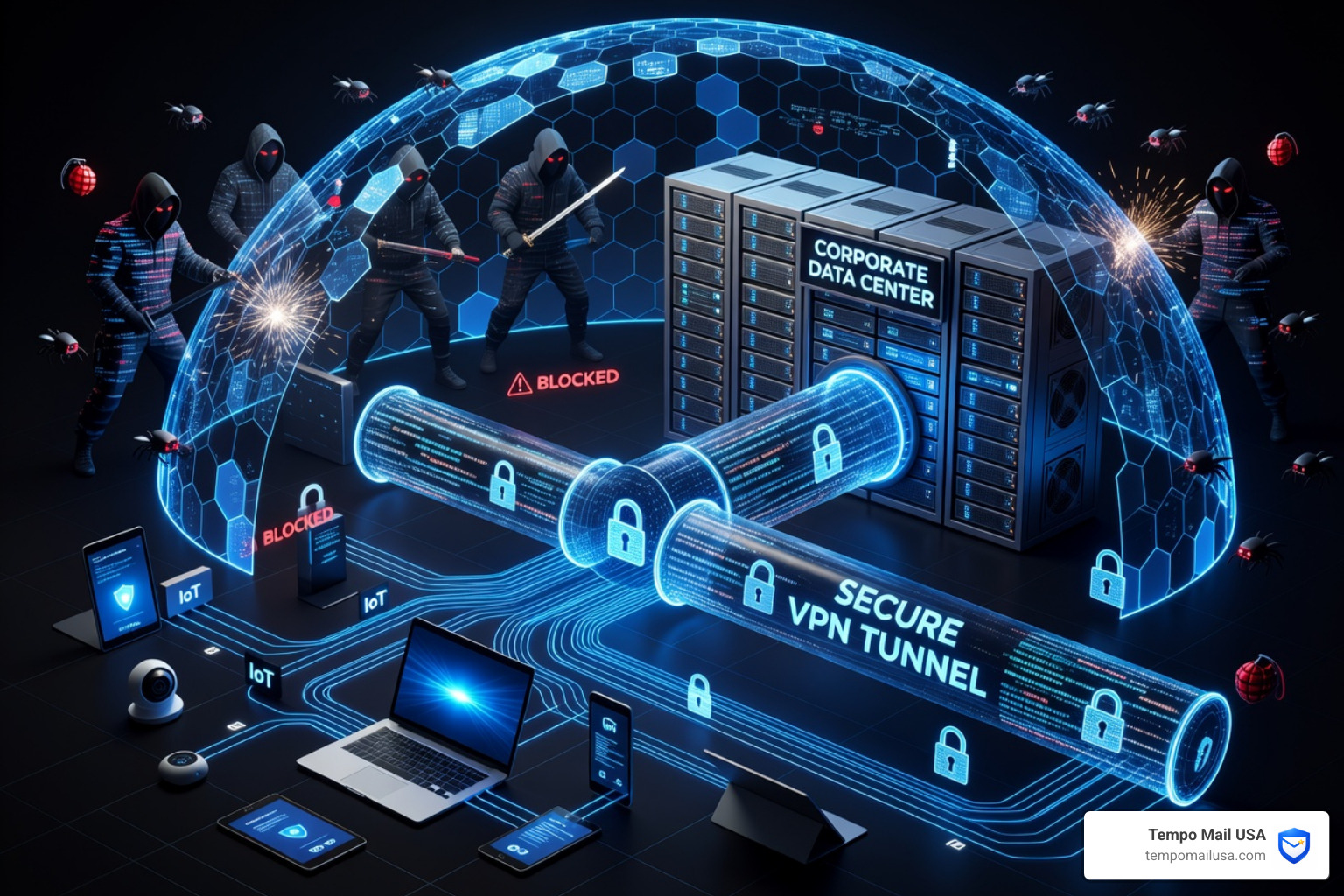
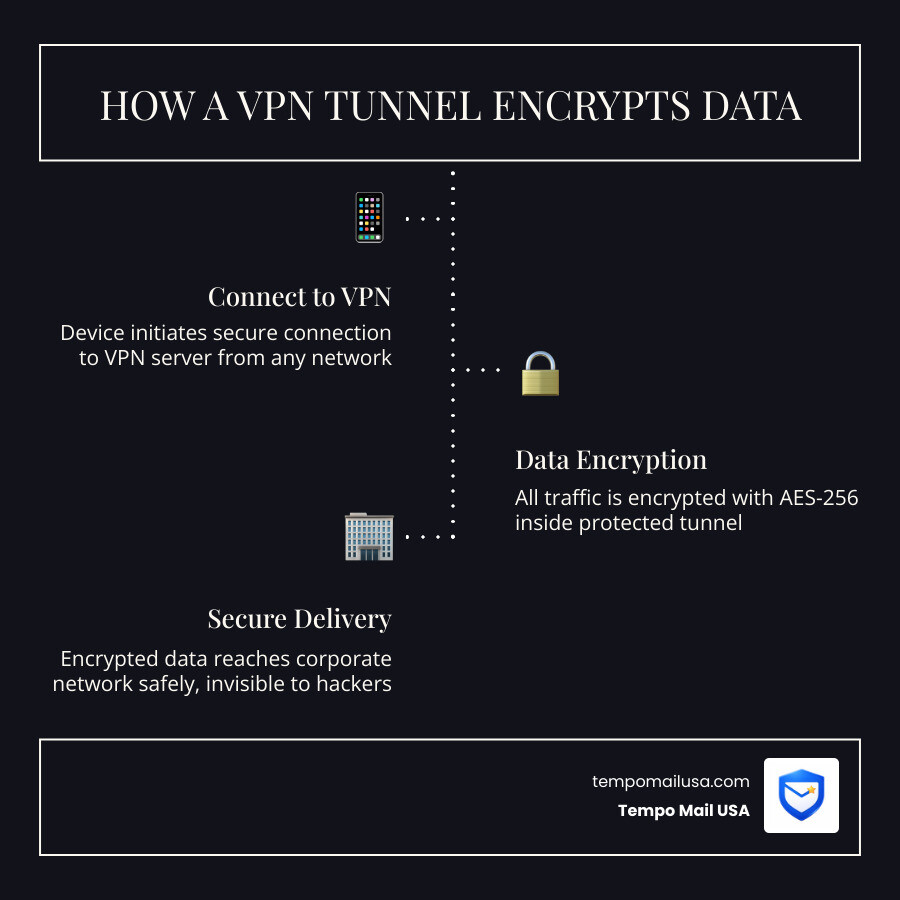
A corporate VPN (Virtual Private Network) isn't just a piece of software; it’s a secure bridge. When an employee connects, the VPN creates a "tunnel." Imagine sending a letter in a transparent envelope versus a locked, armored box. Without a VPN, your data is in that transparent envelope. With a VPN, it’s in the armored box.
Research shows that organizations that properly implement VPN solutions reduce the risk of successful cyber attacks by 47%. However, simply having a VPN isn't enough. It must be configured to handle the specific needs of a professional environment, which leads us to a common point of confusion.
Corporate vs. Consumer VPNs: Key Differences
While both types of VPNs use encrypted tunnels, they are built for entirely different purposes. Think of a consumer VPN as a "privacy cloak" for an individual, while a corporate VPN is a "secure gatehouse" for an entire organization.
- Centralized Management: In a business setting, we can't have 500 employees choosing their own settings. Corporate VPNs allow IT teams to manage everyone from a single dashboard, pushing updates and enforcing security policies across the board.
- Scalability: Consumer VPNs are usually for one person or a small family. Corporate solutions are built to handle thousands of simultaneous connections without slowing to a crawl.
- Dedicated IPs: Many businesses need a static, dedicated IP address so they can "allowlist" access to sensitive servers. Consumer VPNs often use shared IPs that change constantly.
- Granular Control: This is the big one. We can decide that "John from Marketing" can access the image library but cannot touch the "Payroll Database." Consumer VPNs are all-or-nothing.
Understanding How an encrypted VPN protects sensitive business data is the first step in realizing that business-grade security requires business-grade tools.
Essential Security Features for Corporate VPN Data Protection
If you're shopping for a solution or auditing your current setup, these features are non-negotiable for robust corporate vpn data protection:
- Multi-Factor Authentication (MFA): Passwords are like cheap padlocks; they are easily picked. MFA requires a second "key"—usually a code on a phone or a physical security key. This is the single most effective way to prevent unauthorized access if credentials are stolen.
- AES-256 Encryption: This is the gold standard. It’s the same level of encryption used by banks and governments. It would take a supercomputer billions of years to crack it.
- Kill Switch: If the VPN connection drops for even a second, your data could leak onto the public internet. A kill switch instantly cuts the device's internet connection until the secure tunnel is restored. You can learn more about How a VPN Kill Switch Enhances security in our detailed guide.
- Endpoint Posture Checks: This feature checks the employee's device before letting them in. Does it have antivirus? Is the OS updated? If not, the VPN says, "Sorry, come back when you're patched."
- No-Logs Policy: Even within a company, privacy matters. A reputable provider shouldn't keep logs of every single site an employee visits, focusing instead on connection metadata needed for security auditing.
Deployment Models: Remote Access, Site-to-Site, and Cloud VPNs

Not all VPNs are deployed the same way. The "right" version depends on how your company is structured. Are you all remote? Do you have multiple offices? Are you 100% in the cloud?
- Remote Access (Client-to-Site): This is the most common model for hybrid work. An employee installs software on their laptop, clicks "Connect," and they are virtually "inside" the office network.
- Site-to-Site: This connects two entire networks. If you have an office in New York and another in London, a site-to-site VPN makes them act like one big office. Employees don't have to log in; the routers handle the encryption automatically.
- Cloud VPN: As we move away from physical servers, Cloud VPNs secure the path to platforms like AWS, Azure, or Google Cloud. It ensures your cloud-hosted apps aren't just sitting open on the public web.
Choosing the right model is a core part of your broader strategy. For more context on why these tools are vital, check out our article on Enterprise Cybersecurity Software: Why Businesses Need It.
| VPN Type | Best For | Connection Method |
|---|---|---|
| Remote Access | Remote/Hybrid Workers | Software client on device |
| Site-to-Site | Connecting Branch Offices | Router-to-router (Always on) |
| Cloud VPN | SaaS & Cloud Infrastructure | Gateway to Cloud Provider |
The Risks and Benefits of Split Tunneling
Split tunneling is a bit like having a "side door" in your secure tunnel. It allows some traffic (like your Zoom call or Spotify) to go through the regular internet, while sensitive work traffic stays in the VPN tunnel.
- The Benefit: It saves bandwidth. If everyone routes their 4K YouTube videos through the company VPN, the network will crash.
- The Risk: It creates a gap. If an employee's device is compromised while "split tunneling," an attacker might find a way to jump from the unprotected "side door" into the secure "main tunnel."
In corporate vpn data protection, split tunneling is a trade-off. Most experts recommend using it only if you have strong endpoint protection (like antivirus and firewalls) active on every employee device.
Ensuring Regulatory Compliance and Data Privacy
For businesses in healthcare, finance, or those operating in Europe, a VPN isn't just a good idea—it’s often a legal requirement. Regulations like GDPR (Europe), HIPAA (US Healthcare), and PCI-DSS (Credit Cards) demand that personal data be protected during transmission.
Corporate vpn data protection helps meet these standards through:
- Pseudonymization: VPNs mask the user's real IP address, which is considered "personal data" under many laws.
- Encryption in Transit: Most regulations require "appropriate technical measures" to protect data. AES-256 encryption is the textbook definition of "appropriate."
- Data Localization: Some laws require that data stay within a specific country. A VPN can route traffic through local servers to ensure compliance with rules like Schrems II.
- Auditing: Corporate VPNs provide logs showing who accessed what and when. If an audit happens, you have the receipts to prove you were being careful.
Failure to comply is expensive. As noted in the Global Cybercrime Damage Costs report, the financial fallout of a breach often includes massive regulatory fines that can dwarf the actual cost of the hack.
Monitoring and Privacy in Corporate VPN Data Protection
A common question we hear is: "Can my boss see what I'm doing?" The answer is: It depends.
While a VPN encrypts your traffic from outside hackers, the company running the VPN "owns" the tunnel. This means they can technically see the domains you visit. IT teams often use DNS logging to block malicious sites (like phishing links) or to ensure productivity.
However, there is a balance between security and privacy. Many modern companies are moving toward "VPN Concentrators" to manage large-scale traffic more efficiently while maintaining clearer boundaries. You can dive deeper into this in our post: Enhance Email Privacy: What is a VPN Concentrator?.
The Evolution Toward Zero Trust Network Access (ZTNA)
The world of corporate vpn data protection is changing. The traditional VPN follows a "trust but verify" model—once you're in, you're trusted. The problem? If a hacker steals one set of credentials, they can move "laterally" through your whole network.
This is why the industry is shifting toward Zero Trust Network Access (ZTNA).
Zero Trust operates on a simple principle: Never trust, always verify.
According to the Gartner ZTNA Forecast, 70% of new remote access deployments will use ZTNA by 2025. Instead of giving a user access to the "whole network," ZTNA gives them access to one specific app at a time, based on their identity, their device health, and even their location.
Most businesses aren't deleting their VPNs overnight. Instead, they are using a "phased migration," keeping the VPN for old legacy systems while using Zero Trust for new cloud applications.
Frequently Asked Questions about Corporate VPNs
Can IT teams monitor my browsing activity on a corporate VPN?
Yes, they can. Because the VPN traffic terminates at the company's server, the network administrator can see the websites you are visiting. If you are on a company-owned device, they likely have Remote Monitoring and Management (RMM) software that can see even more, including your screen or keystrokes. Our advice? Keep personal browsing on personal devices and off the company network.
How does a corporate VPN ensure compliance with GDPR and HIPAA?
It checks the "Security" box for these regulations by ensuring that sensitive data—like patient records or customer addresses—is encrypted while moving across the internet. It also allows for network segmentation, ensuring that only authorized personnel can access the specific folders containing regulated data.
What are the main limitations of traditional business VPNs?
The biggest hurdles are latency (it can slow down your connection), scalability (hardware can only handle so many users), and security risks (if the VPN itself isn't patched, it becomes a target). Furthermore, traditional VPNs don't stop "lateral movement"—once a hacker is in, they can often see everything.
Conclusion
Securing a modern business requires more than just a password; it requires a layered defense. Corporate vpn data protection is a foundational piece of that puzzle, acting as a secure, encrypted shield for your most valuable data.
As we look to the future, the combination of VPNs and Zero Trust principles will become the standard. But remember, data protection doesn't stop at the network level. Protecting your identity is just as important as protecting your connection.
At Tempo Mail USA, we believe in creating a "PII Firewall." Just as a VPN hides your IP address, our temporary email aliases proxy your identity and shield your real personal information from services. Whether you are testing new corporate tools or signing up for industry newsletters, using a secure alias ensures your real inbox—and your real identity—remains private.
Ready to add another layer to your security stack? Visit tempomailusa.com to see how we help businesses and individuals stay anonymous in an era of constant tracking. Stay safe out there!