
Check Disposable Email Address: The 60-Second Test, the Four Layers Behind It, and the Verdicts That Lie
Check Disposable Email Address: The 60-Second Test, the Four Layers Behind It, and the Verdicts That Lie
Somebody just handed you an email address and you have about thirty seconds to decide what it is. Maybe it is a signup on your site and the trial abuse smells familiar. Maybe it is a lead list you are about to pay to email. Maybe it is the address on an order that already feels wrong. The question is the same in all three cases — is this a real inbox, or a throwaway that will be gone by Friday? — and the answer is one paste away.
The check itself is the easy part. Trusting the verdict is the hard part, because a disposable-email verdict is a guess dressed up as a fact, and the guess is wrong in both directions often enough to matter. This post does the check live, shows you the machinery behind the verdict, and tells you exactly where it lies — so you can use it without being used by it.
The 60-second check
If you have one address and one minute, do this: paste it into a disposable email checker and read the verdict. Our own Verify Disposable Email tool returns a Safe or Disposable verdict in milliseconds — syntax check, domain extraction, cross-reference against a live database of known disposable providers. That is the whole job for a single address, and there is no reason to make it longer.
But read the verdict for what it is. A checker does not examine the person, the mailbox, or the message history. It examines the domain — the part after the @ — and asks whether that domain belongs to a service whose business is temporary inboxes. `anything@mailinator.com` is disposable because mailinator.com is a disposable service, not because of anything about the word before the @. `anything@gmail.com` is safe because gmail.com is a permanent provider, even if the local part looks like it was typed by a cat walking on a keyboard. The verdict is about the landlord, not the tenant, and every mistake checkers make follows from that one fact.
That is also why the check is free and instant: the hard work was done by whoever maintains the list. Your job is knowing when the list is wrong.
I ran the check myself this morning: seven domains, one command
Guides in this niche love to describe what a check would find. I ran one instead. This morning, 26 November 2026, I looked up the mail records — the MX records, the part of DNS that says where mail for a domain actually goes — for seven domains, using the same lookup any checker starts from. Here is what came back, unedited:
| Domain | MX records found | What it means |
|---|---|---|
| mailinator.com | mail.mailinator.com, mail2.mailinator.com | Live mail servers, run by the service itself. Public inboxes by design. |
| guerrillamail.com | mail.guerrillamail.com | Live, self-hosted. The oldest name in the niche, still receiving. |
| yopmail.com | smtp.yopmail.com | Live, self-hosted. Messages kept 8 days. |
| 10minutemail.com | None | No mail server listed at all right now. |
| tempmail.com | park-mx.above.com | A parked-domain mail host, not a mail service's own server. |
| rover.info | mx.fex.plus | The free domain on TempoMailUSA's homepage, live and receiving. |
| gmail.com | gmail-smtp-in.l.google.com (and alternates) | Control case. Google's own servers, obviously not disposable. |
Three results in that table are worth more than the rest of the post.
The first is 10minutemail.com having no MX records. This is the second time we have caught it: our disposable email domains list test on 23 November found the same thing — flagged disposable by the live verifier, no working mail records. A checker that only looked at MX records would wave it through; a checker that only looked at a list would block it. You need both, because each has a blind spot the other covers. One caution before you over-read the empty result: no MX record does not strictly mean a domain cannot receive mail — the mail standard falls back to the domain's plain address record — but a famous mail service with no MX record is a service running on reputation and history, not on live infrastructure, and that is exactly what the verifier is telling you.
The second is tempmail.com pointing at park-mx.above.com. That is the mail host of a parked domain — the kind of record you see when a domain is held, not operated. TempMail is one of the biggest temp-mail brands on the internet, and its best-known domain currently answers with a parking company's mail server. It is still flagged disposable everywhere, on reputation alone, which is the point: the lists remember what the DNS has forgotten.
The third is the boring one, and it matters most. Gmail's MX records point at Google, rover.info's point at a real mail host, and neither fact tells you anything about whether the address in front of you belongs to a real person. MX records prove a domain can receive mail. They prove nothing about who reads it, or for how long, or whether the inbox will exist next week. That gap is where the rest of this post lives.
The four layers a serious checker runs
A good checker is not one list. It is four checks stacked, and understanding the stack is what lets you judge a verdict instead of just obeying it.
Layer one is the blocklist lookup. Is this exact domain on a list of known disposable domains? The most-cited public list on GitHub holds 10,455 entries, the size we measured in our domains-list test three days ago. Other checkers publish their counts: Sales.co runs its check against 10,143 domains entirely in your browser, and dnsrobot combines two public lists totalling 13,337 domains. The lookup is instant and cheap, and it is also the crudest layer. Lists go stale in both directions — dead services stay listed for years, and new services take weeks to appear. The headline miss from our own test: tempmail.com, one of the largest temp-mail brands alive, is absent from the 10,455-domain GitHub list entirely. If your signup form relies on that list alone, a tempmail.com address walks straight through it.
Layer two is DNS and mail-server fingerprinting. Does the domain have MX records, and do they point at infrastructure a throwaway service provably runs? This is the layer that catches what the list misses and corrects what the list gets wrong. Dnsrobot's checker, the most transparent of the ones ranking today, matches domains against 31 fingerprints of mail servers that throwaway services provably operate — which is how it names a service for a domain registered yesterday, before any list has heard of it. It also runs the check the other way: a domain with no mail records at all gets flagged as unable to receive mail before anything else is said. My MX table above is a hand-run version of this layer, and you can see its value in the 10minutemail row: the fingerprint says disposable even though the DNS says nothing.
Layer three is behaviour, and you cannot see it. Has this domain created fifty accounts in the last hour? Is the signup coming from a datacentre IP? Did the same browser fingerprint just burn three other disposable addresses? No list can answer these questions, and this is the layer that catches the quiet domains — the ones too new to be on any list. I am not going to pretend I measured it, because it is not measurable from the outside. But it is the reason a signup form with a good fraud system blocks addresses your checker calls safe, and the reason your checker's verdict is a starting point, not a ruling.
Layer four is age and reputation. How old is the domain, is it flagged for spam, does it have sane SPF and DMARC records? Our domains-list test found Mailinator at 8,544 days old and Guerrilla Mail at 7,298 — ancient by internet standards, and still blocked everywhere, which kills the comforting idea that old means legitimate. Age is context, never a verdict: half the throwaway domains dnsrobot dated were more than 334 days old, and two were over ten years old. A spam flag is a reputation signal, not a verdict, but fraud systems weight it heavily, and it is part of why a famous disposable domain fails even when its mail records are perfect.
The honest summary: a list tells you what was disposable when someone last updated it. A live check tells you what is disposable now. Use both, and distrust any tool that offers you only one.
The verdicts that lie
Checkers are wrong in both directions, and the two directions cost different people.
False positives — real users flagged as disposable — are the expensive mistake. The worst case is the privacy alias. Apple Hide My Email, SimpleLogin, AnonAddy, Firefox Relay and DuckDuckGo Email Protection all issue forwarding addresses that look exactly like throwaways to a naive list: unusual domains, no history, generated local parts. They are not throwaways. They are permanent aliases forwarding to a real inbox the user controls, often a paying user who chose privacy deliberately. Block them and you have blocked the most privacy-conscious slice of your audience — and the slice most likely to complain loudly about it. Plus-addressing is the same trap in miniature: `name+shop@gmail.com` is a sorting label on a real Gmail account, not a disposable address, and any checker that flags the `+` has a bug, not a feature. Shared and corporate domains are the quieter version: a domain that hosts both a disposable service and legitimate users, or a subdomain structure where blocking the parent nukes real customers. The rule that prevents all of this is simple and almost nobody follows it: match the exact domain, never a substring, and never a wildcard you have not reviewed.
False negatives — disposable addresses called safe — are the common mistake. A domain registered yesterday is not on any list yet. A quiet domain from a service that rotates domains — the rover.info model, where a provider issues from hundreds of domains instead of one famous name — is not on the list until somebody reports it. And subdomains are the oldest trick in the book: `x.yopmail.com` is still YOPmail, and a checker that only matches exact domains misses it, while a checker that matches parent domains catches it. Dnsrobot's approach of matching the domain and every parent above its public suffix exists precisely because of this. When a checker tells you an address is safe, what it really means is "not on the lists I checked, and its mail servers do not match the fingerprints I know." That is useful information. It is not a clean bill of health.
My opinion, stated plainly: if you run a signup form, a false positive costs you a customer and a false negative costs you a fake account, and most teams optimise for the wrong one. A fake account is reversible — you can delete it, rate-limit it, ask it to verify. A real user you turned away at the door is gone, and they will not email you to explain why. Weight your rules accordingly.
The bulk version: a disposable email list checker
Everything above is about one address. The variant on this keyword — disposable email list checker — is the same question at list scale, and the answer changes in ways that matter.
A list checker takes a file, usually a CSV column of addresses, and returns the same verdict per row, plus the housekeeping a single check never needs: exact duplicates removed, malformed addresses marked invalid, subdomains resolved to their parent domain before matching.
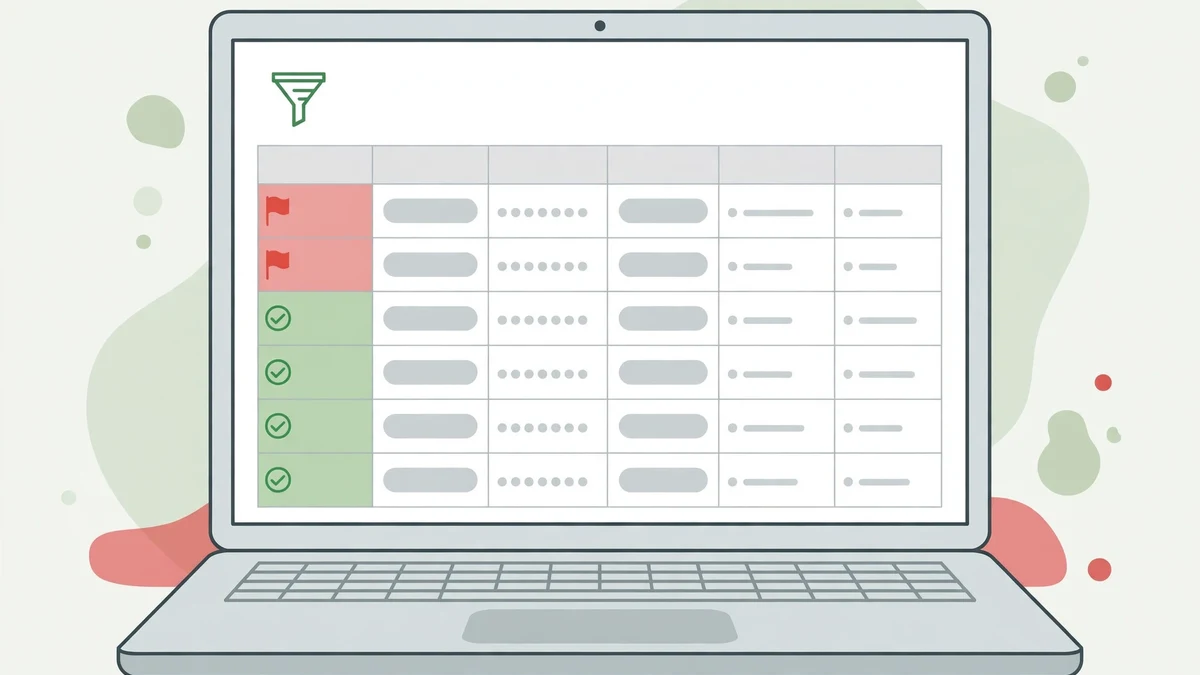
Sales.co's checker, one of the pages ranking for this keyword, handles up to 50,000 addresses pasted in at once and runs the whole match in your browser against its 10,143-domain list, returning a CSV with the disposable and invalid rows taken out. Its own worked example is instructive: ten sample addresses, four disposable, two free mail, three business or other, one invalid. In a real list the disposable share is usually lower — Sales.co reports none disposable in a sample of 159,576 of its own B2B contacts — but a purchased or scraped list can run far hotter, and that is the point of checking before you mail it.
Two warnings apply at list scale that do not apply to a single check. First, privacy: a single address pasted into a web checker is a small exposure, but a list of ten thousand customer addresses uploaded to a stranger's server is a data transfer, and you should know what the tool stores before you paste. Dnsrobot sends only the domain, never the local part, and keeps a domain's result for an hour. CampaignKit retains validation logs for up to 30 days for debugging. Sales.co's checker never sends the addresses anywhere — the matching runs in your browser — which is the shape to prefer whenever you have the choice. Second, scale does not fix accuracy: a list checker inherits every false positive and false negative above, multiplied by your row count. A list that comes back "3% disposable" has not told you 3% of your list is fake. It has told you 3% matched a list, and the unlisted throwaways are still in the other 97%.
What to do with the flagged rows is a decision, not a delete key — which brings us to the part most guides skip entirely.
After a hit: reject, flag, or ask?
A "disposable" verdict is the beginning of a decision, not the decision itself. What you do next depends on what the address is for, and getting this wrong costs more than the check ever saves.
| Situation | Do this | Why |
|---|---|---|
| Free-trial signup, disposable flagged | Reject, or step up to phone verification | Trial fraud is the exact abuse the check exists for; a real user has a real address |
| Newsletter or marketing list, flagged rows | Quarantine, do not mail, do not delete yet | A false positive here is a real subscriber you silently dropped |
| Paying customer, address flagged | Never auto-delete on one list hit | The account has money attached; ask them to confirm a different address instead |
| Order or support ticket, address looks disposable | Treat as a signal, check the rest of the order | One signal is not proof of fraud; a disposable address plus a freight forwarder is |
| Your own test signup | Use it — that is what Mailinator's public inbox is for | Testing is the legitimate use; our free disposable email addresses guide covers which service fits which test |
The pattern is consistent: the cheaper the relationship, the harder you can be. A free trial costs you nothing to refuse. A paying customer costs you everything to lose. And in every case, the step-up — a phone check, a confirmation link to a second address, a human review — beats a silent reject, because a silent reject never tells you when your list was wrong. Log what you block, the way you would log any filter, and look at the log weekly: a blocklist you never audit is a blocklist drifting out of date in both directions at once.
What no checker can tell you
Four questions, and the honest answer to all of them is no.
A checker cannot tell you whether the mailbox exists. It checks the domain, not the address. A real-looking address on a normal domain can still bounce, and a disposable verdict says nothing about deliverability either way. If you need to know whether mail arrives, you need a verifier that talks to the mail server, not a disposable check.
It cannot tell you who owns the address. The local part is yours to guess at, and guessing is all it is — `abegda123@gmail.com` looks automated and is probably a real person's sloppy handle, while a clean `firstname.lastname` on a throwaway domain is still a throwaway.
It cannot tell you whether the address will receive mail tomorrow. A 30-day inbox and a 10-minute inbox both return "disposable" today. The difference only matters when the code arrives late, and no verdict carries it. Our best temp email service test put this bluntly: the same service won and lost on the same day depending on which domain the address happened to use, because the domain is the whole game.
And it cannot tell you whether the person behind the address is real. A disposable address is a tool, and tools have legitimate users: testers, privacy-conscious customers, people sampling a newsletter before committing a real inbox. The verdict describes the domain's business model. It says nothing about the human, and treating it as a character judgement is how good customers get blocked by good intentions.
FAQ
How do I check if an email address is disposable?
Paste it into a disposable email checker — ours is free and returns a verdict in milliseconds — and read the result as a statement about the domain, not the person. For a second opinion, look up the domain's MX records yourself: a missing MX, a parked-domain mail host, or a known throwaway mail server all point the same way. If the two checks disagree, trust the disagreement: it means the address sits in one of the gaps described above, and you should step up verification rather than deciding on one verdict.
What is a disposable email list checker?
The bulk version of the same check: paste a column of addresses, usually from a CSV, and get a per-row verdict — disposable, free mail, business, invalid — with duplicates removed and a cleaned file back. It exists for list hygiene before a campaign, not for judging individual people. Check what the tool stores before you upload a customer list; a checker that runs the match in your browser never sees your addresses at all.
Is it legal to check someone's email address?
Checking a domain against a public blocklist is not accessing anyone's mail — you are looking up public DNS and list data about a domain, the same information any mail server looks up when delivering. The legal and ethical line is about what you do with other people's addresses: do not paste a customer list into a tool that stores it, do not publish verdicts about identifiable people, and do not use a check as the sole basis for closing a paying account. If you need the full picture, our what is disposable email guide covers where the tool ends and the account decision begins.
Can a disposable email address pass as a real one?
Yes, and it happens daily. A domain registered yesterday is on no list. A quiet domain from a rotation service is on no list yet. A subdomain a checker fails to resolve to its parent slips through. That is why serious signup defences stack a maintained list, a live verifier API, and behaviour checks like rate-limiting — the list alone is a photograph, and the internet moves faster than photographs. A list you downloaded in January is a history document by November.
Why wasn't this Gmail address flagged as disposable?
Because the check is on the domain, not the local part. Gmail is a permanent provider, so every @gmail.com address reads as safe, even one that was clearly bulk-created by a script. Bulk Gmail burners are a real fraud vector and a disposable check is blind to them by design — catching them needs behaviour signals like creation velocity and signup patterns, not a domain list.
How often should I update my blocklist?
Weekly at minimum if you maintain your own list, and never as a one-off download baked into code. Disposable services rotate domains constantly — a new domain costs less than a coffee and gets burned the moment it lands on a list — so the gap between a static list and the live internet is where signups slip through. If you cannot commit to updating it, use a live verifier API instead of a file; a maintained service is the update schedule.
The one-sentence rule
Check the address in sixty seconds, trust the verdict for sixty seconds longer than that, and then ask what the address is for. A single paste answers "is this domain a throwaway service." It does not answer "is this person real," "will this mail arrive," or "should I refuse this customer" — and every expensive mistake in this niche comes from letting a one-line verdict answer a question it was never built to answer. Use the checker for what it is: a fast, cheap, fallible first filter, with a human decision after it.
Need a disposable temporary email?
Protect your real inbox from spam and promotional clutter instantly and free.
Received a suspicious email, text, or charge alert?
Verify whether the sender domain is disposable, spoofed, or unverified before clicking links.