


Why Your Email Needs More Protection Than You Think
Best email security solutions protect your inbox from phishing attacks, business email compromise (BEC), malware, account takeovers, and data theft through a combination of AI-driven detection, encryption, authentication protocols, and user education.
Top categories of email security solutions for 2025:
- Adaptive Detection Platforms - Best for transparent logic and behavioral analysis
- Behavioral AI Systems - Specialized in BEC and social engineering protection
- Comprehensive Enterprise Suites - Full-featured protection for large organizations
- Native Cloud Security - Integrated protection for major productivity suites
- API-Based Threat Defense - High effectiveness compared to legacy gateways
- Value-Focused Filters - Reliable threat reduction for smaller budgets
Key features to look for:
- AI and machine learning for advanced threat detection
- API-based integration for seamless deployment
- Email authentication (SPF, DKIM, DMARC)
- Multi-factor authentication (blocks 99% of account compromises)
- Real-time URL protection and sandboxing
- Data loss prevention and encryption
Email isn't a secure communication method by default. Text typically isn't encrypted, so anyone with the right software can intercept and read your messages. Since November 2022, attachments have helped deploy StrelaStealer malware to over 100 organizations in the U.S. and EU alone.
The threat landscape is evolving rapidly as attackers adopt generative AI, autonomous tooling, and highly targeted social engineering techniques. What worked in 2016 won't stop the attacks of 2026. Modern phishing campaigns bypass traditional spam filters by appearing to come from legitimate sources, tricking recipients into clicking malicious links or downloading infected attachments.
The stakes are high. Cybercriminals use phishing campaigns, malware-laced attachments, and business email compromise to cost organizations millions every year. Even with secure email providers and gateways, users remain vulnerable without proper protection layers.
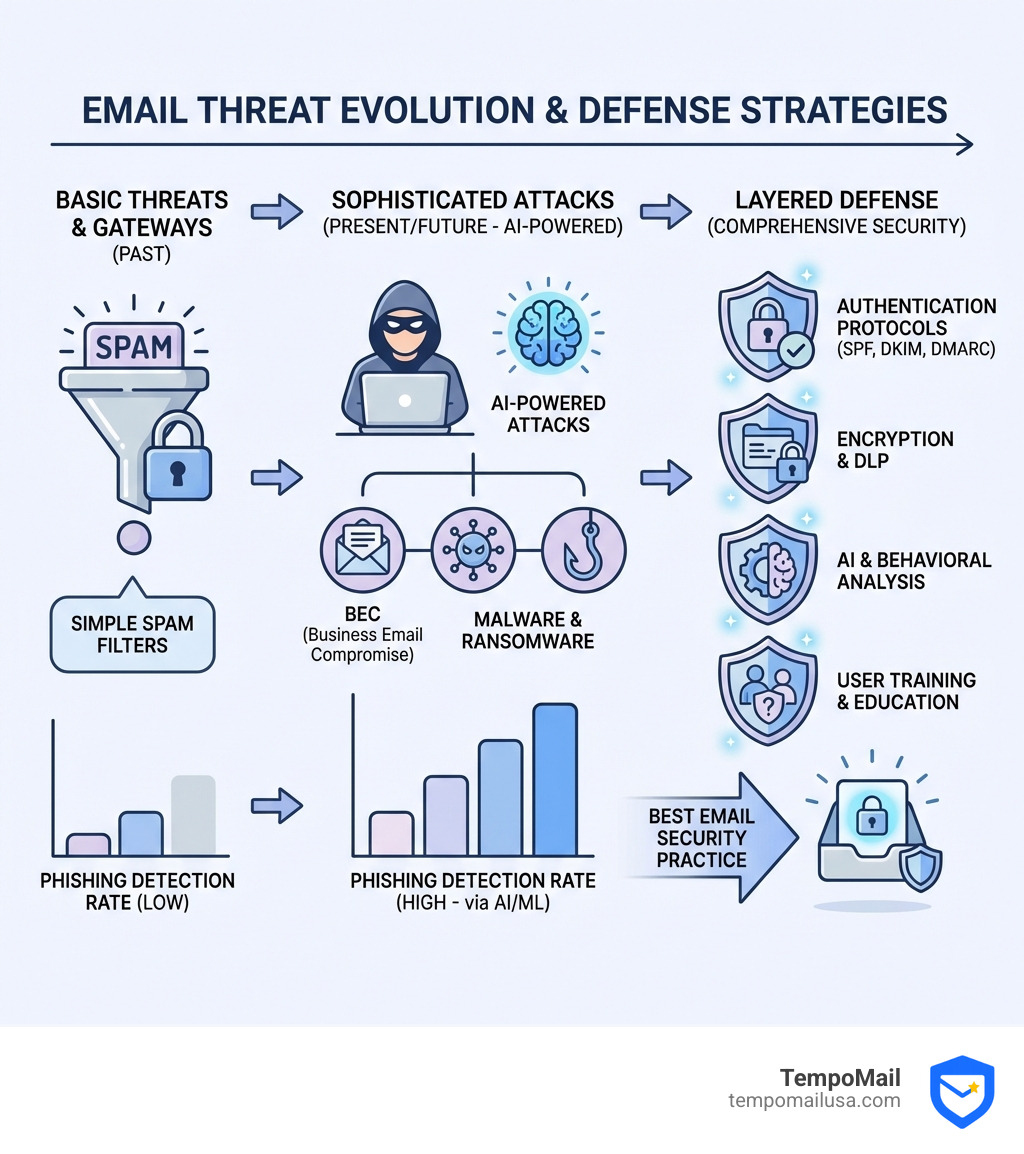
This is where comprehensive email security becomes critical. The best solutions combine multiple defense layers: secure gateways, advanced threat protection, authentication protocols, and user education. They use AI and behavioral analysis to catch sophisticated attacks that slip past default filters, while adding compliance, reporting, and continuity features businesses need.
I'm Mohammad Waseem, and through building and managing multiple email-related platforms including temporary email services, I've spent years analyzing the best email security practices and testing various protection systems to understand what actually stops threats versus what just adds overhead. I'll help you steer the options and find the right security solution for your needs.
Understanding the Modern Email Threat Landscape
The internet has changed, and so has the way we get attacked. Its no longer just about a "Prince" asking for a wire transfer in broken English. Todays threats are sophisticated, often powered by the same AI tools we use for productivity. To find the best email security, we first have to understand the monsters hiding in the digital shadows.
Social Engineering and the Human Element
Attackers have realized that it is much easier to trick a human than it is to hack a hardened server. Social engineering is the psychological manipulation of people into performing actions or divulging confidential information. This is the foundation of most modern email attacks.
For a practical view of how these threats show up in real environments, it helps to follow vendor threat intelligence and guidance (for example, Microsofts security resources: Microsoft Security).
The Heavy Hitters: Phishing and BEC
- Phishing: This is the broad category of sending deceptive emails. It has evolved into Spear Phishing (targeting a specific individual) and Whaling (targeting high-level executives).
- Business Email Compromise (BEC): This is perhaps the most financially devastating threat. Attackers impersonate a CEO, a trusted vendor, or a colleague to authorize fraudulent payments. Because these emails often contain no malicious links or attachmentsrelying purely on text and "urgency"traditional filters often miss them.
Malware and Ransomware
While text-based attacks are rising, malicious attachments haven't gone away. Since November 2022, the StrelaStealer malware has hit over 100 organizations across the U.S. and EU. This particular nasty piece of software is designed to steal email login credentials, allowing hackers to move laterally within a network.
Account Takeover (ATO) and Data Exfiltration
In an ATO scenario, a hacker gains full access to your account. From there, they can send "legitimate" emails to your contacts, making the attack nearly impossible to spot for the recipient. Data exfiltration involves the unauthorized transfer of sensitive data from your organization, whether through a compromised account or a malicious insider.
According to the latest industry security insights, the sheer volume of these attacks is staggering, but the common thread is a lapse in visibility. A modern defense must close these gaps by combining technology, process, and people.
Common Attack Vectors:
- Malicious Links: Leading to credential harvesting sites.
- Infected Attachments: Deploying ransomware or info-stealers.
- Domain Spoofing: Making an email look like it came from
yourbank.comwhen it didn't. - Display Name Impersonation: Changing the senders name to "CEO Name" while the actual email address is hidden.
Comparing API-Based vs. MX Record Gateways for the Best Email Security
If you’re looking for the best email security, you’ll likely run into a technical fork in the road: Should you use a traditional Secure Email Gateway (SEG) or a modern API-based solution?
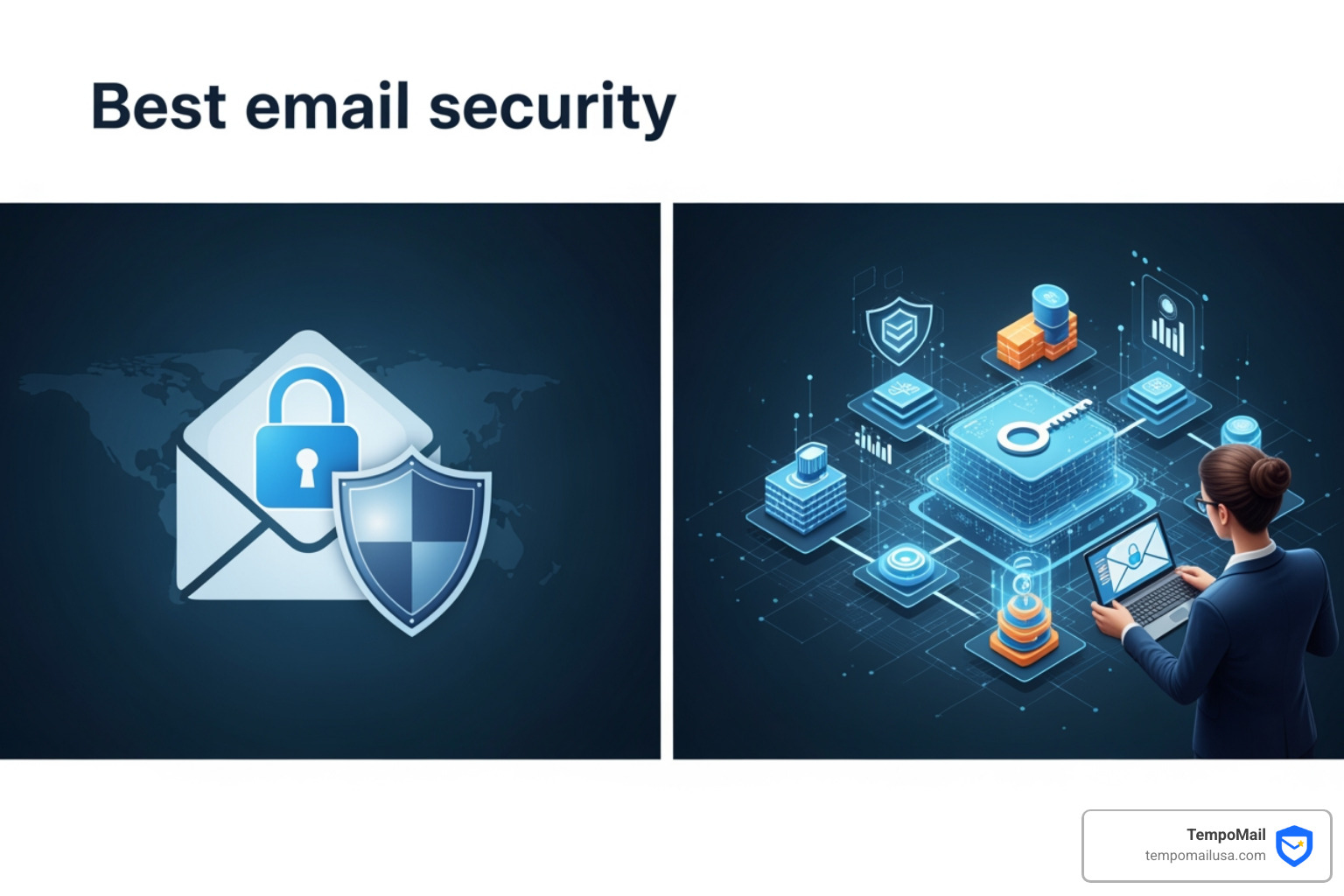
The Legacy Approach: MX Record Gateways
For decades, the Secure Email Gateway (SEG) was the gold standard. To set it up, you change your domain’s MX (Mail Exchanger) records to point to the security provider. All mail is routed through their servers, cleaned, and then forwarded to your inbox.
The Pros: It’s a literal "gate" that stops threats before they reach your mail server. The Cons: It’s "blind" to internal emails (sent from one employee to another). It can also introduce latency and is often easy for attackers to bypass by sending mail directly to the server's IP address.
The Modern Shift: API-Based Security
Cloud providers now offer robust APIs (like the Microsoft Graph API). Modern security solutions connect directly to your inbox via these APIs and OAuth authentication.
The Pros:
- No Latency: Mail arrives normally while the security tool scans it in milliseconds.
- Internal Visibility: These tools see emails sent between employees, which is crucial for stopping the spread of an attack after an initial account compromise.
- Post-Delivery Remediation: If a threat is finded after delivery, the tool can automatically "claw back" the email from every user's inbox instantly.
| Feature | MX Record Gateway (SEG) | API-Based (ICES) |
|---|---|---|
| Deployment | Requires DNS/MX changes | Simple OAuth/API connection |
| Internal Email Scanning | No (usually) | Yes |
| Setup Time | Hours/Days | Minutes |
| Phishing Effectiveness | Good | Excellent (up to 44x better) |
| User Experience | Can cause delivery delays | Transparent to the user |
Research indicates that modern API-based security is 44x more effective at keeping phishing emails from reaching a user’s inbox than legacy email gateways. This is why many organizations are moving toward API-based email security; it simplifies deployment and reduces operational overhead.
Evaluating Cloud-Based Features for the Best Email Security
When we talk about "advanced" features, we aren't just talking about bigger blocklists. We’re talking about Artificial Intelligence (AI) and Machine Learning (ML).
Modern platforms use Natural Language Processing (NLP) to analyze the "sentiment" and "intent" of an email. If an email from your "CFO" sounds unusually urgent or uses phrasing they never use, the AI flags it as a potential BEC attack. Computer Vision is another game-changer; it "looks" at a login page linked in an email to see if it’s a pixel-perfect fake of a Microsoft login page.
Behavioral Analysis builds a "baseline" of what normal communication looks like for your company. It knows who usually talks to whom and what time of day they do it. When a login happens from a new country or a weird forwarding rule is created, the system triggers an alert.
Advanced threat defense research shows that integrating these AI layers is the only way to stay ahead of generative AI-driven attacks.
Selecting the Best Email Security for Small Businesses vs. Enterprises
The "best" system depends entirely on your footprint.
- For SMBs: You need something budget-friendly and "set it and forget it." Solutions like specialized SMB security tools are fantastic because they offer enterprise-grade protection without requiring a dedicated SOC (Security Operations Center) team. These tools can reduce spam and malware by over 99.9%.
- For Enterprises: You need scalability, deep compliance features, and Business Continuity. If your mail server goes down, can you still send/receive mail? Enterprise-grade suites excel here, offering long-term archiving and "mailbox continuity" so work doesn't stop during an outage.
- For MSPs: Multi-tenant support is key. You need one dashboard to manage security for fifty different clients. Leading security providers offer excellent platforms for managed service providers.
Essential Protocols: SPF, DKIM, and DMARC
Think of these three as the "Passport Control" of the email world. Without them, anyone can send an email and put your name on it.
- SPF (Sender Policy Framework): A DNS record that lists which IP addresses and domains are allowed to send email on your behalf. If it’s not on the list, it’s suspicious.
- DKIM (DomainKeys Identified Mail): This adds a digital signature to your emails. It proves that the email was actually sent by you and hasn't been tampered with in transit.
- DMARC (Domain-based Message Authentication, Reporting, and Conformance): This is the "instruction manual" for the recipient. It tells them what to do if an email fails SPF or DKIM. You can set it to None (just monitor), Quarantine (send to spam), or Reject (block entirely).
Moving DMARC to full Enforcement (Reject) is one of the single most effective things you can do to protect your brand's reputation. It prevents hackers from spoofing your domain to trick your customers or partners.
Best Practices for a Layered Defense
Technology is great, but it’s not a silver bullet. The best email security strategy is like an onion—it has layers.
1. Enable Multi-Factor Authentication (MFA)
If you do nothing else, do this. Industry reports show that MFA blocks more than 99% of all account-compromise attempts. Even if a hacker steals your password, they can't get in without that second code from your phone or hardware token.
2. Strong Passwords and Managers
A 12-16 character password is the minimum. Since we can't remember fifty of those, use a password manager. It ensures you never reuse a password, which is how most "credential stuffing" attacks happen.
3. Encryption (S/MIME and PGP)
Most email travels as plaintext. If you’re sending sensitive data like Social Security numbers or financial records, you must use encryption. S/MIME and PGP are the standards here, ensuring only the intended recipient can read the message.
4. Security Awareness Training (SAT)
Your employees are your last line of defense. Regular phishing simulations help them sharpen their instincts. Leading security platforms offer integrated training that triggers automatically if a user clicks a "bad" link in a test email.
5. Keep Systems Updated
Many devastating breaches exploit vulnerabilities that already have fixes available. Whether it's your browser, your Outlook client, or your mobile OS—hit that "Update" button.
Essential Security Habits:
- Hover before you click: Check the actual URL of a link.
- Verify out-of-band: If the "CEO" asks for a wire transfer, call them or use a separate chat app to confirm.
- Check the sender's address: Don't just look at the display name.
- Use "Safe Sharing": Instead of emailing a sensitive file, use a secure, password-protected link.
Frequently Asked Questions about Best Email Security
What are the primary threats email security protects against?
Email security aims to block phishing (stealing credentials), Business Email Compromise (fraudulent requests), Malware/Ransomware (malicious software), and Account Takeovers. It also helps prevent Data Loss by ensuring sensitive information doesn't leave the company accidentally.
How does MFA contribute to account safety?
MFA adds a second layer of verification. Since most hackers get in by stealing or guessing passwords, MFA acts as a roadblock. Even with your password, they cannot access the account without a physical device (like your phone) that you control. It is the single most effective deterrent against account compromise.
Why is DMARC important for business domains?
DMARC protects your brand. It tells other mail servers, "If an email looks like it's from me but fails my security checks, throw it away." This prevents attackers from using your good name to scam your customers, protecting your domain's "reputation score" and ensuring your legitimate emails actually get delivered.
Conclusion
Finding the best email security isn't about buying the most expensive software; it's about building a defense that fits your specific needs. From the AI-driven power of adaptive detection platforms to the reliability of budget-friendly filters, there is a solution for every inbox.
However, even the best filters can't stop everything if you're constantly handing out your primary email address to every website you visit. This is where TempoMail comes in. We provide a powerful "Identity Proxying" service that acts as a firewall for your personal life.
By generating secure aliases, TempoMail protects your Personally Identifiable Information (PII) from being leaked in third-party data breaches. If an alias starts receiving spam or phishing attempts, you simply delete it—leaving your real inbox untouched and your identity secure.
Protect your identity and stop spam with TempoMail
Stay safe out there, and remember: your inbox deserves a bodyguard.