
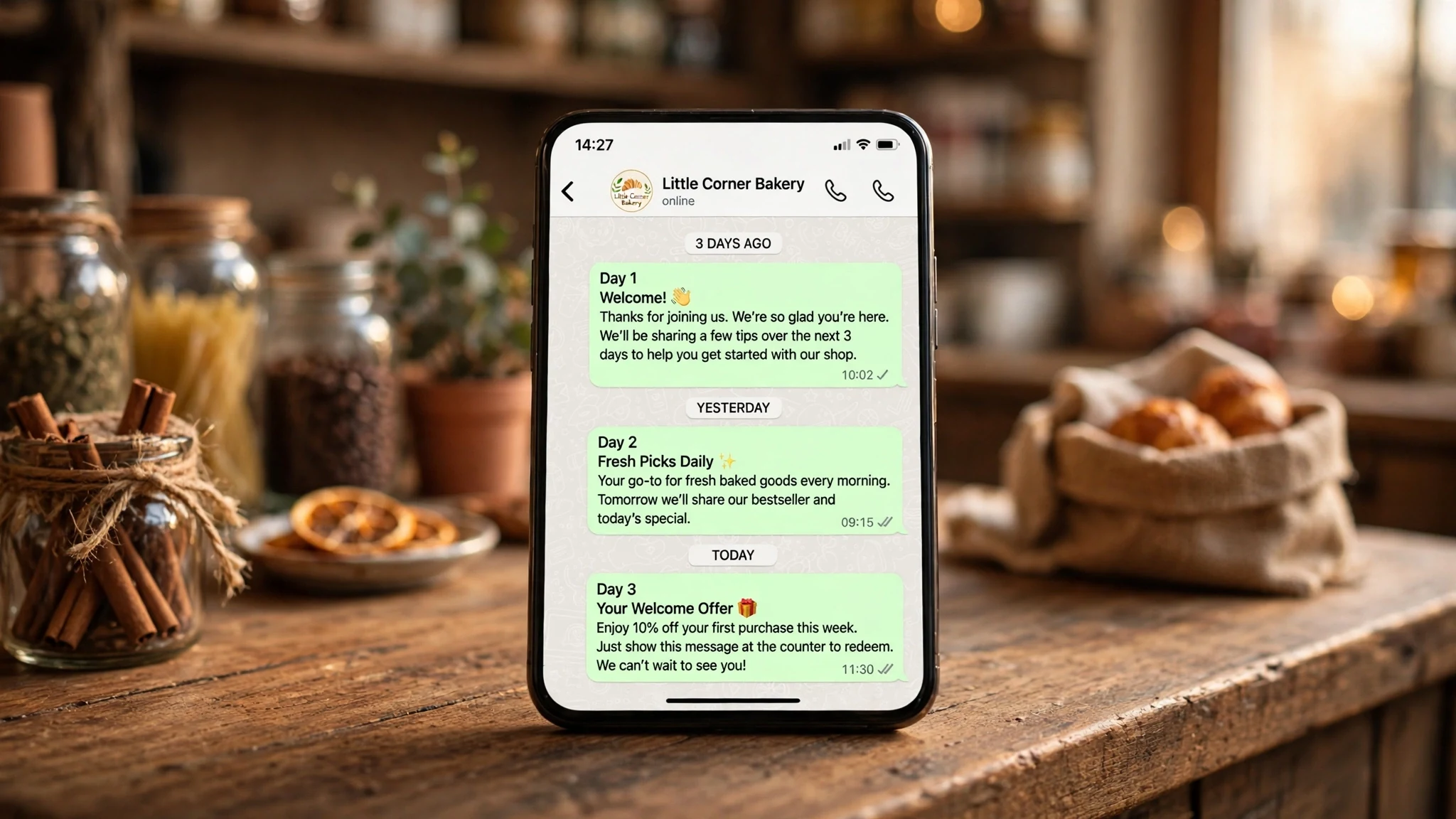
WhatsApp Drip Campaign: We Built a 3-Day Welcome Sequence in WhatsMax and Watched Where It Breaks

A drip campaign is the most oversold button in WhatsApp marketing. Every tool page describes it the same way: write your messages once, set the days, and the system does the rest while you get on with running the shop. That sentence is doing a lot of quiet work. "The system does the rest" covers the customer who replies in the middle of your sequence, the customer who types STOP, the template Meta never approved, and the 24-hour window that closed while nobody was watching. None of those are edge cases. They are the normal week of any small shop that sells on WhatsApp.
So instead of another explanation of what a drip campaign is, I built one — a three-message welcome sequence for a small shop, inside the WhatsMax demo — and then I tried to break it in the five places that actually break in real life. WhatsMax is the multi-vendor WhatsApp marketing script that sells for $44 one-time, and its drip module is a core module, not an addon: day-offset message sequences, with a separate auto follow-up module for chats that go quiet. Everything below comes from the live demo and the landing page, not from a sales sheet I took on trust.
The shop in this test is the kind of business the demo is built for: a small home-goods store that takes orders over WhatsApp, gets maybe forty new opted-in numbers a week, and has one person answering the phone between everything else. No marketing team, no agency, no patience for a tool that needs babysitting. If the drip works for that shop, it works.
The shop and the three messages
Before touching any settings, I wrote the sequence on paper, because the tool will happily send whatever you type into it, and the tool is not the one whose number gets blocked.
Day 0, within an hour of opt-in: welcome, first name, one sentence about what the shop sells, a first-order code worth 10%, and the expiry — seven days, stated plainly. Day 1, the next morning: a check-in. Did the code work, any question about delivery, here is the delivery window. Day 3: one feedback ask — how was the first order, or if there was no order, what got in the way — and then the sequence ends. No Day 5, no Day 7, no "just checking in again" a week later. Three messages, one job each, and a hard stop.
That restraint is the whole test. A welcome drip is not a newsletter with a delay timer. The customer opted in to hear from a shop they just bought from, not to join a mailing list that happens to arrive on WhatsApp. Every extra message spends trust the shop hasn't earned yet, and WhatsApp makes that spend visible: the customer can block the number in two taps, and Meta watches how often that happens.
The mechanics are simple on purpose. The drip fires on a day offset from the opt-in. The demo describes the module plainly: "day-by-day drip sequences, automatic follow-ups when a chat goes quiet — window-aware, so messages go free-form inside 24 hours and as templates after." That window is the rule that decides what each message is allowed to be.
Day 0: the welcome has to earn the next two days
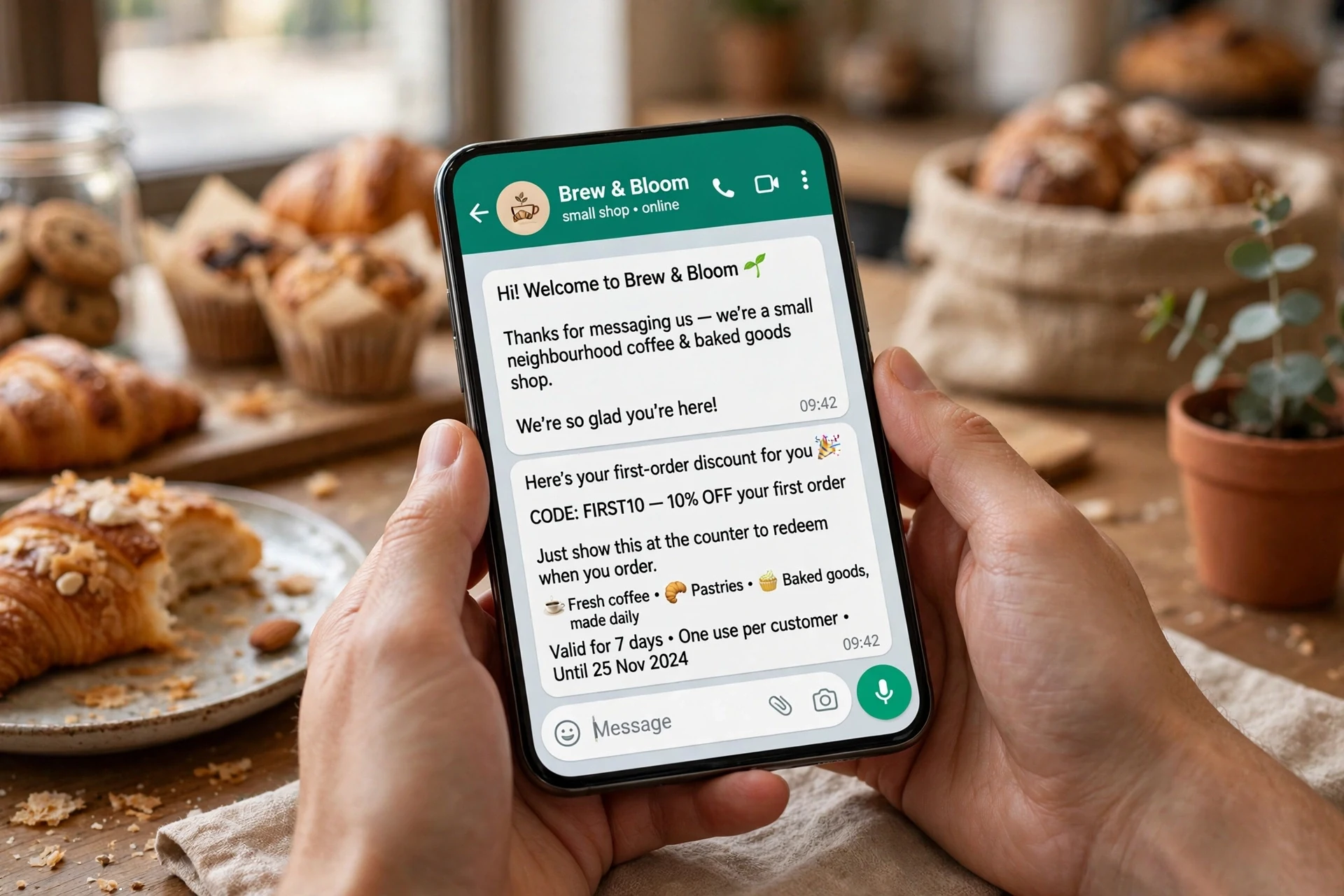
The first message is the only one the customer asked for, and it is also the one with the most rules attached to it. Anything a business sends outside an open 24-hour conversation has to be an approved template — Meta reviews marketing templates before they can be sent, and the demo's template manager tracks approval status per template: approved, pending, or rejected. So the welcome is a marketing template, written and submitted before the drip can run at all. That is the first honest check a shop owner should do before promising anyone a welcome sequence: is the template approved? A drip built on a pending template is a drip that fires into nothing.
I wrote the welcome the way I would want to receive it. Name first, from the {{1}} variable the template maps to the contact's own field. One line saying what the shop is. The code, the 10%, the seven-day expiry. And a line that matters more than the code: reply STOP any time and the messages stop. The landing page lists STOP and HELP opt-out handling as built in, and the demo says opt-outs are recorded automatically and excluded from future campaigns.
Two things I left out of Day 0. The catalogue, for one: the demo can send a product list or a full catalogue straight from the chat, but a welcome carrying a catalogue reads like a flyer shoved through a door. The code is the offer; the catalogue belongs in the conversation that follows. And the small hours, for another: the landing page lists quiet hours as a campaign feature, and a welcome that lands at 1 a.m. because the customer opted in at midnight is a welcome that gets the number blocked before breakfast. Send inside shop hours only.
Day 1: the check-in that only works if Day 0 was read
Day 1 is where most welcome drips quietly fail, because it is the first message that depends on something the shop doesn't control: whether the customer read Day 0, and whether they replied.
If the customer replied to the welcome — a question about delivery, a "thanks", anything — the 24-hour service window is open, and Day 1 can go as a free-form message inside the conversation. It can sound like a person, because it is arriving inside a conversation a person is already having. If the customer did not reply, the window from their last message is what matters, and a Day 1 message sent outside it has to be a template again. The demo is explicit: messages go free-form inside 24 hours and as templates after. That is not a WhatsMax rule; it is a WhatsApp rule, and any drip tool that hides it from you is setting you up for failed sends.
So Day 1 has two versions in my head, and only one of them is the message I wrote. The written version is short and assumes nothing: did the code work, delivery runs Tuesday and Friday, reply here with any question. It does not say "as I mentioned yesterday", because if Day 0 was never read, that sentence is a small lie. It does not ask for the order again, because the customer already has the code. The check-in's job is to remove the one obstacle between the customer and the first order — usually a delivery question — and then get out of the way.
My one complaint about the build so far: a drip tool should show you, per contact, which version of Day 1 is about to go out — free-form or template — and why. The demo tracks sent, delivered and read per campaign with a per-recipient log behind it, which is the right raw material, but the answer should be one glance, not a log to decode.
Day 3: the feedback ask, and knowing when to stop
Day 3 is the message most shops get wrong by sending it at all. By the third day, one of three things is true: the customer ordered and the order went fine, the customer ordered and something went wrong, or the customer never ordered. One message has to serve all three, and the honest way to do that is to ask a question instead of making a claim. "How was it?" works for the first two. For the third, it is a nudge with a graceful exit built in: if the code didn't suit them, say so, no hard feelings.
I set the sequence to end after Day 3 no matter what. No branch that adds a Day 5 for non-buyers, no "last chance" message on Day 7. The reason is arithmetic, not politeness. Forty new opt-ins a week, three messages each, is 120 messages a week from one sequence. Add a Day 5 and a Day 7 and the same forty people are getting 200 messages a week, most of them to people who already decided. The demo's Growth plan — the seeded vendor plan on the demo storefront — includes 10,000 messages a month, which sounds generous until you count what five drips, a weekly campaign, and the auto follow-ups add up to. The script itself is $44 one-time, but Meta's per-conversation charges are separate and billed by Meta. A drip that never stops eats the budget on the people least likely to buy.
The auto follow-up module is easy to confuse with the drip, so it deserves one sentence. The drip is a sequence on a schedule: Day 0, Day 1, Day 3. The auto follow-up fires when a chat goes quiet — no-reply triggers with smart steps, in the landing page's words. Let both run on the same contact and the customer gets the Day 3 feedback ask and a no-reply follow-up in the same hour. My rule from this test: a contact is in one automation at a time, and the drip owns the first three days.
The five ways I tried to break it
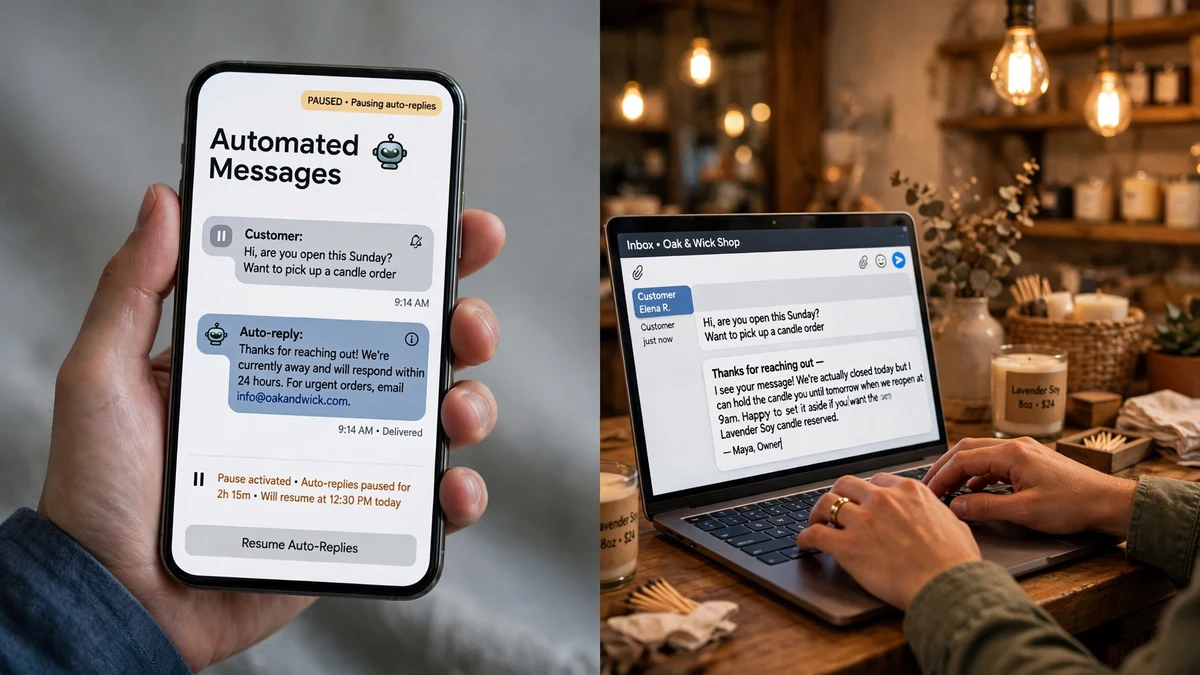
A sequence that works when everything goes right is not a test. Here are the five breakages, what the demo's documented behaviour says should happen, and where I would still want a human watching.
1. The reply in the middle. The customer answers Day 0 at 11 p.m. with a real question: does this come in blue? The drip's next step is Day 1 at 9 a.m., but the customer is now in a live conversation, and the worst thing the shop can do is answer their question with a scheduled check-in. The drip has to pause, and the conversation has to land in the shared team inbox where a human can pick it up — with the 24-hour window visible on the chat, labels and assignment beside it. This is the moment the drip earns its keep or ruins it.
2. STOP. The customer replies STOP to Day 1. Everything after that point must die — Day 3, the follow-up, the next campaign. The demo says opt-outs are recorded automatically and the number is excluded from future campaigns, and the landing page lists STOP/HELP handling as built in. That is the correct behaviour and the only acceptable one. What I would check on a live install is the timing: is the exclusion instant, or does it wait for the next cron run? The scheduler runs every minute, which bounds the delay, but a STOP that arrives seconds before a scheduled send is a race the shop will lose once. Test it once, on purpose, before you trust it.
3. The 24-hour window closes. Day 1 is due 26 hours after the customer's last message. Free-form is no longer allowed; the message must go as an approved template or not at all. The failure mode to fear is the silent one: a step that cannot send, and nobody noticing until the customer complains that the code never arrived. The per-recipient log is the defence — sent, delivered, read, failed, per person. A drip is only as good as its failure reporting, and "failed" needs to be a status the owner actually looks at.
4. The template that never got approved. Marketing templates go to Meta for review, and Meta says no sometimes — a word, a format, a claim. If Day 0's template is rejected and the drip fires anyway, the whole sequence is a row of failed sends. The demo tracks approval status per template, so the failure is visible before the drip runs. The discipline is on the owner: never attach a template to a live drip until its status reads approved, and never edit an approved template without re-checking, because an edit can send it back for review. This is the least glamorous part of WhatsApp marketing and the part that breaks the most sequences.
5. The no-reply follow-up that fires when it shouldn't. The auto follow-up module watches for quiet chats. The drip is, by design, a series of messages to a chat that may go quiet. Put both on the same contact and the follow-up can fire between Day 1 and Day 3, doubling up on a customer who was simply busy. The fix is boring and total: stagger the triggers, exclude drip contacts from the follow-up until the sequence ends, and keep the follow-up's steps short. Automation that overlaps is worse than no automation, because the customer experiences it as one shop sending two different messages at once.
What the per-recipient log tells you that the dashboard doesn't
Dashboards are for feeling good. The per-recipient log is for finding out what happened. The demo tracks every campaign from queued to read, and the same machinery sits behind the drip: each recipient, each step, each state. Did Day 0 get read, or just delivered? Did Day 1 go out as a template because the window had closed? Which step is the one where people stop opening — because that step is the one to rewrite, not the whole sequence.
The useful number is the gap between delivered and read on Day 1. If Day 1 is delivered to nearly everyone and read by a third, the message is being skipped, and the fix is in the first line, not the timing. If Day 1 is failing to send at all, the fix is in the template status or the window, and no amount of copywriting will help. Two different problems, two different fixes, and only the log tells you which one you have.
The verdict: when a drip earns its keep
My honest verdict after building this sequence and trying to break it five ways: a three-message welcome drip is worth building, and a seven-message one almost never is. The drip's job is narrow — welcome the customer, remove the one obstacle to the first order, ask how it went, stop. Everything beyond that is the shop talking to itself.
The numbers are small and checkable. The script is $44 one-time, with the drip, the follow-up, the inbox, the flow builder and the catalogue all in the core package — 28 modules, no addon upsells, according to the landing page. The demo's seeded vendor plans run Free to $99 a month with message limits attached, and Meta's conversation charges sit on top, set by Meta. So the cost of a welcome drip is not the software. It is the message budget and the trust budget, and both are spent fastest on the people who never asked for more than a welcome.
Who should not build a drip yet: anyone without an opted-in list, anyone whose templates are still pending, and anyone who cannot say what the sequence's one job is in a single sentence. If you cannot finish the sentence "this drip exists to…", you do not have a drip, you have a timer attached to a mailing list, and your customers will be able to tell the difference within two messages. Build the three-message version, watch the per-recipient log for a week, rewrite the step where reads fall off, and only then think about a second sequence. The automation is the easy part. Knowing when to stop is the product.
FAQ
Do I need Meta approval for every message in a drip campaign?
Not every message — every template. Messages sent inside an open 24-hour conversation can be free-form. Messages sent outside that window must use an approved template, and Meta reviews marketing templates before they can be sent. Check that the template's status reads approved before you attach it to a live drip.
What happens if a customer replies in the middle of my drip?
The conversation should move to a human. The reply reopens the 24-hour window, the chat lands in the shared team inbox, and the scheduled steps should pause rather than talk over the customer. If your setup can't pause a sequence on a reply, fix that before you add more steps.
Does WhatsMax stop a drip when someone opts out?
Yes — STOP and HELP handling is built in, opt-outs are recorded automatically, and the number is excluded from future campaigns. Test the timing once on your own install: send STOP to your own number just before a scheduled step and confirm the step never goes out.
How many messages should a welcome drip have?
Three, in my view: a welcome with the offer, a check-in that removes the obstacle to the first order, and a feedback ask — then stop. Every message after the third is sent to people who have already decided, and it spends trust and message budget on the least interested audience you have.
What does a WhatsApp drip campaign cost?
The WhatsMax script is $44 one-time for the full package, drip module included. On top of that, Meta charges per conversation on the WhatsApp Business Platform, at rates that depend on the message category and the customer's country, billed by Meta. The demo's seeded vendor plans add their own message limits — Growth at $29 a month includes 10,000 messages — so count your sequences against that budget before you build a fourth or fifth one.
Can I run a drip and an auto follow-up on the same contact?
You can, but you shouldn't at the same time. The drip owns the first three days; the auto follow-up handles chats that go quiet afterwards. Overlap them and the customer gets two different automated messages in the same hour. Exclude drip contacts from follow-ups until the sequence ends.
*The WhatsMax demo is live at mavora.tempomailusa.com, and the full product page is at trymavora.tempomailusa.com. The script is $44 one-time. Before you build any sequence, read the opt-in audit — what to sort before you send anything — and the cost maths — what a month of WhatsApp messaging actually costs. When a customer replies mid-drip, the handover is the whole game, and the shared-inbox triage test shows what that looks like; for the shape of a normal day on one number, see one shop, one WhatsApp number.*
Need a disposable temporary email?
Protect your real inbox from spam and promotional clutter instantly and free.
Received a suspicious email, text, or charge alert?
Verify whether the sender domain is disposable, spoofed, or unverified before clicking links.