


title: "How to Use Temp Mail for Outlook Signups in the USA (2026)"
slug: "temp-mail-usa-outlook-signups-2026"
meta_title: "Temp Mail USA for Outlook Signups (2026 Guide)"
meta_description: "Learn how to use temp mail for Outlook signups in the USA in 2026. Step-by-step guide, tips, and honest answers about verification."
target_keyword: "temp mail usa outlook"
word_count: 1013
How to Use Temp Mail for Outlook Signups in the USA (2026)
Signing up for a new Microsoft Outlook account sounds simple — until Microsoft asks for an email address to verify your identity, and you don't want to hand over your primary inbox to yet another account. Whether you're testing a new app, creating a backup account, or just keeping your main email out of the spam blast radius, a temporary email address is one of the cleanest ways to get through Outlook's verification step.
This guide walks you through exactly how to use temp mail for Outlook signups in the USA in 2026 — step by step, with honest answers about what works, what doesn't, and when you should use a different approach.
Why Outlook Needs Email Verification
Microsoft requires verification on new Outlook accounts for one reason: abuse prevention. Free email accounts get exploited for spam, phishing, and bot registrations, so Microsoft's signup flow checks that a real human with a reachable email address is behind the request.
Here's what the verification flow looks like:
- You enter a new Outlook address (e.g., yourname@outlook.com).
- Microsoft sends a security code to the recovery email or phone number you provide.
- You enter that code to confirm you own the backup contact.
- Your account goes live — usually within a minute or two.
That recovery contact is exactly where a temporary email address fits in. Instead of exposing your personal Gmail or work inbox, you use a disposable inbox that receives the code and then disappears.
One honest caveat up front: Microsoft is aggressive about filtering disposable email domains. Some temp mail providers get blocked outright during Outlook signup, while others work fine. tempomailusa.com uses fresh, US-friendly domains that are actively maintained for deliverability — but Microsoft can (and does) change its blocklists without warning. If one domain doesn't work, generate a new address from a different domain and try again. For a side-by-side look at which services hold up best, see our best temp mail services for 2026 roundup.
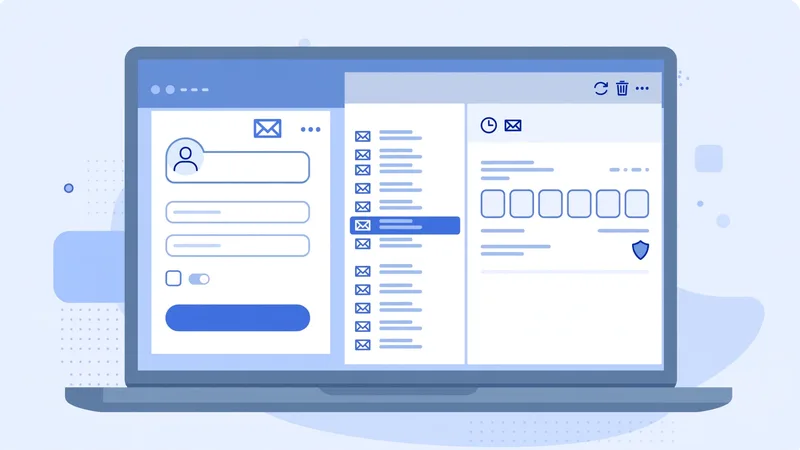
Step-by-Step: Using tempomailusa.com for Outlook Signups
Follow these steps and you'll have a verified Outlook account in about five minutes.
Step 1: Generate your temporary email address
Go to tempomailusa.com and copy the temporary address it generates for you. No signup, no download, no cost. The address is ready instantly — something like random123@tempmail-usa.example (your actual address will look different).
Tip: Keep the tempomailusa.com tab open. The inbox updates in real time, so the verification email will appear without refreshing.
Step 2: Start the Outlook signup
Open outlook.live.com or the Microsoft account creation page and choose Create free account. Pick your new Outlook address (yourname@outlook.com or @hotmail.com).
Step 3: Use the temp address as your recovery email
When Microsoft asks for a recovery email or phone number, paste your tempomailusa.com address instead of your personal email. Microsoft will send a security code there.
Step 4: Grab the code from your temp inbox
Switch back to the tempomailusa.com tab. The Microsoft verification email typically arrives within 10–60 seconds. Open it, copy the security code.
Troubleshooting: If the code doesn't arrive within 2 minutes, don't spam the "resend" button — Microsoft rate-limits resends. Instead, click Microsoft's option to try a different contact method, generate a fresh temp address on tempomailusa.com, and use the new one.
Step 5: Enter the code and finish
Paste the code into Microsoft's verification screen. Complete the remaining setup (birthday, CAPTCHA, region — select United States). Your new Outlook account is ready.
Step 6: Secure the account
This is the step most guides skip. Once you're verified:
- Add a real recovery method — your actual email or phone number — in Microsoft's security settings. A temp inbox expires, and if you ever lose your password, you'll need a working recovery path.
- Turn on two-factor authentication in your Microsoft account settings. It takes 60 seconds and stops most account takeovers cold.
Tips That Actually Help
- Time it right. Temp inboxes expire. Generate the address right before you start the signup — not an hour earlier.
- One address, one signup. Don't reuse a temp address across multiple Microsoft accounts. Reuse patterns trigger Microsoft's fraud filters faster than anything.
- Match the domain vibe. Microsoft trusts some disposable domains more than others. If you're blocked, the fix is almost always "generate a new address from a different domain" rather than "try the same address five more times."
- Use a desktop browser. Outlook's signup flow sometimes flags mobile browsers and VPN exit nodes more aggressively. A standard US-based desktop connection has the smoothest pass rate.
- Don't use this for accounts you can't afford to lose. A temp recovery email is a convenience tool, not a security tool. For your primary Microsoft account — the one tied to your Windows login, Xbox, or Office 365 — use your real contact info.
Frequently Asked Questions
Does Microsoft block temp mail for Outlook signups?
Sometimes. Microsoft maintains a blocklist of disposable email domains, and it changes regularly. Many temp mail domains get through without issue; if yours is blocked, generate a new address from a different domain on tempomailusa.com.
Is it against Microsoft's rules to use a temp email for signup?
Microsoft's signup checks care whether you can receive the verification code — there is no published rule banning any particular email provider for verification. What Microsoft does enforce against is abuse: mass-created accounts, spam, and fraud get shut down regardless of which inbox verified them. Using a temp address for one legitimate personal account is a convenience choice; using it to run an account farm is not, and Microsoft's automated systems are built to catch that.
Will I lose my Outlook account when the temp email expires?
No — the temp address is only used for the initial verification. But add a permanent recovery email or phone number in your account settings afterward, or you'll have no way to recover the account if you get locked out.
Can I use temp mail from tempomailusa.com for other US signups?
Yes. The same approach works for most US services that require email verification — from AI signup flows to social apps. The exception is financial services, where you'll need a permanent email (more on that in our PayPal guide).