


The question I get asked constantly: does temp mail for Gmail signup actually work? Let me save you twenty minutes — no. Google will stop you. Not "might." Will.
I understand the appeal, I really do. You want a spare Gmail without tying it to your main identity, and a disposable address feels like the obvious shortcut. So here's the honest breakdown: why it fails, the workarounds people swear by (and what really happens with each), and what you should do instead. Nobody's paying me to be optimistic about this, so I won't be.
The short answer: Google blocks it

Google maintains a blocklist of known disposable email domains, and it's aggressive. The moment you type an address from a public temp domain into Gmail's signup form, Google recognizes the domain and rejects it. Sometimes it tells you outright; sometimes it just silently never sends the verification email. Either way, you're stuck on step one.
And here's the part that kills most "clever" workarounds: even if a domain slips past the first check, Gmail signup almost always demands phone verification. Google is equally ruthless about virtual and VoIP numbers for account creation. So the typical temp-mail-plus-temp-number combo fails twice — once at the email step, once at the phone step.
Is it theoretically possible? Sure. In the same way it's theoretically possible to come out ahead at slots. Somebody, somewhere, got a fresh private domain through on a Tuesday before Google's crawlers flagged it. That's not a strategy; that's luck with extra steps.
Why Google is so good at this (and why they won't stop)
It helps to understand the machinery, because it explains why every "method" has a shelf life measured in days.
First, the domain lists. Google doesn't just block disposable domains — it hunts them. New temp domains get discovered fast, because thousands of people immediately try them for Gmail signup, which is exactly the signal Google's systems look for. A domain goes from "fresh and working" to "flagged" in days, sometimes hours. It's a treadmill: temp services mint new domains, Google burns them.
Second, phone verification. Google requires a phone number for most new accounts now, and its systems are very good at telling real carrier numbers apart from virtual ones. This is the wall almost nobody climbs. Temp phone services — including ours, and I'll be straight about this — are great at receiving OTP codes from tons of apps. Gmail account creation is specifically the hardest target in the industry. Our free SMS and OTP temp numbers handle codes for Google, WhatsApp, TikTok, and plenty of other services (TempoMailUSA reports ~1.2s average OTP latency across its network), but minting a brand-new Google account with a virtual number is where rejections happen most.
Third, the quiet signals: IP reputation, device fingerprints, signup velocity. Even with a clean domain and a real number, creating five accounts in an afternoon from the same browser gets you flagged. Google's abuse systems are, frankly, excellent at their job.
None of this is Google being evil. Disposable-address signups are how spam networks, fake review farms, and ban evaders operate at scale. You're collateral damage in a war against actual abuse. Annoying, but rational.
The "methods" people claim work — graded honestly
A brand-new private domain nobody's heard of. Best odds of the bunch, and they're still bad. It works until Google's systems notice the signup pattern — usually days. Some temp services (ours included on VIP, with 221+ premium domains and custom domain support) rotate domains partly for this reason. But "not on every blocklist yet" is a temporary condition, not a feature. And I'll say this plainly: don't buy our $5.99/month VIP plan just to beat Google's signup check. It'll probably fail, and I'd rather you spend money where it actually works.
VPN + fresh browser + incognito mode. Doesn't beat the domain check. Google doesn't care what IP you're on if the email domain is flagged — the domain is the thing being judged. A VPN helps with IP-based rate limits and nothing else here.
Aged temp domains and "premium" disposable services. Same treadmill, slightly slower. Premium domains get flagged slower than public ones because fewer abusers touch them. "Slower" is doing a lot of heavy lifting in that sentence.
Buying a real SIM or borrowing a friend's number. This actually works — because at that point you aren't using temp anything anymore. You've just signed up for Gmail normally. Which tells you everything about where the line is.
So no, there's no reliable method. Anyone selling you one — a guide, a tool, a "guaranteed" service — is selling hope. Your mileage may vary, but mine hasn't, and I've watched this arms race for years.
What to do instead (the stuff that actually works)
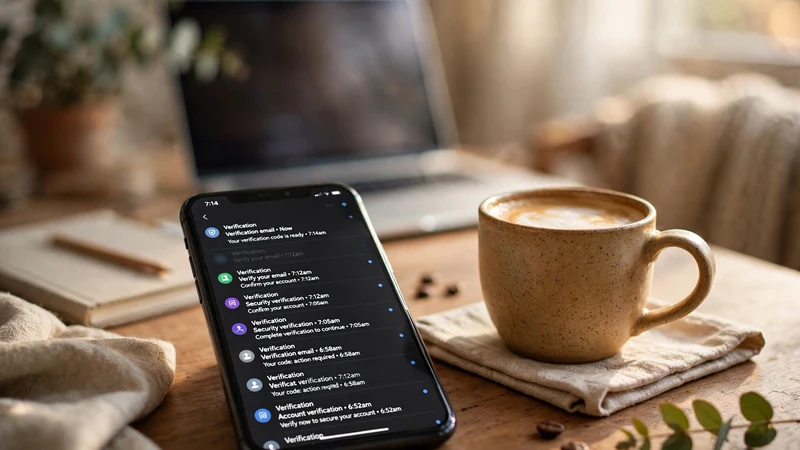
Here's the good news: almost nobody actually needs a disposable Gmail. What they need is separation — a way to keep junk out of their real inbox. Gmail already hands you that for free:
Plus-addressing. Gmail ignores everything after a +. So you+shopping@gmail.com, you+newsletters@gmail.com, and you+sketchysite@gmail.com all land in your inbox, and you can filter each one separately. Unlimited aliases, zero setup, works everywhere. This alone solves roughly 80% of "I need a throwaway" situations.
Dots don't matter. y.o.u@gmail.com is you@gmail.com to Google. Some sites treat the dotted version as a different address at signup. It's a quirk, not a strategy — but combined with plus-addressing, it's surprisingly useful.
Multiple real accounts. Google lets you create a handful of accounts per phone number. A dedicated "junk" Gmail — a real one, verified once with your real number — is the legitimate version of what you're trying to do. One verification, then use it freely for sketchy signups forever.
Flip the relationship. This is the big one. Don't use temp mail to create the Gmail — use temp mail for everything you sign up for with your Gmail. Newsletters, free trials, forums, Discord verification, AI tool signups — that's the job disposable addresses were born for. Your real Gmail stays clean, your identity stays yours, and Google never enters the picture. That's the setup I actually recommend to people, because it works every single time.
FAQ
Will trying this get my real Google account banned?
Almost certainly not for a single failed attempt — Google just rejects the signup. But hammering their systems, dozens of attempts from one IP or number, can get that number or IP flagged. That's a headache you don't want.
Do paid or "premium" temp domains work better for Gmail signup?
Marginally, briefly. Premium domains aren't on every blocklist on day one. But Google's detection runs continuously, and "works this week" is not a plan. Don't spend money chasing this specific use case.
What about temp phone numbers for the verification step?
Toughest target in the business. Tempomailusa's free SMS and OTP numbers receive codes for a huge range of services, but Gmail account creation specifically is where virtual numbers get rejected most. For app logins and verifications tied to existing accounts, they work great; for minting new Google accounts, expect failure.
Can I use temp mail to receive email FOR my Gmail?
That's backwards from the problem — and yes, it works fine. Any temp address can send to your Gmail; Gmail doesn't care who emails you. The block is only on creating a Google account with a disposable address. Direction matters.
Is there any legitimate reason to want a disposable Gmail?
Spam control is the honest one, and plus-addressing covers it better. True anonymity from Google isn't achievable with a signup trick — if that's the goal, you're looking at a different email provider entirely, not a cleverer method.
So what SHOULD I use temp mail for?
Everything downstream. Sign up for the newsletter with a throwaway. Verify the Discord with a throwaway — here's the Discord verification walkthrough. Test the AI tool with a throwaway — like the Canva signup guide. Keep the Gmail real and boring, and let disposable addresses take all the hits. That's the architecture that actually holds up.