

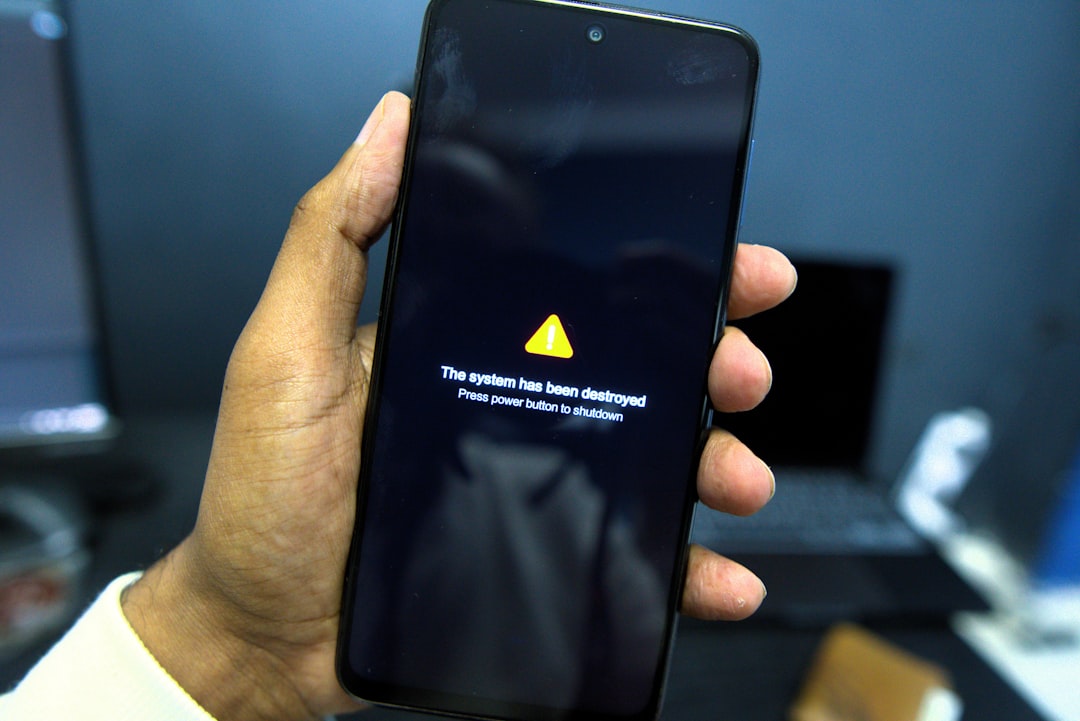

The "iCloud Storage Full" Scam Is Real — Here's What You Need to Know
The iCloud Storage Full Scam: Is It Real? How to Protect Your Apple ID is one of the most searched cybersecurity questions in 2026 — and for good reason. Yes, it's a real and widespread phishing scam, and yes, your Apple ID is genuinely at risk if you interact with these messages.
Quick answer for those in a hurry:
- Is it a scam? Yes. Unsolicited emails or texts claiming your iCloud storage is full are almost always phishing attempts.
- Does Apple send these emails? Rarely. Apple communicates storage warnings through your device's Settings app, not via unsolicited email.
- What do scammers want? Your Apple ID credentials, and sometimes your payment details.
- What should you do right now?
- Do not click any links in the message.
- Check your actual storage in Settings > [Your Name] > iCloud.
- Report the email to reportphishing@apple.com.
- Enable two-factor authentication on your Apple ID at appleid.apple.com.
If you've landed here after getting one of those urgent "Your iCloud Storage is Almost Full — Act Now" emails, you're not alone. Apple Community threads on this exact scam have attracted thousands of responses from users who received the same messages. The scam has been circulating since at least late 2023, and by April 2026 it has only grown more convincing.
The emails are polished. They use Apple's actual color palette, mimic the company's clean design language, and create a tight deadline designed to make you click before you think. One common subject line reads something like "Your iCloud Storage is Almost Full — Redeem Your Offer." Another variation threatens account suspension within days. The urgency is the whole game.
What makes this scam particularly dangerous is that Apple users are already accustomed to legitimate storage prompts appearing on their devices. Scammers exploit that familiarity. They're not inventing a new fear — they're hijacking one you already have.
The consequences of falling for it go far beyond a hijacked email account. A compromised Apple ID can expose your photos, messages, contacts, payment methods, and in some cases allow attackers to remotely lock your device via Find My iPhone and demand a ransom to restore access.
This guide breaks down exactly how the scam works, how to spot it instantly, and what to do whether you've just received one or already clicked.
Anatomy of the “iCloud Storage Full Scam: Is It Real? How to Protect Your Apple ID "
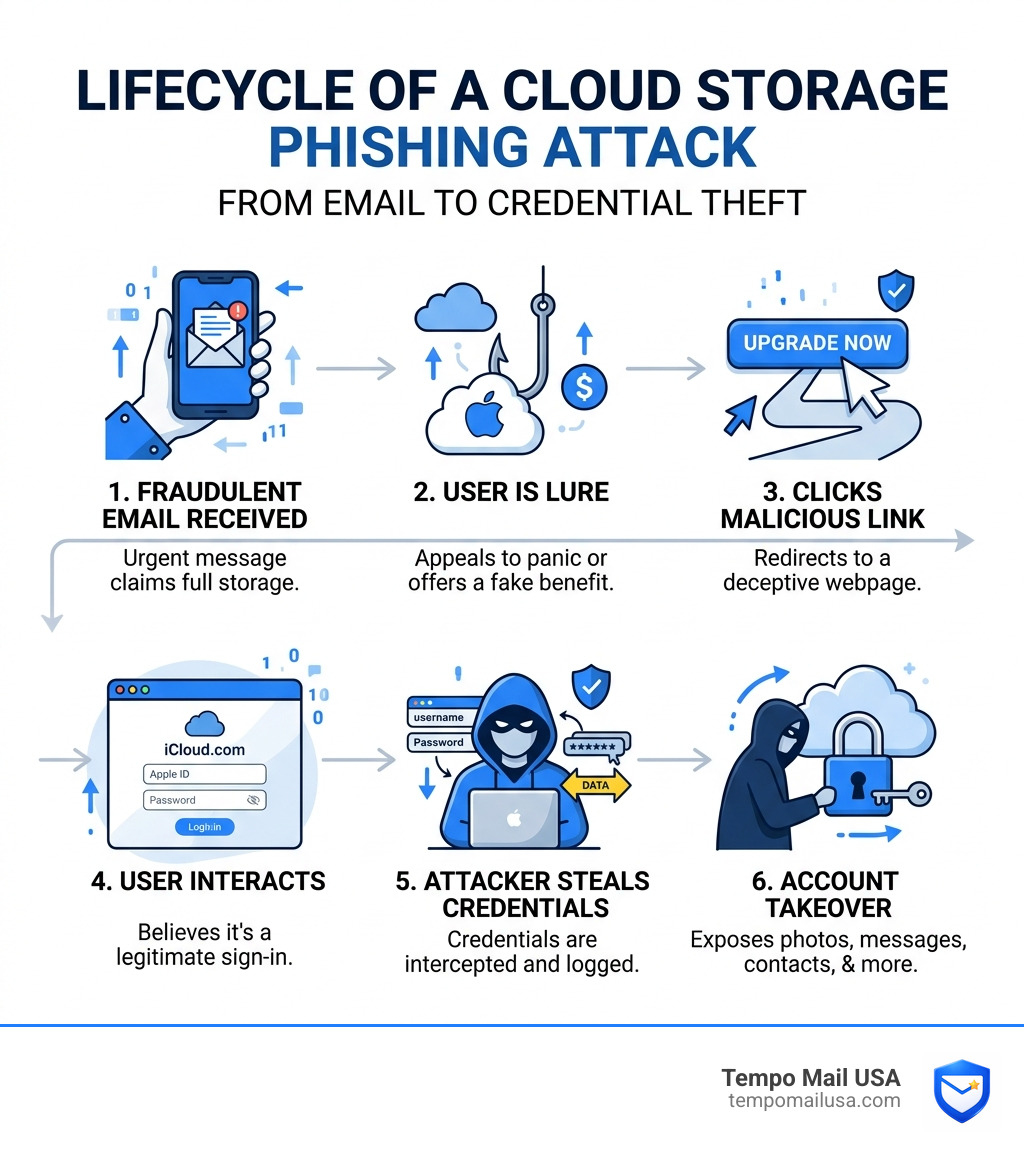
To defeat a scammer, we first have to understand their playbook. The “iCloud Storage Full Scam: Is It Real? How to Protect Your Apple ID " relies heavily on social engineering—the psychological manipulation of people into performing actions or divulging confidential information.
The scam typically begins with an email or SMS message that looks indistinguishable from an official Apple communication. It uses high-resolution logos, Apple’s signature typography, and even mimics the legal disclaimers found in the footer of real emails. The primary goal is credential harvesting. By clicking the "Upgrade Now" or "Redeem Offer" button, you are sent to a fake login page that looks exactly like iCloud.com. Once you enter your username and password, the scammers have everything they need to take over your digital life.
According to research on how to Don't Fall For The "Your ICloud Storage Is Full" Scam Email, these attackers often use domains that look legitimate at first glance, such as apple-icloud-support.com or storage-full-alert.net. In April 2026, many users now rely on advanced security tools and VPN protection to prevent these sophisticated account takeovers by masking their IP addresses and providing an extra layer of encrypted defense against malicious redirects.
Why the “iCloud Storage Full Scam: Is It Real? How to Protect Your Apple ID " is Effective
Why do so many people fall for this? It’s not because they aren't tech-savvy; it’s because the scam targets universal psychological triggers.
- Fear of Data Loss: Our phones hold our lives—photos of children, work documents, and years of messages. The threat that these will be "wiped" or "deleted permanently" if you don't act within 24 hours creates a state of panic.
- Realistic Formatting: Scammers have moved beyond the "Nigerian Prince" era of broken English. These emails are professionally written and perfectly formatted.
- Mass Distribution: Scammers send out millions of these emails randomly. Statistically, a significant portion of recipients will actually be near their iCloud limit, making the scam feel like a timely, legitimate warning.
Spotting the “iCloud Storage Full Scam: Is It Real? How to Protect Your Apple ID " in Your Inbox
Even the most polished scam has cracks. When you receive a storage alert, look for these specific red flags identified in reports on Fake iCloud Storage Is Full Email Scams 2025:
- Spoofed Domains: The "From" name might say "Apple Support," but if you click or hover over the sender's address, it might be something absurd like
account-security@eurohorsesales.com. - Generic Greetings: Apple knows your name. If the email starts with "Dear Customer" or "Dear [your email address]," it’s a fake.
- Malicious Links: Hover your mouse (on a computer) or long-press (on a phone) over any button. If the URL doesn't lead directly to
apple.comoricloud.com, do not click it. - Urgent Deadlines: Legitimate companies rarely threaten to delete your data within hours of a first notification.
Identifying Red Flags: Real vs. Fake Apple Alerts
Distinguishing between a helpful system notification and a predatory phishing attempt is the cornerstone of modern digital safety. Legitimate Apple communications have very specific characteristics that scammers find difficult to replicate perfectly.
As noted in guides on How to deal with Apple iCloud storage scams, Apple almost never asks for personal information like your Social Security number or full credit card details via email. Furthermore, real storage warnings are usually delivered as system-level notifications—those little red bubbles in your Settings app—rather than unsolicited emails.
[TABLE] Legitimate Apple Notifications vs. Phishing Scams
| Feature | Legitimate Apple Notification | Phishing Scam Email/SMS |
|---|---|---|
| Sender Address | Ends strictly in @apple.com or @icloud.com | Random domains (e.g., @mail-apple.net) |
| Greeting | Personalized with your real name | "Dear User" or "Valued Customer" |
| Links | Redirects to apple.com or icloud.com | Obfuscated or shortened URLs |
| Language | Professional, calm, and informative | Urgent, threatening, or alarmist |
| Action Required | Check settings on your device | Click a link to "Log In" or "Upgrade" |
Verifying Your Actual Storage Status Safely
If you receive an alert and you're worried your storage might actually be full, the golden rule is: Never use the link in the email. Instead, verify your status manually through the "front door" of your device.
According to experts on How to deal with iCloud storage scams, you should follow these steps to check your storage safely:
- On iPhone/iPad: Open Settings > Tap [Your Name] at the top > Tap iCloud. You will see a color-coded bar showing exactly how much space you have left.
- On Mac: Go to System Settings > Apple Account > iCloud.
- Online: Visit
www.icloud.comdirectly by typing it into your browser and logging in.
If your storage bar shows plenty of space, you can confidently delete the suspicious email and move on with your day.
The High Cost of a Compromised Apple ID
What happens if the scammers win? The “iCloud Storage Full Scam: Is It Real? How to Protect Your Apple ID " isn't just about a few dollars for a storage upgrade; it’s an entry point for total identity takeover.
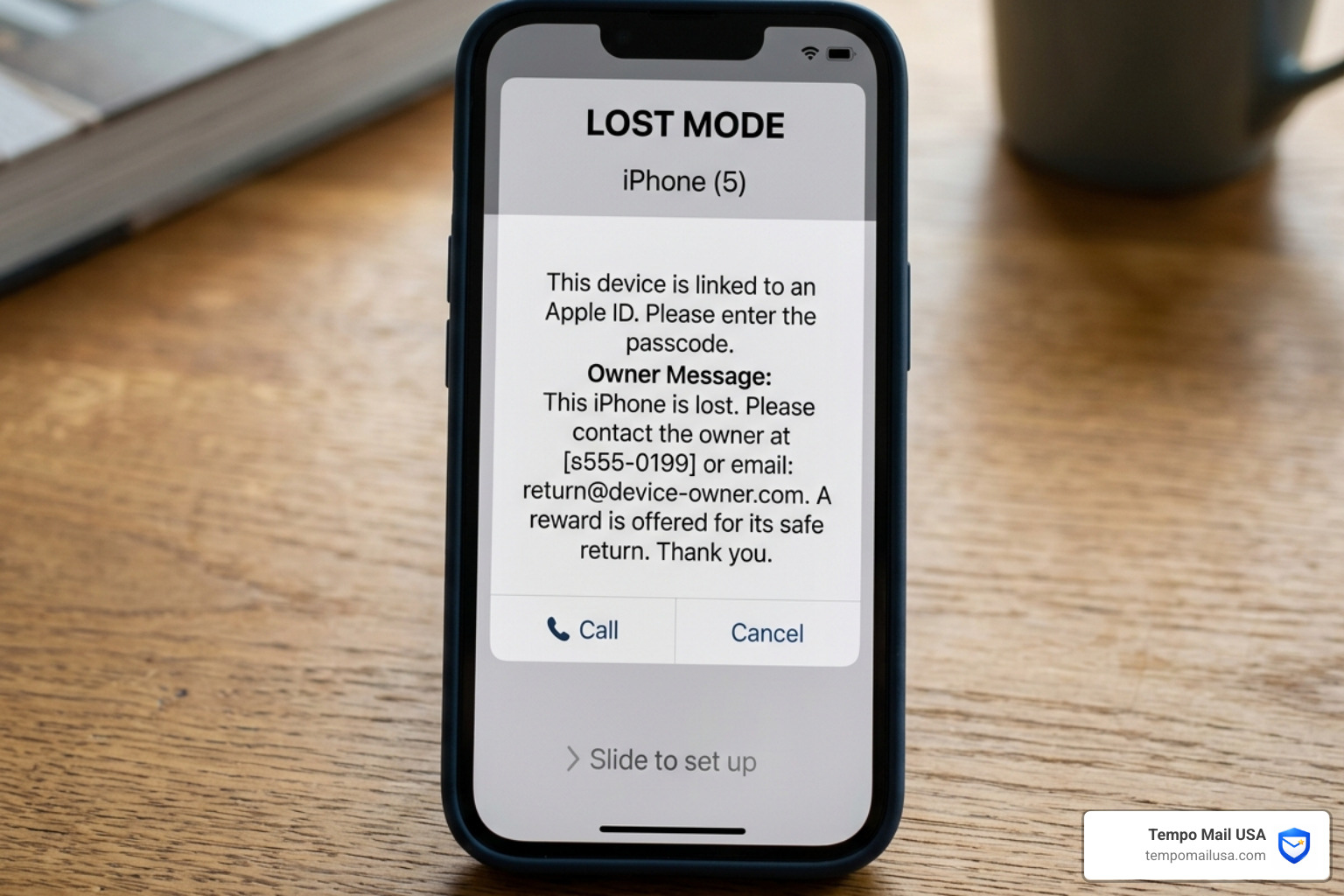
When a scammer gains access to your Apple ID, they effectively hold the keys to your digital kingdom. They can access your "Find My" network, which allows them to put your iPhone, iPad, or Mac into "Lost Mode." We have seen cases where victims are locked out of their own hardware and greeted with a message on the screen demanding a cryptocurrency ransom to unlock the device.
Beyond hardware, the risks include:
- Identity Theft: Access to your contacts, notes (where many people dangerously store passwords), and emails.
- Financial Fraud: Using your linked Apple Pay or credit card information to make unauthorized App Store or retail purchases.
- Data Extortion: Threatening to leak private photos or sensitive documents found in your iCloud Drive.
- Credential Stuffing: Using your Apple ID password to try and log into your bank, social media, or work accounts, assuming you reuse passwords.
As iCloud Storage Scam (Watch Out!) points out, once an account is taken over, the attacker often changes the recovery email and phone number immediately, making it incredibly difficult for the rightful owner to regain control through standard automated channels.
Best Ways to Protect Your Apple ID (Expert Picks)
Protection in 2026 requires a multi-layered approach. You wouldn't just lock your front door and leave the windows open; your digital security needs the same level of comprehensive coverage.
The most effective tool in your arsenal is Two-Factor Authentication (2FA). Even if a scammer steals your password through a fake iCloud storage email, they cannot log in without the one-time code sent to your trusted devices. If you haven't enabled this yet, do it immediately at appleid.apple.com.
Additionally, consider these expert-level protection methods:
- Use a Password Manager: These tools won't auto-fill your credentials on a fake site because they recognize the URL doesn't match the real
apple.com. - Security Keys: For high-profile individuals or those seeking maximum security, physical hardware keys (like YubiKeys) can be linked to your Apple ID.
- Stay Informed: Awareness is half the battle. Reading articles about the Your iCloud Storage is Almost Full Scam keeps you prepared for the next evolution of phishing.
For those looking to keep their primary email address off "scam lists" entirely, we recommend using a Temp Mail For Apple Id when signing up for third-party services. This prevents your real Apple ID email from being harvested during data breaches and sold to scammers.
How to Choose the Right Privacy Protection
When choosing how to shield your identity, think of it as a PII Firewall (Personally Identifiable Information). In an era where data breaches are common—like the Figure breach that affected nearly 1 million accounts—minimizing your footprint is essential.
At Tempo Mail USA, we provide temporary email aliases that act as a proxy for your identity. By using a temporary alias for newsletters, retail sign-ups, or "free" offers, you ensure that if those services are breached, the scammers only get a "dead-end" email address rather than the login for your Apple ID.
We suggest integrating this into your digital hygiene alongside other tools:
- VPN Protection: Use a service like NordVPN to encrypt your traffic.
- Antivirus Software: Modern suites can block known phishing URLs in real-time.
- Email Aliases: Use Protect Your Inbox strategies to keep your primary inbox clean of spam and phishing lures.
Immediate Steps if You’ve Been Scammed
If you realize you've entered your credentials into a fake site, every second counts. Do not wait for "suspicious activity" alerts—take the offensive.
- Change Your Password Immediately: Go to
appleid.apple.comor your device settings and change your Apple ID password to something complex and unique. - Revoke Unrecognized Devices: In your Apple Account settings, look at the list of "Trusted Devices." If you see a device you don't own, remove it immediately.
- Contact Apple Support: If you are locked out, call Apple directly. Do not use phone numbers found in the suspicious email; find the official number on Apple’s website.
- Monitor Your Finances: If you provided credit card details on the fake site, contact your bank to freeze the card and request a replacement.
- Report the Phishing: Forward the scam email to
reportphishing@apple.com. This helps Apple's security team track and shut down the malicious domains.
As noted in recovery guides on How to deal with iCloud storage scams, you should also run a full malware scan on your computer to ensure no "info-stealing" software was downloaded when you clicked the link.
Frequently Asked Questions about iCloud Phishing
Is the "iCloud Storage Full" email real?
Most unsolicited emails claiming your iCloud storage is full are phishing scams designed to steal your Apple ID; legitimate notifications typically appear within your device's Settings app rather than via email. Apple rarely sends emails about storage limits unless you have a paid subscription that has a billing failure.
How can I tell if an iCloud email is a scam?
Check the sender's address for a legitimate @apple.com domain, look for generic greetings like "Dear Customer," and hover over links to see if they lead to official Apple websites before clicking. Also, look for signs of extreme urgency or threats of immediate data deletion, which are hallmarks of a scam.
What should I do if I clicked a link in a fake iCloud email?
Immediately change your Apple ID password, enable two-factor authentication if not already active, and check your account for any unauthorized devices or changes to your personal information. If you entered payment information, contact your bank immediately to prevent fraudulent charges.
Conclusion
The digital landscape of 2026 is full of traps, but the “iCloud Storage Full Scam: Is It Real? How to Protect Your Apple ID " only works if you play by the scammer's rules. By staying vigilant, verifying alerts through official channels, and maintaining high digital hygiene, you can keep your data safe.
Proactive defense is always cheaper and less stressful than reactive recovery. Whether it’s enabling 2FA, using a password manager, or utilizing Tempo Mail USA to create a PII Firewall, the tools to protect yourself are at your fingertips. Don't let the fear of a "full storage" notification lead to an empty bank account or a locked device. Stay smart, stay skeptical, and Protect Your Inbox today.