


Why "You've Been Blocked by Network Security" Happens and What You Can Do
You've been blocked by network security is a frustrating message that appears when a website, your internet provider, or even your own device stops your connection for safety reasons. The good news? It's almost never permanent, and you can usually fix it yourself in just a few minutes.
Quick Answer: Top 3 Fixes to Try First
- Restart your router - This gives you a new IP address, which often clears the block immediately
- Clear your browser cache and cookies - Corrupted data can trigger false alarms
- Switch networks - Try mobile data instead of Wi-Fi to see if the block is network-specific
Most people see this message because their IP address has been flagged for suspicious activity, their network has strict security policies, or their browser settings are interfering with normal traffic. The block is usually automatic and not done by a real person.
This happens more often than you think. Reddit users frequently encounter it. ISPs report customers getting blocked from major sites without warning. Even privacy-conscious users who avoid sharing personal information can trigger these blocks simply by using certain browser extensions or connecting from shared Wi-Fi networks.
The message doesn't mean you did anything wrong. Network security systems cast a wide net to protect against spam, bots, and malware. Sometimes regular users get caught in that net by accident. Your account is still intact, your data hasn't been compromised, and you're not banned.
In this guide, we'll walk you through exactly why this happens and show you step-by-step fixes that work without calling IT support. You'll learn how to identify whether the block comes from the website, your network, or your device—and what to do in each case.
What "You've Been Blocked by Network Security" Really Means
When you see the message "You've been blocked by network security," it means your attempt to visit a website has been stopped by a firewall, security software, or a network policy. This isn't usually a personal attack, but rather the internet's immune system at work. Websites, networks, and even your own device employ security measures to protect against unauthorized access, malicious activities, and system abuse. These blocks are designed to reduce risk, not punish normal users.
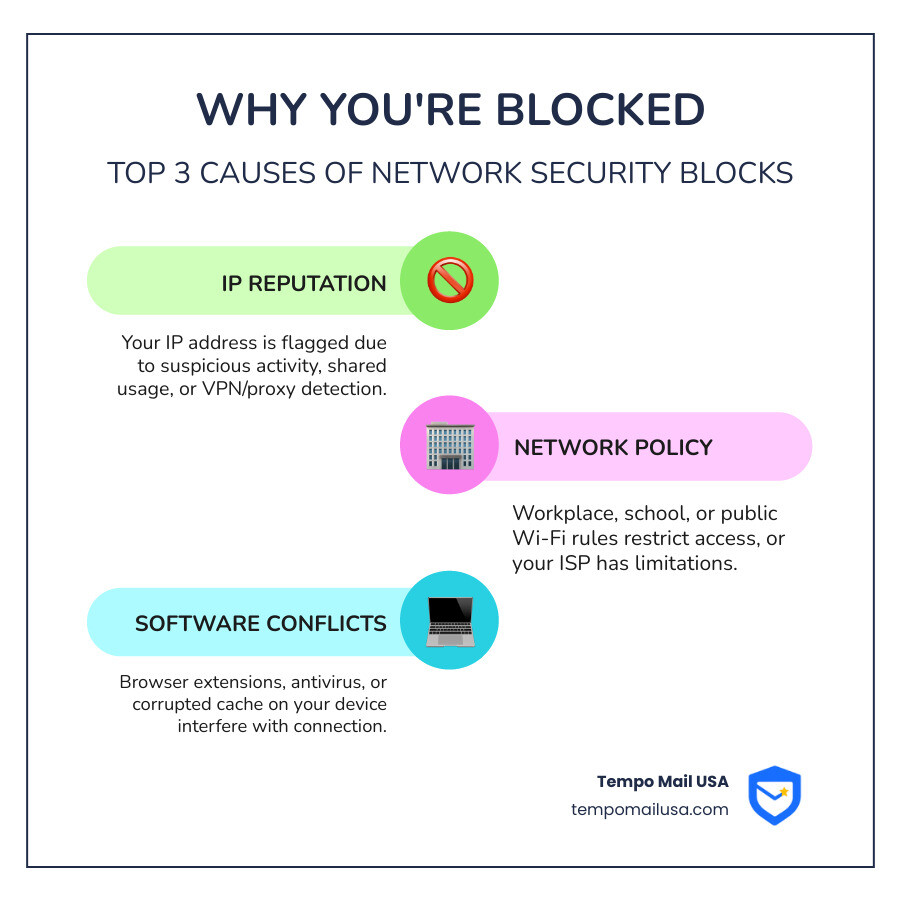
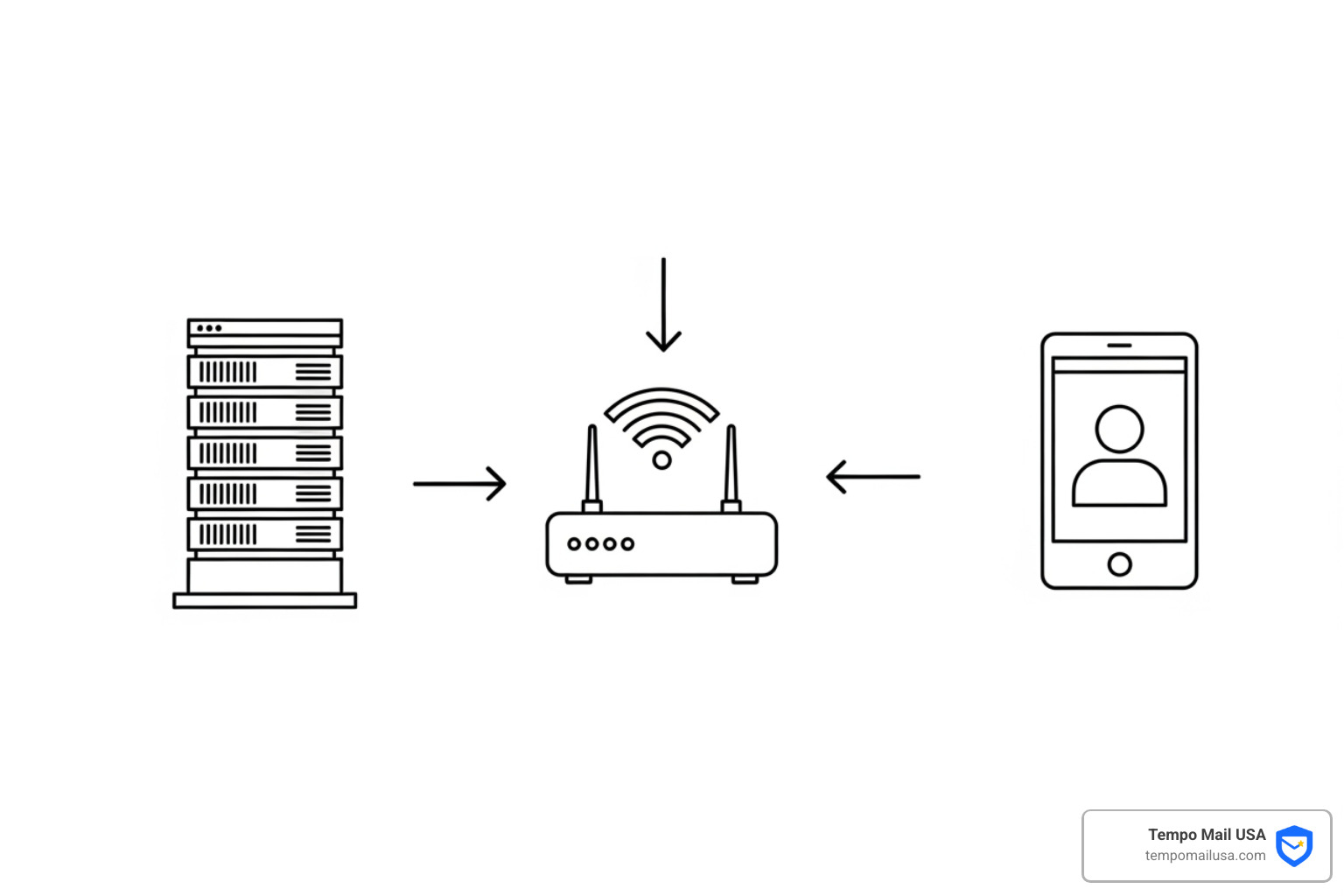
The block can originate from three main places: the website you're trying to access, the network you're connected to, or even your own device. Understanding the source is crucial for finding the right fix.
Website-Side Blocks: Why Your Connection Looks Suspicious
Many modern websites, especially popular platforms like Reddit, use sophisticated automated security systems to protect themselves from spam, scraping, bots, and abuse. These systems often partner with services that track IP reputation databases to identify risky connections. If your IP address is associated with suspicious behavior—such as spamming, hosting malware, or being part of a botnet—websites may preemptively block it.
This is where "IP address reputation" comes into play. Think of it like a credit score for your internet connection. If your public IP address has a bad reputation, you might get blocked. A common issue is "guilt by association." If you're on a shared IP address (common on public Wi-Fi, office networks, or some mobile networks), and another user on that same IP engaged in malicious activity, the entire IP might get flagged. Suddenly, you're blocked by network security through no fault of your own.
Websites also get wary of rapid actions or excessive requests. If you refresh a page too many times, use certain keywords in a form, or your IP matches a pattern of known attackers, their security algorithms might flag your behavior as suspicious. This is also why VPN and proxy detection is so prevalent. Reddit, for instance, frequently bans ranges of IPs associated with VPNs, especially free or widely used services, because these are often abused by bots and spammers. While VPNs can mask your IP, they can also lead to blocks if the VPN's IP is already flagged.
To understand how these blocks can cast such a wide net, it helps to know about Autonomous Systems (ASNs). An Autonomous System is a collection of connected Internet Protocol (IP) routing prefixes under the control of one or more network operators that presents a common, clearly defined routing policy to the internet. Essentially, it's a large network or group of networks operated by a single entity, like an ISP or a large corporation. If a website's security system determines that an IP within a certain ASN is problematic, it might block the entire ASN, affecting many users. You can learn more about what an autonomous system is if you're interested in the technical jargon.
Network-Side Blocks: When Your Own Connection is the Culprit
Sometimes, the block isn't coming from the website itself, but from the network you're using. This is particularly common in environments where network administrators enforce strict policies.
- Workplace Firewalls and School Network Restrictions: Many institutions block Reddit (and other social media or streaming sites) for security or productivity reasons. Firewalls detect and restrict access to specific categories of websites. They enforce policies to preserve bandwidth and ensure employees or students stay focused. If you try to access a blocked site from a company laptop or school Wi-Fi, you'll likely encounter a "you've been blocked by network security" message.
- Public Wi-Fi Policies: Hotels, airports, and coffee shops often have network-level security to block certain sites or traffic types, protecting their users and managing bandwidth.
- ISP-Level Restrictions: In some cases, your Internet Service Provider (ISP) might be blocking access. This can happen due to content regulations (some countries, like China or UAE, block Reddit), or if your ISP has identified suspicious activity originating from your home network.
- Parental Controls: If you're on a home network with parental control software or router settings enabled, these might be preventing access to certain sites.
These blocks are implemented by network security tools like firewalls, antivirus programs, and filters that monitor incoming and outgoing traffic. They automatically check for threats and block traffic that looks risky or doesn’t follow network policies.
Device-Side Blocks: How Your Software Can Interfere
Believe it or not, the problem can sometimes be traced back to your own device and its software.
- Browser Extensions: Certain extensions, especially ad blockers, security plugins, or privacy tools, can sometimes interfere with site access and inadvertently trigger security measures. They might modify web requests in a way that looks suspicious to a website's security system.
- Antivirus Software and Personal Firewalls: Your own security software, while designed to protect you, can sometimes be overzealous. A personal firewall or antivirus program might mistakenly identify a legitimate website like Reddit as a threat and block your connection to it.
- Corrupted Cache & Cookies: Your browser stores temporary files (cache) and small data snippets (cookies) to speed up browsing and keep you logged in. However, corrupted cache or cookies can sometimes trigger security measures, making your connection appear abnormal.
- Malware Activity: While less common as a direct cause of this specific message, a malware infection can lead to your device exhibiting suspicious behavior. This could cause a website's security system to block your access. Running regular antivirus scans is always a good practice.
9 Actionable Steps to Fix the Block Yourself
When you're hit with the "you've been blocked by network security" message, it can feel like you've run into a digital brick wall. But don't despair! We've got a step-by-step checklist to help you troubleshoot and regain access. The key is to start with simple solutions and progressively work your way through more involved fixes, isolating the problem as you go.
Basic Troubleshooting: The First 5 Steps
These are the quickest and often most effective solutions. Think of them as your first line of defense!
- Restart Your Device: A classic for a reason! Sometimes, a simple restart of your computer, phone, or tablet can clear temporary glitches or network configurations that might be causing the block. It's like giving your device a fresh start.
- Restart Your Router (Get a New IP Address): This is a superstar fix for IP-related blocks. If your public IP address has been flagged, restarting your router can often assign you a new one (if your ISP provides dynamic IPs). Just unplug your router for about 30 seconds, then plug it back in. This simple act can bypass IP blacklists and resolve the issue immediately.
- Clear Browser Cache and Cookies: Corrupted data in your browser's cache or cookies can sometimes confuse websites' security systems. Clearing them forces your browser to fetch fresh data.
- To clear cache and cookies: Go to your browser settings, find "Privacy and security," then "Clear browsing data." Make sure "Cached images and files" and "Cookies and other site data" are selected.
- For specific sites like Reddit, you might be able to clear cookies specifically for Reddit without affecting other sites.
- Try Incognito/Private Mode: This mode opens a browser window without using your existing cookies, cache, or extensions. If you can access the site in Incognito mode, it strongly suggests that an extension or your browser data is the culprit.
- Switch to a Different Browser: If Incognito mode works, but your regular browsing doesn't, try a completely different browser (e.g., if you're using Chrome, try Firefox or Edge). This helps determine if the issue is specific to your primary browser's configuration or settings. Sometimes, even visiting old.reddit.com can bypass newer authentication layers that cause blocks.
Intermediate Fixes: Digging a Little Deeper
If the basic steps didn't work, it's time to investigate further.
- Switch Networks: This is a crucial diagnostic step. If the block is network-specific (e.g., from your workplace, school, or ISP), switching to a different network will often allow access.
- Wi-Fi to Mobile Data: The quickest way to test this is to turn off Wi-Fi on your phone or computer and use your mobile data connection. If the site loads, the block is on your Wi-Fi network. This is a common solution for network security blocks.
- Try a Different Wi-Fi Network: If possible, try connecting to a neighbor's Wi-Fi (with permission!) or a public hotspot to see if the issue persists.
- Disable Browser Extensions: As we discussed, extensions can sometimes interfere. If you suspect an extension, disable them one by one, refreshing the page after each, to pinpoint the problematic one. Pay special attention to ad blockers, anti-tracking tools, or privacy extensions.
- Check Firewall and Antivirus Settings: Your security software might be blocking the site.
- Temporarily Disable: As a test, temporarily disable your firewall or antivirus software. If the site loads, you've found your culprit! Remember to re-enable it immediately after testing.
- Add Website Exceptions: Once identified, add the website to your security software's "allowed list" or "whitelist." This tells your software that the site is safe and should not be blocked. For more details and steps to fix a blocked connection, check out this resource.
The VPN/Proxy Question: A Double-Edged Sword
Using a VPN (Virtual Private Network) or proxy server can sometimes be a solution, but it comes with its own set of considerations.
Bypassing Geo-Blocks and Masking Your IP: A VPN masks your real IP address by routing your traffic through a server in a different location. This can effectively bypass geographic restrictions (geo-blocks) or IP-based blacklists. If your local network or ISP is blocking access, a VPN can sometimes help you circumvent those restrictions. For advice on using VPNs with network security blocks, it's important to be cautious.
Risks of Free VPNs and Why VPNs Get Blocked: While tempting, free VPNs often come with privacy risks, slower speeds, and are more likely to be detected and blocked by websites. Many websites, especially those with automated security systems, actively block known VPN IP addresses because they are frequently used for suspicious activity. If you choose to use a VPN, opt for a reputable, paid service.
Here's a quick comparison of common connection methods:
| Connection Method | Security/Privacy Implications | Reliability for Bypassing Blocks | Potential for Blocks |
|---|---|---|---|
| Home Wi-Fi | Generally good (if secured) | Moderate | IP reputation, ISP |
| Mobile Data | Moderate (ISP sees traffic) | High (new IP often) | ISP, Mobile Carrier |
| Public Wi-Fi | Low (high risk of eavesdropping) | Low (shared, often flagged IP) | Network policy, IP reputation |
| Reputable VPN | High (masks IP, encrypts traffic) | High (if VPN IP not flagged) | Website detection |
Advanced Solutions and How to Prevent Future Blocks
If you've tried all the basic and intermediate fixes and are still seeing the "you've been blocked by network security" message, don't give up! There are a few more avenues to explore, and more importantly, steps you can take to prevent this frustrating experience from recurring.
What to Do When You're Still Blocked
- Check for Website Outages: Sometimes, the "block" isn't a block at all, but simply a website outage or server issue. Check independent outage monitoring tools (a quick search for "Is [website name] down?" will usually lead you to community reports or status pages). If the website is truly experiencing issues, all you can do is wait.
- Contact Your Network Administrator (if applicable): If you're on a workplace or school network, and you've confirmed the block is coming from their end (e.g., by successfully accessing the site on mobile data), contacting your IT department is the next logical step. Provide them with the exact error message, the website you're trying to reach, and any troubleshooting steps you've already taken. They might be able to whitelist the site for you or explain the network policy.
- Contact Your ISP: If you suspect your ISP is blocking the site or if your IP address is consistently flagged, you might need to contact them. Explain the situation and ask if they can investigate or potentially assign you a new static IP address (though this is less common for residential users).
- Contact Website Support: While Reddit does not have live support, you can report connection issues through their Help Center if you’re logged in. However, response times can vary and are often delayed for network issues. For other websites, look for a "Contact Us" or "Support" link, especially if the block message itself provides a way to file a ticket. Include details like your IP address, browser, and what you were doing when the block occurred. For more insights on Common Causes and Effective Solutions, this resource can be helpful.
- Try Alternate Access Methods: If you absolutely need to access content, consider if there's an official app for the service. Sometimes blocks affect web browsers but not dedicated applications.
How to Prevent the "You've Been Blocked by Network Security" Message
An ounce of prevention is worth a pound of cure, especially when it comes to avoiding these frustrating blocks.
- Secure Your Home Wi-Fi: Ensure your home network is secured with WPA2 or, even better, WPA3 encryption. Use a strong, unique password for your Wi-Fi. This prevents unauthorized users from connecting to your network and potentially engaging in activities that could get your IP address flagged.
- Be Cautious on Public Wi-Fi: Public Wi-Fi networks are notorious for shared, often flagged IP addresses. They also tend to have stricter security rules. If you often connect to public Wi-Fi, use caution, or better yet, use a reputable VPN to encrypt your traffic and mask your IP.
- Avoid Suspicious Behavior: While some blocks are accidental, you can minimize your chances by not engaging in activities that mimic bots or spammers. This includes:
- Avoid excessive refreshing of pages.
- Don't use automated tools for scraping or rapid posting.
- Avoid frequent changes in devices, locations, and browsers in a short period if possible.
- Maintain Browser Hygiene: Regularly clear your browser's cache and cookies. Keep your browser and its extensions updated. Review your extensions and remove any that you don't recognize or trust, as they can sometimes interfere.
- Follow Industry Best Practices for Cybersecurity: This includes using strong, unique passwords for all your online accounts, enabling two-factor authentication (2FA) wherever possible, and keeping your operating system and all software updated. Regularly run antivirus scans on your devices. These practices help protect you from malware that could cause your device to exhibit suspicious behavior. For a complete guide about network security blocks and how to prevent them, this is a great resource. Adhering to standards like GDPR rules and NIST industry standards can guide you in best security practices.
Frequently Asked Questions about Network Security Blocks
We know that encountering a "you've been blocked by network security" message can raise a lot of questions. Let's tackle some of the most common ones.
Does this block mean my account is permanently banned?
No, in most cases, it does not. This is a crucial distinction. When you see this message, it's almost always a network-level block of your connection method, not a permanent ban on your Reddit account or any other specific user account you might have. Your account (if you have one) is still intact.
Think of it this way: your car (your device/IP) is being prevented from entering a specific parking lot (the website) because the security guard (the network security system) thinks it looks suspicious, or perhaps someone else driving a similar car caused trouble. It doesn't mean your driver's license (your account) has been revoked. If your Reddit account shows no warnings and works on another connection (like mobile data), it is likely safe. This block is typically a temporary security limit, not a punishment for violating rules.
How do I know if the block is from the website or my network?
This is a key diagnostic question! Pinpointing the source helps you apply the right fix. Here’s how we recommend figuring it out:
- Test on Another Network (Mobile Data is Best): The most reliable way is to try accessing the website using a completely different internet connection. If you're on Wi-Fi, switch to your phone's mobile data. If the website loads perfectly on mobile data, the block is almost certainly originating from your Wi-Fi network (or your ISP). If it still doesn't load on mobile data, the block might be coming from the website itself, or potentially a broader ISP/country-level restriction.
- Test Other Devices: Try accessing the site on another device connected to the same network (e.g., your laptop and your phone, both on your home Wi-Fi). If one device works and the other doesn't, the issue is likely device-specific (browser, extensions, software). If all devices on that network are blocked, it points to a network-level block.
- Consider Your Context: Are you on a work, school, or public Wi-Fi network? These environments often have stricter blocking policies. If so, it's highly probable the block is network-side.
- Examine the Block Message Wording: Some block messages might give clues. For instance, if Reddit tells you "whoa there pardner," it signals your network activity was flagged by Reddit's system. For a Tech Zivo's Step-by-Step Guide, you can find more details.
Are "IP unblocking" services legitimate?
Beware! Most "IP unblocking" services that ask for money are scams. A legitimate network security block will never ask for payment or personal data to restore access. These scam services often prey on users who are desperate to regain access, potentially leading to phishing attempts or unnecessary charges.
The common causes of blocks are usually related to your IP reputation, network policies, or local software conflicts. These issues can almost always be resolved with the troubleshooting steps we've outlined (like restarting your router for a new IP, which is free!). If you encounter a message that demands payment to "unblock" your IP, close the page immediately. For more information, you can check out a Microsoft Q&A on security blocks that addresses similar concerns.
Conclusion
Encountering the "you've been blocked by network security" message can be a real headache, making you feel cut off from the digital world. But as we've explored, it's a common issue with a range of straightforward solutions that you can implement yourself, often without needing to call in IT. We've covered everything from basic restarts and clearing browser data to understanding the nuances of VPNs and how to safeguard your network for the future.
The key takeaway is empowerment: you have the tools and knowledge to diagnose and fix most of these blocks. By systematically troubleshooting—checking your device, your network, and the website itself—you can usually regain access quickly. These blocks are primarily protective measures, not personal punishments.
In an increasingly interconnected world, where our digital identities are constantly at play, protecting our personal information and maintaining privacy online is more critical than ever. This is where services like TempoMail USA come in. We specialize in secure identity proxying, generating secure email aliases that act as a "firewall" for your Personally Identifiable Information (PII). Just as network security blocks protect websites from unwanted traffic, TempoMail USA helps protect you from unwanted exposure.
Ready to take control of your digital privacy and ensure your PII remains secure? Explore our identity proxying tools, learn more about how to register for our services, or dig into our insights on getting more AI traffic. Visit TempoMail USA today to improve your online security and peace of mind.