

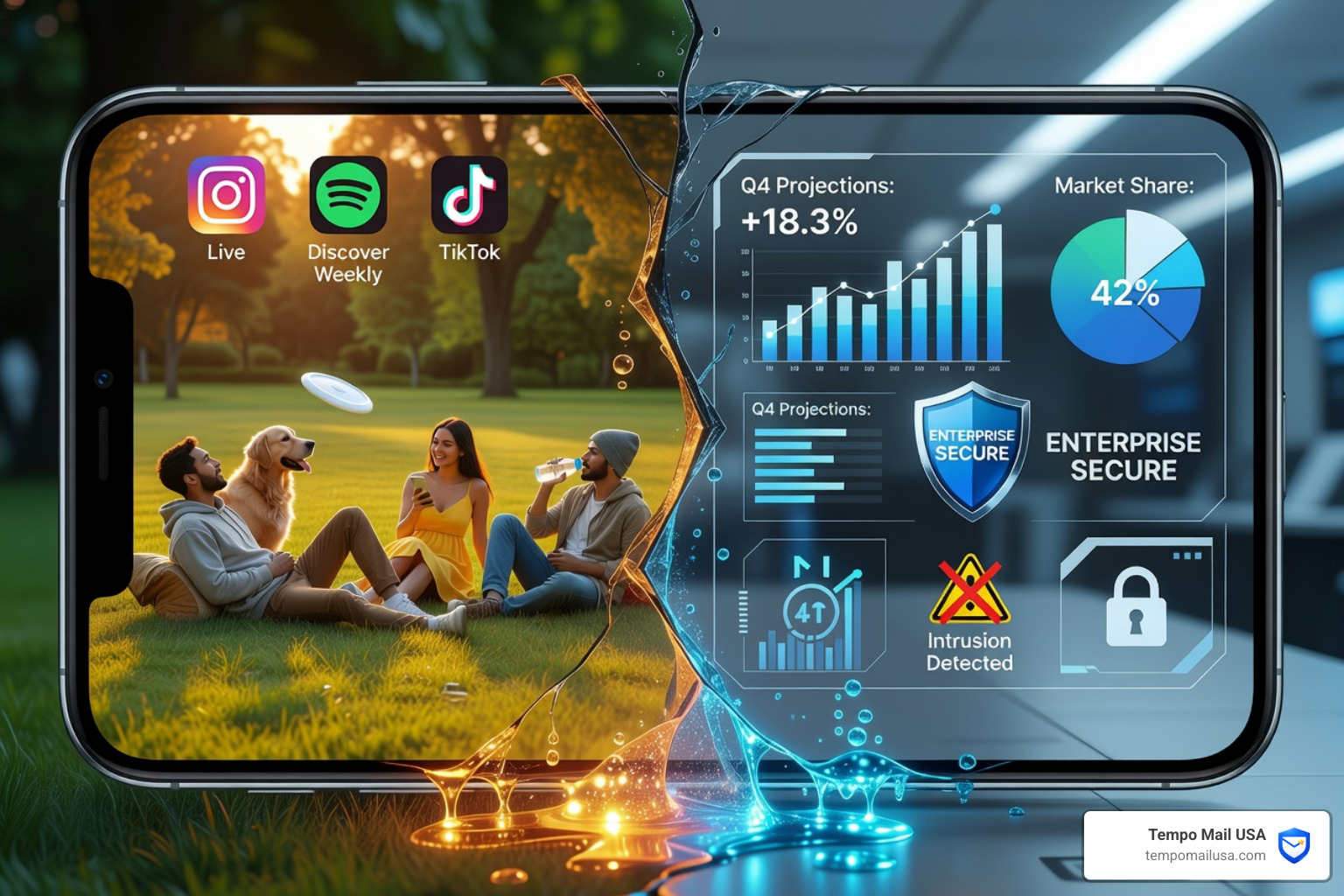

What Is BYOD Cyber Security (And Why It Matters Right Now)
BYOD cyber security refers to the tools, policies, and practices that protect company data when employees use their own personal phones, laptops, and tablets for work.
Here's a quick breakdown of what that means in practice:
| Term | What It Means |
|---|---|
| BYOD | Bring Your Own Device — employees use personal devices for work |
| BYOD security | The controls that keep company data safe on those personal devices |
| Key risks | Data leakage, malware, lost devices, shadow IT, unauthorized access |
| Core solutions | MDM, MFA, Zero Trust, encryption, containerization, clear policies |
Think about how many people check their work email on a personal phone, or pull up a company file from a home laptop. That is BYOD happening in the wild — often without any formal policy in place.
The numbers tell a striking story. Nearly 70% of businesses now have BYOD policies, and 87% of companies rely on employees accessing work apps from their personal smartphones. At the same time, 67.7% of businesses report experiencing significant data loss.
Those two trends are not a coincidence.
Personal devices are convenient. They are also rarely as secure as company-managed hardware. They connect to home Wi-Fi, coffee shop networks, and personal cloud accounts. They get lost. They get shared with family members. They run apps that IT never approved.
For anyone who values their personal privacy online — and worries about where their data actually ends up — BYOD cuts both ways. Your personal device becomes a bridge between your private life and your employer's sensitive systems. That bridge can leak in both directions.
This guide walks you through everything you need to know: the real risks, the right policies, and the best tools to stay protected.
Defining the Landscape: BYOD vs. CYOD, COPE, and COBO
Before we dive into the "how-to" of BYOD cyber security, we need to clear up the alphabet soup of device ownership models. While BYOD is the most famous, it is just one way to handle mobile work. Understanding these differences is crucial because each model shifts the "security burden" between the company and the employee.
The Device Ownership Comparison
| Model | Who Owns the Device? | Who Controls the Security? | Privacy Level |
|---|---|---|---|
| BYOD (Bring Your Own Device) | Employee | Shared (Mostly Employee) | High (Personal data stays private) |
| CYOD (Choose Your Own Device) | Organization | Organization | Moderate (Pre-approved list) |
| COPE (Corporate-Owned, Personally Enabled) | Organization | Organization | Low (Company can see more) |
| COBO (Corporate-Owned, Business Only) | Organization | Organization | None (Strictly work) |
CYOD (Choose Your Own Device)
In a CYOD model, we provide a list of pre-approved devices that employees can choose from. The company buys the device, but the employee gets a say in what they use. This makes BYOD cyber security easier to manage because the IT team only has to worry about a few specific models and operating systems rather than a thousand different Android versions.
COPE (Corporate-Owned, Personally Enabled)
With COPE, the company owns the phone but lets you use it for personal stuff—like scrolling through social media or taking family photos. It’s a "best of both worlds" attempt, but it can get messy. Since the company owns the hardware, they often have the right to monitor it more closely, which can feel a bit invasive for the user.
COBO (Business Only)
This is the old-school way. You get a work phone, and you use it only for work. No personal apps, no private emails. While this is the most secure option, it’s also the most annoying for employees who don't want to carry two phones like a 2005 secret agent.
The NIST SP 1800-22: Complete Guide provides an excellent framework for understanding how these models interact with enterprise security. The biggest challenge we face with BYOD specifically is device diversity. When everyone brings their own hardware, we are dealing with different OS versions, varying levels of hardware encryption, and a wide range of "security hygiene" habits. Establishing clear ownership boundaries is the first step in making sure a personal device doesn't become a corporate liability.
The Critical Need for BYOD Cyber Security in Modern Workplaces
Why are we talking about this so much lately? Because the "office" isn't a building anymore; it’s a collection of screens scattered across living rooms and coffee shops.
The shift to remote and hybrid work has made personal devices a permanent gateway to company data. Nearly 70% of businesses now have formal BYOD policies, but many more have "accidental" BYOD, where employees just start using their own gear because it’s faster or easier.
In fact, 87% of companies now rely on their team accessing work-related apps from smartphones. This creates several massive headaches for security:
- Data Leakage: This is the big one. It’s too easy to copy a client's email address into a personal contact list or save a sensitive PDF to a personal Dropbox account.
- Malware Infections: Your work laptop might have a top-tier firewall, but does your personal tablet? If an employee's kid accidentally downloads a "free game" that’s actually a Trojan, that malware can jump from the personal side of the device to the work side.
- Lost or Stolen Devices: One-third of all employees use unapproved apps, and if they lose a phone that isn't managed by the company, we can't remotely wipe it. That means a stranger might have access to every corporate login saved in the browser.
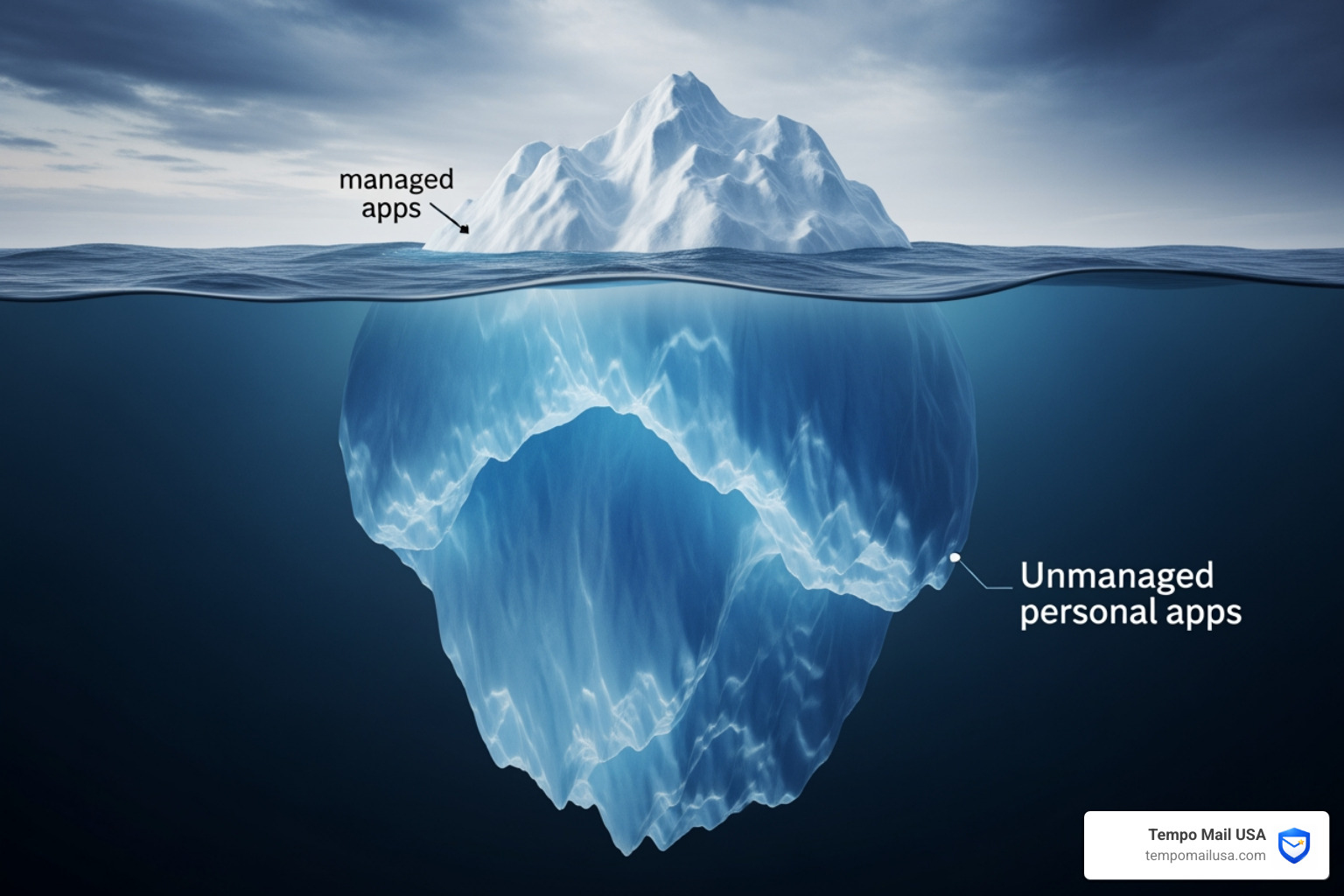
- Shadow IT: This is the "iceberg" mentioned above. It’s the use of unsanctioned software—like using a personal WhatsApp for business deals because the company's official chat app is "too slow." According to Cisco, 1 in 5 organizations have experienced cyber events stemming from these unsanctioned resources.
We also have to consider the "human element." To truly protect the network, we must Understand Insider Threats Cyber Awareness Explained. Whether it's a disgruntled employee or just a tired one making a mistake, a personal device gives them a much larger playground to cause accidental damage.
Essential Elements of a Comprehensive BYOD Security Policy
You wouldn't build a house without a blueprint, and you shouldn't allow BYOD cyber security without a written policy. A "best-effort" approach won't cut it when 67.7% of businesses are already losing data.
A robust policy should include these non-negotiable elements:
1. Acceptable Use Policy (AUP)
This defines exactly what an employee can and cannot do on a personal device. Can they use TikTok? Can they access the company's financial database from a public Wi-Fi network? If you don't write it down, you can't enforce it.
2. Mandatory Device Registration
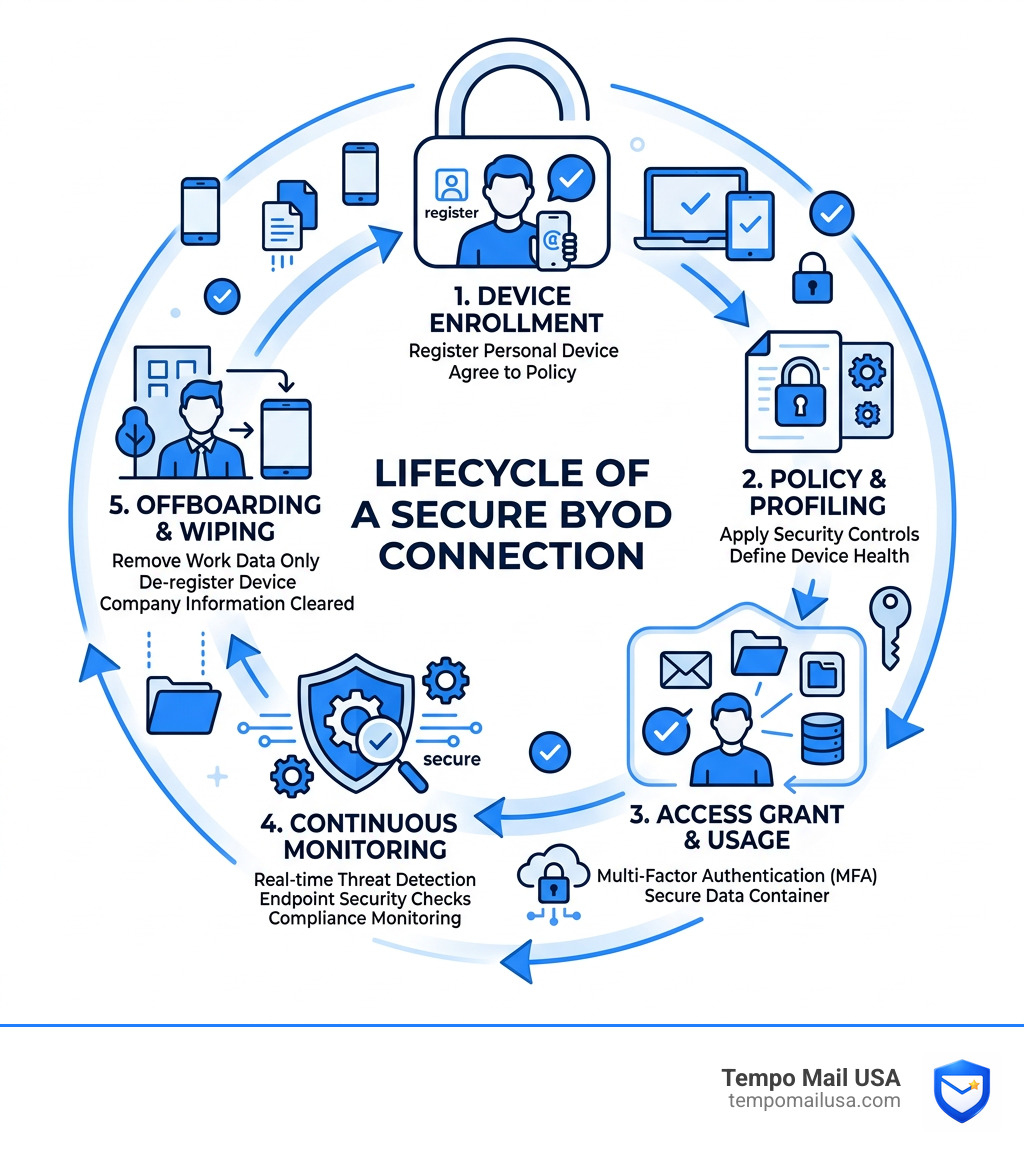
Every device that touches the network needs to be "enrolled." This allows us to see who is connecting and ensures the device meets minimum security standards (like having a lock screen password).
3. Data Classification
Not all data is created equal. We need to decide what can be accessed on a personal phone (like email) and what should be restricted to a secure office desktop (like core source code or HR records). For help with this, check out our Essential Insights What is Security Classification Guide.
4. Employee Training
Security isn't just a tech problem; it's a people problem. We need to teach our teams how to spot phishing attacks—especially since over half of all personal devices were exposed to mobile phishing every quarter in 2022.
5. Onboarding and Offboarding Protocols
What happens when an employee leaves the company? If they were using a personal phone, we need a way to remove only the work data without deleting their wedding photos. This is called a selective wipe, and it’s a cornerstone of modern BYOD cyber security.
Technical Strategies for Mitigating BYOD Risks
Once the policy is in place, we need the "teeth" to enforce it. This is where the tech stack comes in. We want to create a environment where the device is "guilty until proven innocent."
The Power of Containerization
Think of containerization like a digital "wall" inside your phone. On one side, you have your personal life (Netflix, Facebook, photos of your dog). On the other side, you have a secure, encrypted "container" for work apps (Outlook, Slack, Salesforce). The two sides can't talk to each other. If you try to copy text from a work email and paste it into a personal Facebook post, the system blocks it.
Multi-Factor Authentication (MFA)
Passwords are dead. Or at least, they should be. MFA is the single most effective way to stop unauthorized access. Even if a hacker steals an employee's password via a phishing link, they can't get into the system without the second factor (like a fingerprint or a code from an app).
Zero Trust Network Access (ZTNA)
The old way of thinking was: "If you're on the VPN, we trust you." The new way is: "We don't trust anyone, ever." Zero Trust assumes every device—even the CEO's personal iPhone—is potentially compromised. It requires continuous verification.
To manage these connections effectively, many organizations use privileged access management (PAM) software to ensure that only the right people have access to the most sensitive parts of the network. Additionally, we must Understand VPN Tunnels for Email Privacy to ensure that data in transit isn't being intercepted by "man-in-the-middle" attacks on public Wi-Fi.
Advanced Technologies for BYOD Cyber Security Management
If you're managing a fleet of hundreds of personal devices, you need more than just a "good luck" wish. You need specialized software:
- Mobile Device Management (MDM): This gives IT the power to enforce security profiles (like requiring a 6-digit PIN) and remotely wipe work data.
- Unified Endpoint Management (UEM): This is the evolution of MDM. It allows us to manage everything—laptops, phones, tablets, and even IoT devices—from a single dashboard.
- Cloud Access Security Brokers (CASB): These act as a "firewall in the cloud," sitting between your employees and the apps they use (like Office 365 or Google Drive) to make sure data isn't being shared inappropriately.
Balancing Productivity with Privacy and Compliance
This is the trickiest part of BYOD cyber security. If we make the security too tight, employees will get frustrated and find "workarounds" (which leads back to Shadow IT). If we make it too loose, we get hacked.
Employee privacy is a major concern. Most people don't want their boss to be able to see their private text messages or track their GPS location on a Saturday. This is why data-centric security is so important. We should focus on protecting the data, not necessarily the whole device.
Maintaining Compliance and Privacy in BYOD Cyber Security
For those of us in regulated industries, BYOD isn't just a choice—it’s a legal minefield. We have to balance convenience with strict standards:
- GDPR (General Data Protection Regulation): If you're handling data for EU citizens, you must ensure that personal data is protected, even on a private device.
- HIPAA: In healthcare, a lost phone containing patient records can lead to millions of dollars in fines.
- PCI DSS: If your employees are processing credit card payments on their own tablets, you better believe those tablets need to be locked down tight.
This is where Tempo Mail USA fits into your privacy strategy. When employees sign up for various third-party work tools, they often use their real email addresses, which exposes their PII (Personally Identifiable Information) to potential breaches. By using a secure email alias, we can create a "PII firewall." The alias acts as a proxy, shielding the user's real identity while still allowing them to get their work done. It’s a simple way to boost BYOD cyber security without invading the employee's personal life.
Frequently Asked Questions about BYOD Cyber Security
What are the primary risks of an unmanaged BYOD environment?
In an unmanaged environment, you have zero visibility. The primary risks include Shadow IT (unapproved apps), data leakage (saving work files to personal clouds), and unpatched vulnerabilities. If an employee hasn't updated their phone's operating system in two years, they are walking around with a "Welcome" sign for hackers.
How does containerization protect employee privacy?
Containerization creates a sandbox for work data. Your IT department can manage, monitor, and wipe everything inside that sandbox, but they have no access to anything outside of it. They can't see your photos, your browser history, or your personal apps. It’s the best way to keep work and life separate on one screen.
Why is Zero Trust essential for BYOD?
In a BYOD world, the "perimeter" of your office is gone. We can't guarantee that an employee's home network is safe or that their device hasn't been "jailbroken." Zero Trust treats every access request as a potential threat, checking the user's identity, the device's health, and the context of the request before granting access. It stops a compromised phone from infecting the entire company network.
Conclusion: Building a Culture of Security
At the end of the day, BYOD cyber security is about more than just software—it’s about building a culture of awareness. We want our teams to feel empowered to use the tools they love, but we also want them to understand the responsibility that comes with it.
A successful BYOD strategy is never "finished." It requires continuous improvement, regular audits, and staying ahead of emerging threats like AI-driven phishing and 5G vulnerabilities.
As we navigate this hybrid world, your identity is your most valuable asset. Protecting it requires layers. From the technical controls like MDM and Zero Trust to the privacy-first tools we provide at Tempo Mail USA, every layer counts. Using temporary email aliases to shield your PII is a simple, effective step in ensuring your personal device remains a tool for productivity, not a liability for your privacy.
Stay safe, stay secure, and keep those personal and professional worlds in their proper containers!