


Understanding Email Masking: An Introduction
Masking email address is a privacy technique that creates temporary or randomly generated email addresses to hide your real email, allowing messages to forward to your actual inbox without exposing your personal information.
Quick Answer: What You Need to Know
- What it is: A masked email is a unique, automatically generated address that forwards messages to your real inbox while keeping your actual email private
- How it works: Messages sent to the masked address are automatically forwarded to your true email without revealing its destination
- Why use it: Protects against spam, phishing attacks, data breaches, and prevents companies from tracking you across the web
- When to use it: Sign-ups, newsletters, online purchases, untrusted websites, or any situation where you want to maintain anonymity
The Growing Privacy Crisis
Online security used to be simple. Today, your email isn't just for communication—it's a unique identifier that companies use to track you across the web and build advertising profiles. The numbers tell a sobering story:
- 47% of adult Americans had their private information exposed in a cyberattack
- 600,000 Facebook accounts are hacked every single day
- Over 500 million phishing attacks were reported in 2022, more than double the previous year
As the New York Times uncovered, many companies don't just use your email to send coupons—they use it to link your activity across different websites, enabling advertisers to build detailed profiles on you.
Why This Guide Matters
Email masking has evolved from a niche privacy tool into an essential defense against spam, identity theft, and invasive tracking. Unlike simple email aliases where you choose the address yourself, modern masking email address services generate completely random, unique identifiers that make it nearly impossible for companies to connect your activities across different services.
If a masked address starts receiving spam, you can simply disable it and immediately know which service sold or leaked your information. No more guessing which company exposed your data in a breach.
I'm Mohammad Waseem, and through building and managing temporary email platforms and privacy-focused web tools, I've tested dozens of masking email address solutions to understand what actually works for protecting user privacy. This guide breaks down everything you need to know to take control of your inbox and online identity.
What is Email Masking and How Does it Work?
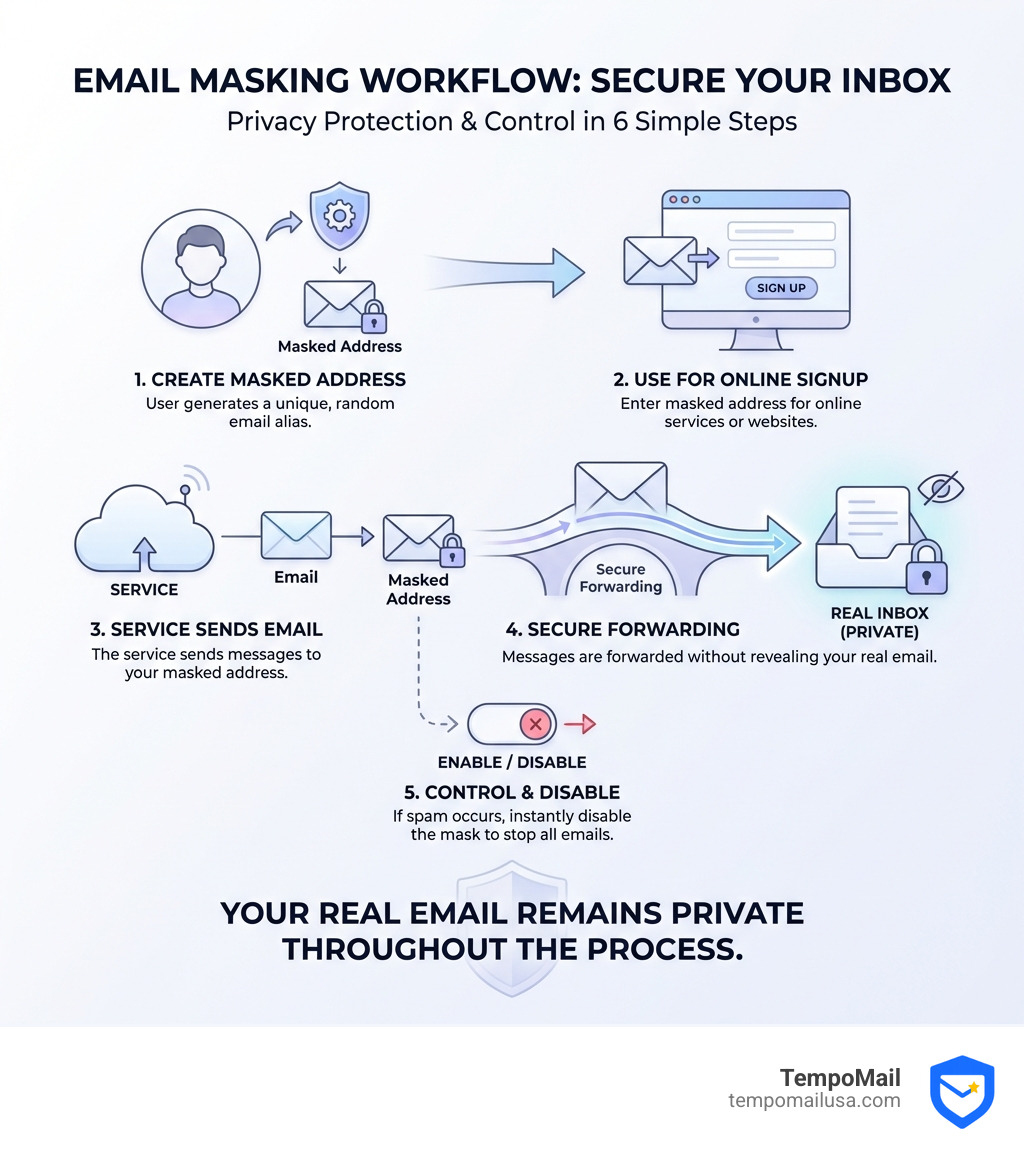
At its core, a masking email address acts as a digital shield. Think of it as a proxy for your identity. When you sign up for a service, instead of giving them your primary, lifelong email address (the one tied to your bank, your family, and your tax records), you provide a "mask."
This mask is a non-identifiable, digitally generated address. For example, if your real email is jane.doe@gmail.com, a masking service might generate 43534ffe345342@maskservice.com.
The Forwarding Mechanism
The magic happens in the middle. When a company sends an email to that random string of characters, the masking service intercepts it and instantly forwards it to your real inbox. You see the email just like any other, but the sender never sees your true destination. This creates a layer of anonymity that is incredibly difficult for trackers to penetrate.
Beyond Simple Text
As the New York Times uncovered, email addresses are the "social security numbers" of the internet. They are the primary way advertisers link your behavior on a shoe store's website to your search history on a travel blog. By using a unique mask for every single site you visit, you break that link. You become a "new" person to every tracker, effectively resetting your digital footprint with every sign-up.
The Primary Benefits of a Masking Email Address
Why go through the trouble of masking? Because the "cost" of a free newsletter is often your privacy.
1. Drastic Spam Reduction
We've all been there: you sign up for one "free" eBook, and suddenly your inbox is a graveyard of promotional offers. With a masking email address, if a specific mask starts attracting spam, you don't have to unsubscribe and hope they honor it. You just "kill" the mask. The connection is severed instantly.
2. Phishing Prevention
According to a CISA report on cyberattacks, phishing remains a top threat. Masked emails help because they are unique. If you get a "security alert" from your bank, but it's sent to the masked email you used for a random gaming forum, you know immediately it's a scam.
3. Breach Protection
If a website you use is hacked, the hackers only get your masked address. Since you use a different mask for every site, that stolen data is useless for trying to log into your other accounts.
| Feature | Plain Text Email | Masked Email |
|---|---|---|
| Visibility | Public/Easily Scraped | Hidden/Randomized |
| Tracking | Cross-site tracking enabled | Cross-site tracking blocked |
| Spam Control | Difficult (Unsubscribe/Filter) | Instant (Disable Mask) |
| Security | High risk in data breaches | Low risk; localized impact |
Implementation Methods and Techniques
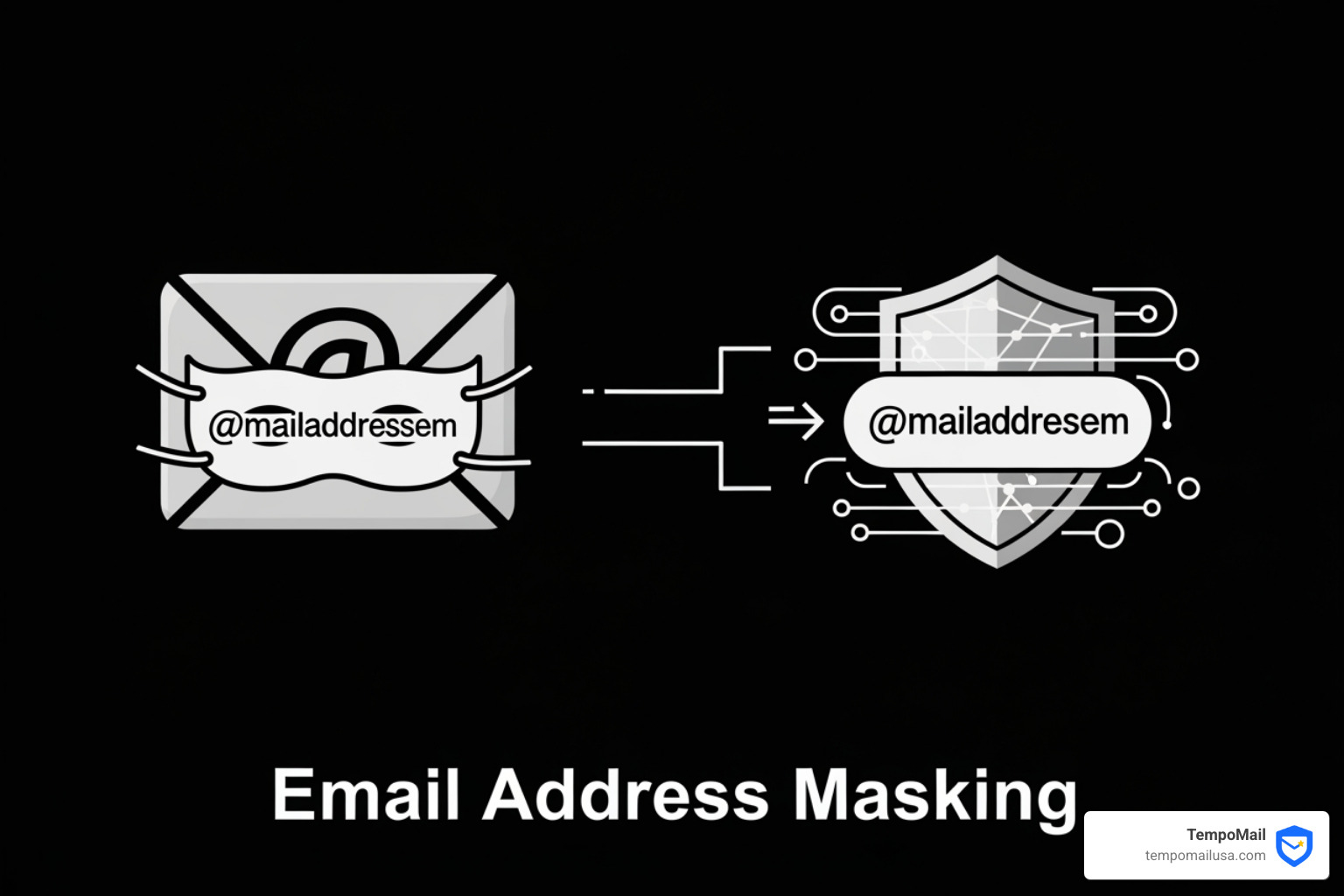
There are several ways to implement email masking, ranging from DIY methods to professional identity proxying services.
- Address Munging: This is the old-school method of writing
name [at] domain [dot] comon a website to confuse basic bots. It’s better than nothing, but modern bots can read this easily. - Email Aliasing: Many providers allow you to add a
+sign (e.g.,user+store@gmail.com). While helpful for filtering, it doesn't hide your real username from anyone with half a brain. - Identity Proxying Services: This is the gold standard. Services like TempoMail provide a dedicated "firewall" for your PII (Personally Identifiable Information).
How TempoMail Provides Masked Email Addresses
We focus on making privacy effortless. Our system generates secure aliases that act as a buffer between you and the wild west of the internet.
- Randomization: We don't use your name. We use high-entropy, random strings that provide no clues about your identity.
- Automation: Masks are generated on the fly, so you don't have to spend time brainstorming new addresses.
- Organization: You can label your masks (e.g., "Shopping," "Work Forums") so you know exactly where your mail is coming from.
- Instant Disabling: If a mask is compromised, one click stops all future traffic.
Step-by-Step: Masking Email Address with TempoMail
Getting started with us is simpler than setting up a traditional email account.
- Configuration: Log into your dashboard to set your primary "forward-to" address. This is the only time you'll use your real email.
- Generate: When prompted for an email on a website, click to generate a new TempoMail mask.
- Forwarding Rules: You can set rules—for example, only allow emails with attachments from trusted masks, or automatically archive everything from a specific "news" mask.
- Management: Periodically review your active masks. If you haven't shopped at a particular store in a year, disable that mask to keep your digital footprint small.
Use Cases, Limitations, and Security
While we believe everyone should be masking email address usage, it's important to understand the full landscape.
Common Use Cases
- Public Wi-Fi: Airports and coffee shops often demand an email for "free" Wi-Fi. This is a prime spot for data harvesting. Use a mask.
- One-time Purchases: Buying a gift from a site you'll never visit again? Don't give them your permanent identity.
- Testing and Development: Interestingly, a report showed that 61% of respondents admitted to using production data for non-production purposes. Developers can use masked emails to test workflows without risking real customer data.
Limitations to Keep in Mind
- Identity Verification: Some high-security services (like government portals or banks) may flag masked domains. In these cases, your real email is usually necessary.
- Deliverability: Occasionally, a poorly configured masking service might be blocked by aggressive spam filters. We work hard to ensure our "reputation" remains high so your mail always arrives.
- Two-Factor Authentication (2FA): While you can use masks for 2FA, we generally recommend using an app-based authenticator for your most sensitive accounts.
Security Implications
Using a mask is a massive step forward, but it's part of a larger security "stack." You should still use a password manager and enable 2FA where possible. Masking protects your identity, while these other tools protect your access.
Frequently Asked Questions about Email Masking
Are there free email masking services available?
Yes, many services offer a free tier. However, be wary of "free" services that don't have a clear business model—they might be selling the very data you're trying to hide! We recommend looking for services with a transparent privacy policy. Free tiers often have limits on the number of masks or the amount of data forwarded.
Can I reply to emails using a masked address?
With professional services like TempoMail, yes. When you hit "reply" in your real inbox, the service "re-masks" your outgoing mail so the recipient still only sees the alias, not your true address. This is crucial for maintaining the "firewall" during two-way conversations.
Is email masking foolproof against hackers?
No tool is 100% foolproof. If a hacker gains access to your primary email account, they can see everything being forwarded there. Email masking is designed to prevent findy and tracking. It makes you a much harder target, but you still need to practice good overall "cyber hygiene."
Conclusion
The digital world is getting noisier and more invasive. With 47% of Americans already affected by data breaches, the question isn't if your data will be targeted, but when.
By masking email address details, you stop being a sitting duck for advertisers and hackers. You regain control over who can reach you and how your data is linked across the web. At TempoMail, we are committed to providing that "identity proxy" layer, ensuring your PII stays where it belongs: with you.
Ready to clear out the clutter and secure your digital life? Protect your PII with TempoMail and start your journey toward a truly private inbox today.