



Spot & Stop Webroot Scam Emails
Webroot scam emails are a common phishing tactic that can expose individuals and organizations to serious security risks. These messages impersonate Webroot — a known cybersecurity vendor — to trick recipients into sharing credentials or installing malicious software. Below, we’ll show how to recognize these scams, lower your risk (including using temporary email for extra protection), and what steps to take if you encounter a suspicious Webroot message.
What Is the Webroot Scam Email and How Does It Work?
Webroot scam emails are fake notices that imitate official Webroot communications — often about renewals, invoices, or technical support. Attackers rely on social engineering: they create urgency and pressure you to act before you check details. They may also spoof sender addresses so the message looks like it came from Webroot, making the scam harder to spot.
What Are Common Characteristics of Fake Webroot Renewal and Invoice Emails?
Fake renewal and invoice emails that pretend to be from Webroot usually share a few telltale signs you can watch for: protect yourself from phishing.
- Generic Greetings: Messages that start with "Dear Customer" or similar instead of using your name.
- Urgent Language: Claims that your account will be suspended or a payment is overdue unless you act right away.
- Suspicious Links or Attachments: Links that send you to unfamiliar sites or attachments that could drop malware.
Spotting these traits early lowers the chance you’ll fall for the scam.
How Do Webroot Tech Support Scams Exploit Users?
Tech support scams impersonating Webroot try to convince you that your system is compromised and that "support" needs access or private details. They may reach out by email or phone and press for immediate action. temporary email for safe signups.
- Common Tactics Used: Claims that your device is infected, your subscription expired, or your account is at risk.
- Impact on Users: Falling for the ruse can lead to financial loss, identity theft, or compromised devices.
- Prevention Tips: Always verify support requests — contact Webroot through official channels before granting access or sharing sensitive information.
How Can You Identify a Webroot Phishing Email?
Identifying a phishing email takes attention to a few red flags that reveal a message’s true intent.
What Are the Red Flags in Suspicious Webroot Emails?
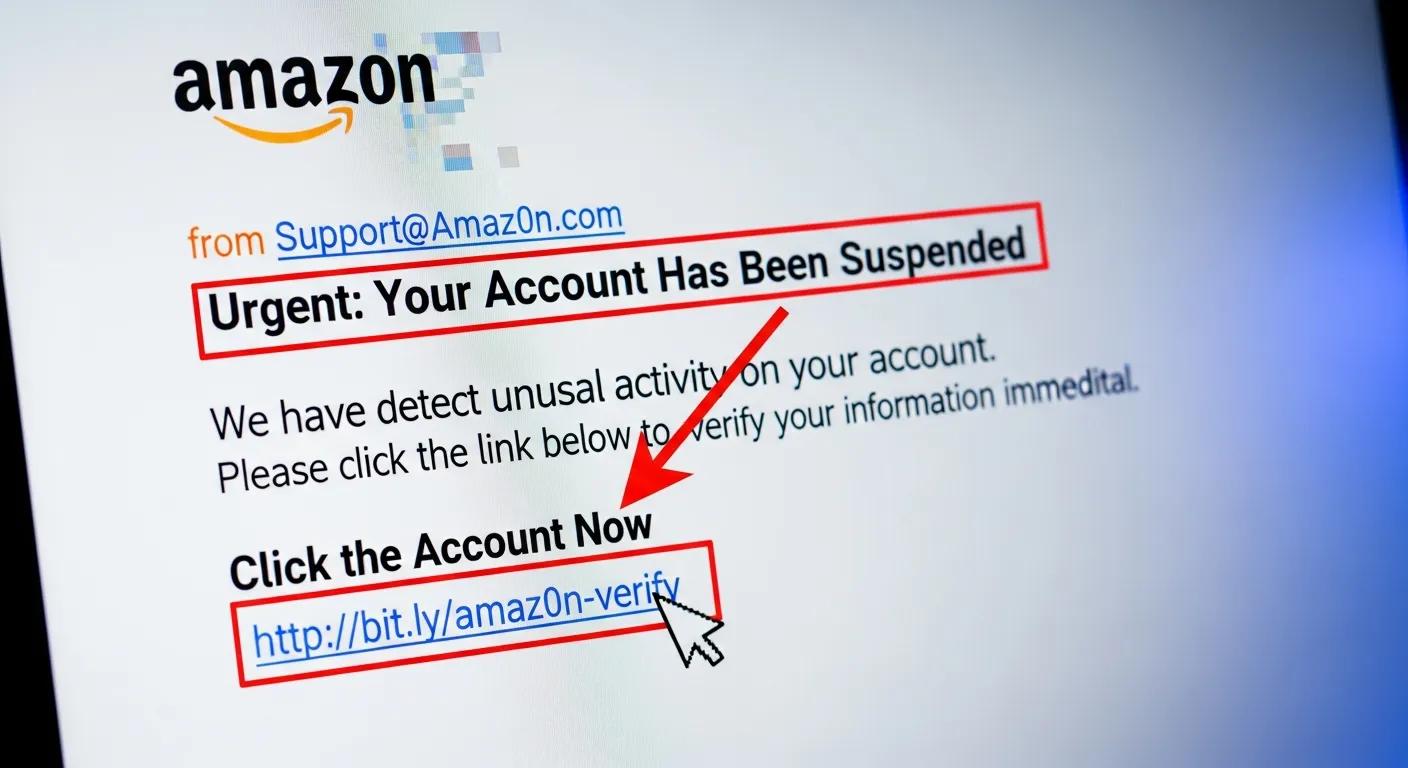
When checking a message that claims to be from Webroot, look for these warning signs:
- Suspicious Sender Addresses: Inspect the sender’s email for misspellings or odd domains that aren’t the official Webroot domain (for example, webroot.com).
- Inconsistent Branding: Differences in logos, color, or formatting compared with genuine Webroot communications.
- Urgent Requests for Information: Requests for passwords, payment info, or remote access that demand immediate action.
These clues help you avoid clicking a malicious link or handing over sensitive data.
How to Verify Authenticity of Webroot Communications?
Use a few simple checks to confirm whether a Webroot message is real:
- Contacting Webroot Directly: Reach out to Webroot’s official support channels to confirm any claims.
- Checking Official Channels: Visit Webroot’s website for notices or alerts rather than trusting email content alone.
- Using Email Verification Tools: Use tools that check the sender domain and message headers to ensure they match Webroot’s official addresses.
These steps make it much harder for a scam to succeed.
What Are the Risks of Falling for a Webroot Scam Email?
Responding to a Webroot scam can have serious consequences, from identity theft to financial loss.
How Can Identity Theft and Financial Loss Occur?
Scammers who collect personal data — SSNs, bank details, login credentials — can open accounts, make unauthorized transactions, or sell your information.
- Data Harvesting Methods: Phishing emails often push you to enter sensitive details on fake sites.
- Consequences of Identity Theft: Victims can face long-term credit damage and time-consuming recovery processes.
- Preventive Measures: Monitor bank and credit activity regularly and review credit reports for unexpected changes.
What Malware and Data Breach Threats Are Involved?
Scam emails can also carry malware that infects devices and exposes data. Stop spam now use disposable emails for protection.
- Common Malware Types: Ransomware, spyware, and keyloggers are frequently used to steal or lock data.
- Impact on Personal Data: Malware can lead to data loss, unauthorized access, and account compromise.
- How to Protect Against Malware: Run reputable antivirus software and keep your operating system and apps up to date.
How Does Temporary Email Service Help Prevent Webroot Scam Emails?
Temporary (disposable) email addresses can reduce your exposure to phishing and unwanted messages. Temporary email spam protection can be a smart way to manage your inbox more effectively.
How Does Using Disposable Email Reduce Exposure to Phishing?
Disposable addresses limit how much of your primary inbox is exposed and make it harder for scammers to reach you directly.
- Minimizing Spam Exposure: Use a temporary email for one-time signups to keep your main address private.
- Reducing Phishing Attempts: Fewer services tied to your main email lowers the number of phishing attempts you’ll receive.
- Enhancing Privacy: Disposable emails help prevent long-term harvesting of your contact details.
What Are the Benefits of TempoMailUSA for Scam Prevention?
TempoMailUSA provides temporary email addresses designed to protect privacy and reduce spam and social-engineering risks.
- Ease of Use: Create temporary addresses quickly without a lengthy setup.
- No Registration Required: Anonymous use helps keep your identity private.
- Effective Spam Filtering: Built-in filters help cut down on unwanted messages.
What Should You Do If You Receive a Webroot Scam Email?
Acting quickly and correctly after spotting a scam reduces potential damage.
What Immediate Actions Prevent Further Risk?
- Do Not Click Links or Download Attachments: Don’t interact with anything in the suspicious message.
- Delete the Email: Remove it from your inbox — and your trash — to avoid accidental clicks.
- Report to Authorities: Notify your email provider and report the scam to appropriate authorities.
These steps limit exposure and help protect others.
How and Where to Report Webroot Scam Emails?
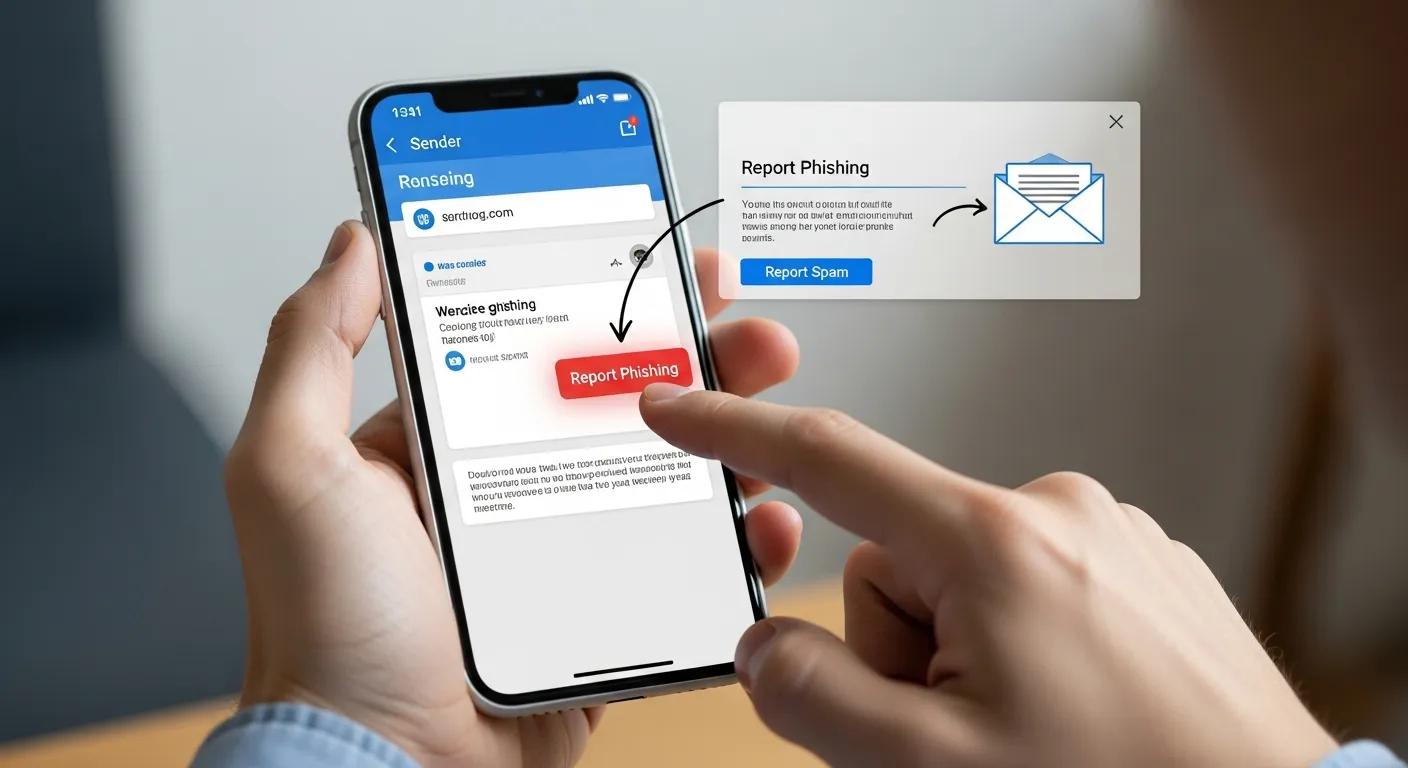
Reporting scams helps block repeat attacks and protects the wider community.
- Reporting to Webroot: Forward the suspicious message to Webroot at [email protected] so they can investigate.
- Using Government Resources: Report to the Federal Trade Commission (FTC) at https://www.ftc.gov or to your local consumer protection agency.
- Informing Local Authorities: If you’ve suffered financial loss, contact your local law enforcement.
Each report contributes to better detection and prevention.
How to Access Legitimate Webroot Support and Avoid Scams?
Use official Webroot channels to get help and avoid fraudulent imitators.
Where to Find Official Webroot Contact Information?
Confirm contact details through these reliable methods:
- Official Website Links: Visit Webroot’s site at www.webroot.com for accurate support information.
- Customer Support Numbers: Use the phone numbers listed on the official site to reach verified support staff.
- Email Verification: Double-check sender addresses — legitimate Webroot emails will come from domains ending with @webroot.com.
How to Distinguish Genuine Webroot Alerts from Scams?
Genuine alerts have consistent branding and verifiable details:
- Common Characteristics of Genuine Alerts: Official messages use consistent Webroot branding, clear language, and verifiable contact methods.
- How to Verify Alerts: Cross-check any alert against information on Webroot’s official site before taking action.
- Reporting Suspicious Alerts: If an alert seems off, forward it to Webroot for confirmation.
Following these checks keeps you connected to legitimate support while avoiding scams.
Frequently Asked Questions
What should I do if I accidentally clicked a link in a Webroot scam email?
If you clicked a suspicious link, disconnect the device from the internet right away to limit data flow. Run a full scan with trusted antivirus software and remove any detected threats. Change passwords for accounts that might be affected and keep an eye on bank and credit statements for unusual activity. If you suspect identity theft, place a fraud alert on your credit report and report the incident to the proper authorities.
Can Webroot scam emails affect my organization's cybersecurity?
Yes. If an employee falls for a phishing email, it can trigger data breaches, financial loss, and malware spread across your network. To reduce risk, provide regular phishing awareness training, enforce strong security policies, and use advanced email filtering to block malicious messages.
How can I educate others about Webroot scam emails?
Share concise resources and run short training sessions that highlight common scam signs — generic greetings, urgent demands, and suspicious links. Encourage verification steps and prompt reporting. Use infographics, hands-on simulations, or quick email reminders to keep awareness high.
What are the legal implications of falling for a Webroot scam?
Legal consequences vary. Victims may face difficulties recovering stolen funds or resolving identity theft, and businesses could face regulatory scrutiny if customer data is exposed. Report incidents promptly, document losses, and consult legal counsel if significant data or financial harm occurred.
Are there specific tools to help identify phishing emails?
Yes. Email verification tools can flag suspicious senders and domains. Browser extensions and security suites often include phishing protection that warns you before visiting a malicious site. Organizations can also use phishing simulation platforms to train staff and measure readiness.
How often should I update my security software to protect against scams?
Keep security software up to date — ideally enable automatic updates so definitions and protections refresh daily. Also update your operating system and applications promptly to patch vulnerabilities scammers might exploit. Staying current is one of the simplest, most effective defenses.
Conclusion
Knowing how to spot and respond to Webroot scam emails is an essential part of protecting yourself and your organization. By recognizing common red flags, using precautions like disposable email addresses, and reporting suspicious messages, you reduce the chance of identity theft and financial loss. Stay alert, verify before you act, and use trusted channels for support.