


The Amazon Recall Scam Is Targeting Shoppers Right Now — Here's What You Need to Know
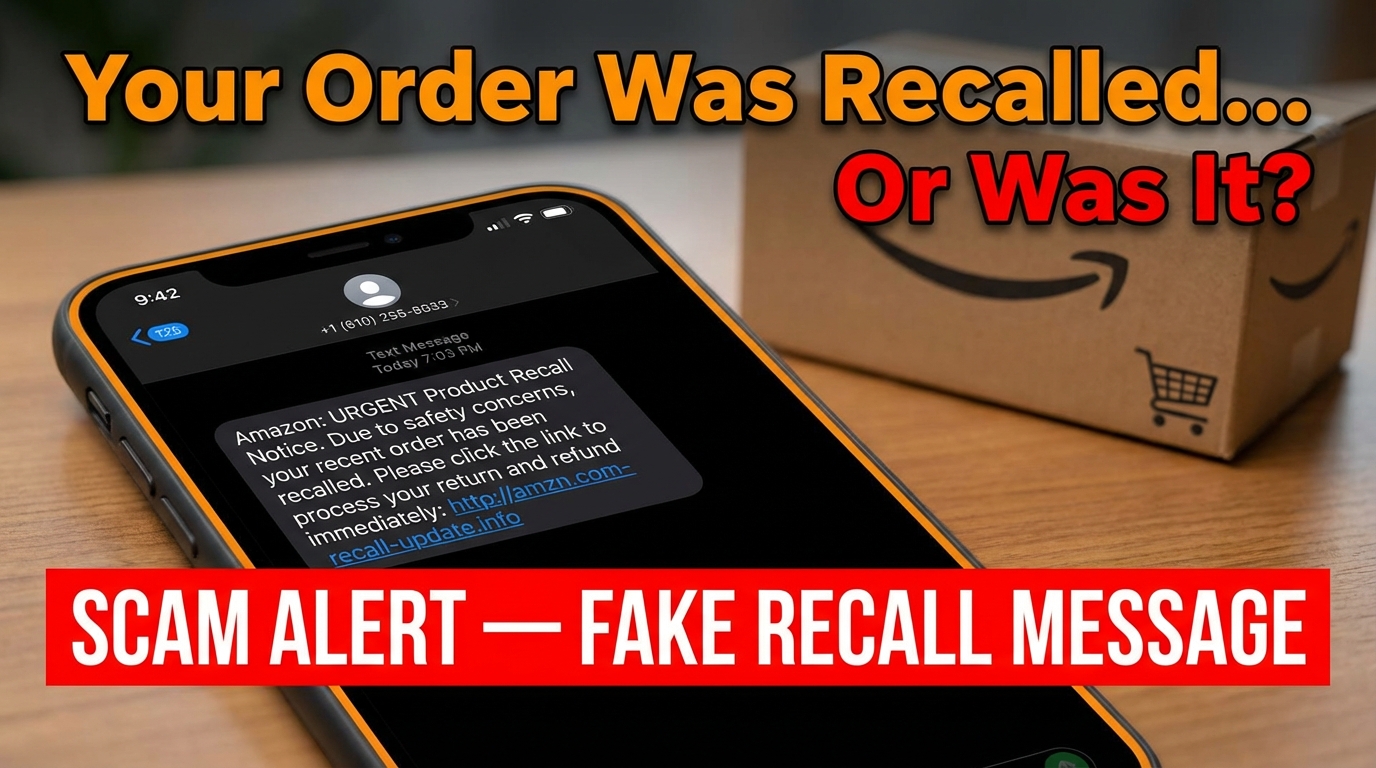
The amazon recall scam is a phishing scheme where fraudsters send fake text messages claiming one of your recent Amazon purchases has been recalled due to a safety issue — then trick you into clicking a link that leads to a fake Amazon login page designed to steal your credentials.
Quick answer — what to do:
- Do not click any link in an unexpected recall text
- Go directly to amazon.com or the Amazon app to check your orders
- Report the text by forwarding it to 7726 (SPAM) or emailing reportascam@amazon.com
- If you already clicked, change your Amazon password immediately and enable two-factor authentication
These scam texts are crafted to feel urgent and legitimate. They may include a fake order number, official-sounding language like "Amazon Product Safety Recall Team," and a link that looks almost — but not quite — like a real Amazon URL.
Cybersecurity firm Guardio Security flagged a wave of these messages, sharing a screenshot of a typical example: "Your Amazon order has been recalled." Simple. Alarming. Effective.
And that's exactly the point. Scammers know that a safety recall — especially one hinting at a product used by your family — triggers a faster emotional reaction than a billing alert or delivery notice. That panic is the weapon.
The scale of the problem is significant. In 2024 alone, Amazon was forced to take down more than 55,000 phishing websites and 12,000 phone numbers being used in impersonation schemes like this one. Over two-thirds of Amazon impersonation scams reported globally in 2023 involved fake order or account issues — exactly the kind of hook used in recall scams.
Nobody is immune. But knowing how this scam works is the first step to not falling for it.
What is the Amazon Recall Scam and How Does it Work?
The amazon recall scam is a masterclass in social engineering. It starts with a simple SMS message sent to your smartphone. Because we are used to receiving delivery updates from Amazon via text, our guard is often lower than it would be for a random email.
The scam works by exploiting your concern for safety. When you see a message stating that a product you bought is "unsafe" or "recalled," your brain skips the "is this real?" phase and jumps straight to "how do I fix this?" This is exactly where the scammers want you.
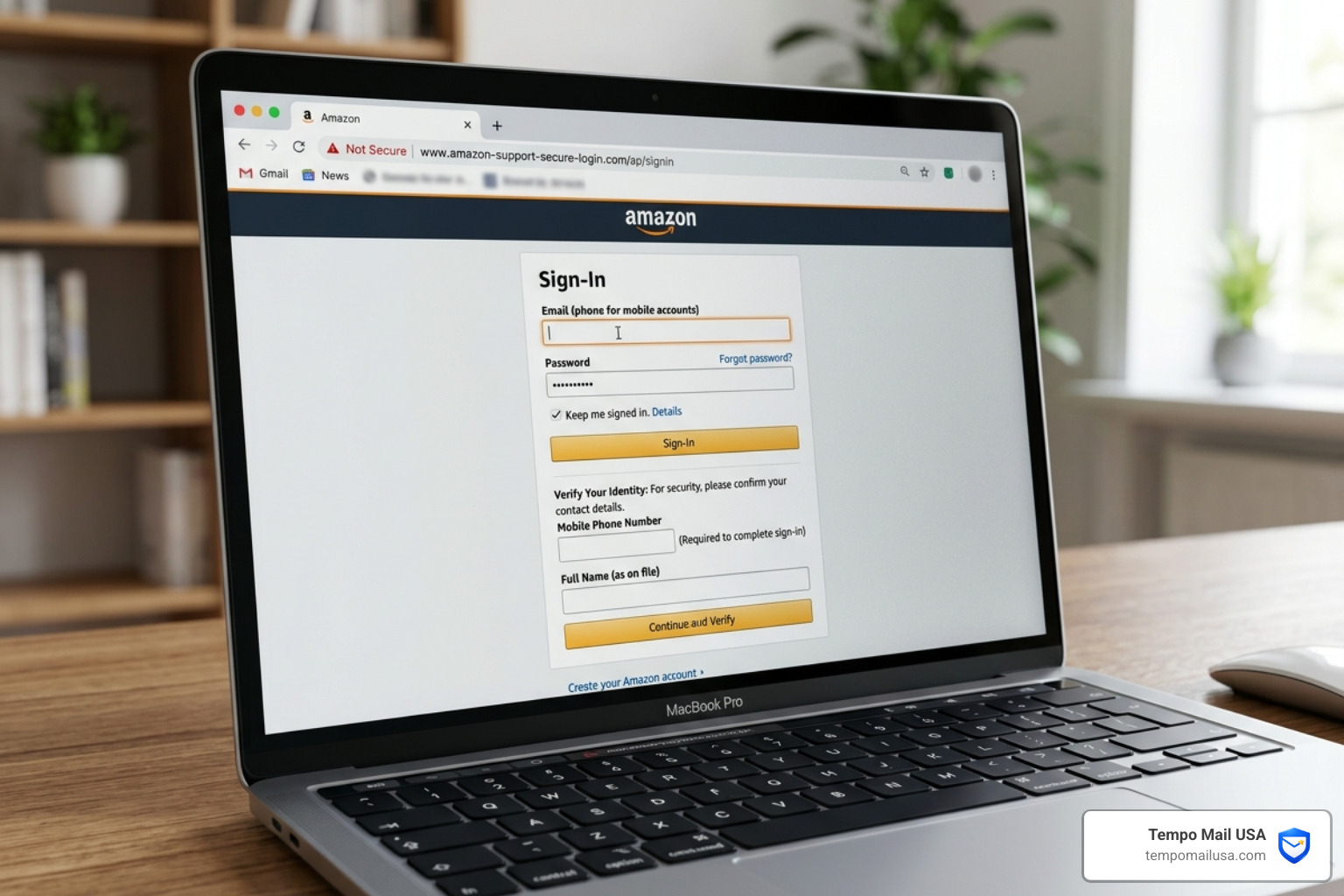
Once you click the link provided in the text, you are redirected to a high-quality copycat website. These sites are designed using sophisticated tools, sometimes even AI, to mimic Amazon’s branding, fonts, and colors perfectly. According to Fake or Real? Amazon Safety Recall Text Scam Explained, these sites often feature fake SSL certificates and copied policy text to appear legitimate.
The ultimate goal is data harvesting. The fake site will prompt you to "log in" to claim your refund or view the recall details. When you enter your email and password, you aren't logging into Amazon; you are handing your credentials directly to a criminal. From there, they can engage in:
- Account Takeover: Changing your password and recovery email to lock you out.
- Financial Fraud: Making unauthorized purchases using your saved credit cards.
- Credential Stuffing: Trying your Amazon password on other sites like your bank or social media.
- Identity Theft: Selling your personal information, including your address and phone number, on the dark web.
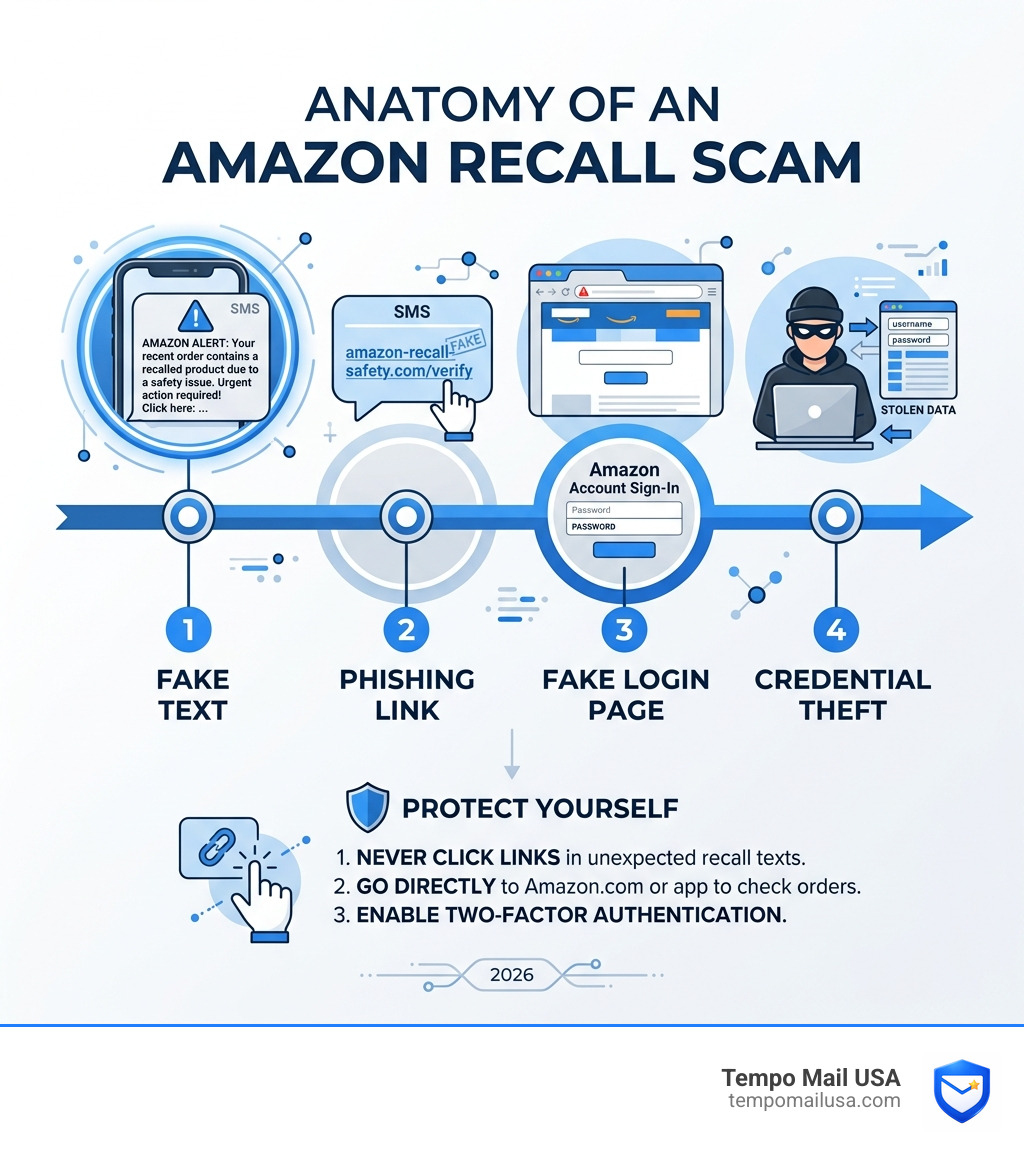
Anatomy of an Amazon Recall Scam Text
To protect ourselves, we need to look closely at the components of these messages. Scammers use specific psychological triggers to bypass our critical thinking.
- False Urgency: Phrases like "Immediate Action Required" or "Safety Alert" are used to make you act before you think.
- Fake Order Numbers: The text often includes a long string of numbers that looks like a standard Amazon order ID (e.g., #132-4455667-8899001). Even if you haven't ordered anything recently, the presence of a specific number makes the message feel "official."
- Shortened URLs: You might see links from services like
cutt.ly,t.co, orbit.ly. These are used to hide the actual destination of the link, which is usually a random, newly registered domain. - Spoofed Numbers: The texts often come from 10-digit mobile numbers or foreign country codes that have nothing to do with Amazon’s official automated systems.
Using a privacy email for Amazon can help mitigate some of the risks associated with data breaches that lead to your phone number and email being targeted in the first place.
Why Amazon Never Sends Unsolicited Recall SMS with Links
It is vital to understand Amazon's communication guidelines. While Amazon does send texts for delivery updates, their policy regarding sensitive security or safety issues is much more strict.
Amazon will never send you an unsolicited text message with a link to a login page for a product recall. Official safety recalls are rare and are handled through very specific channels:
- Verified Email Domains: Legitimate recall notices will come from an
@amazon.comemail address. - The Message Center: Any real communication about your account or orders will be mirrored in the "Your Messages" section of your Amazon account.
- In-App Notifications: You will see alerts within the official Amazon app.
Scammers rely on the fact that many users don't know these protocols. By using a valid temp mail for Amazon during sign-up or for specific shopping events, you can create a buffer between your primary inbox and the marketing/transactional data that scammers often try to intercept.
Identifying Red Flags in Suspicious Amazon Messages
Spotting the amazon recall scam is easier when you know what to look for. Use the table below to compare a real Amazon alert with a typical scam attempt.
| Feature | Official Amazon Alert | Amazon Recall Scam Text |
|---|---|---|
| Sender | Short code or "Amazon" | Random 10-digit number or foreign code |
| Link URL | amazon.com/... | bit.ly, cutt.ly, or misspelled "amzn-recall.com" |
| Greeting | Often includes your name | Generic "Dear Customer" or no greeting |
| Tone | Informational and calm | Panic-inducing and urgent |
| Action Required | Check your account/orders | "Click here now for a refund" |
| Language | Professional, no errors | Typos, weird grammar, or odd spacing |
One major red flag is the use of foreign country codes. If you are in the US and receive a "recall notice" from a UK or Australian mobile number, it is almost certainly a scam. As noted in the report Watch out for the Amazon recall text scam, these messages often use "high-quality fake" pages that even allow you to "create a new account" to further harvest your data.
How to Verify Legitimate Amazon Recalls Safely
If you receive a message and you're genuinely worried that a product you bought might be dangerous, do not use the link in the message. Instead, follow these safe verification steps:
- Check "Your Orders": Log in to the official Amazon website or app. Go to your order history. If a product has been recalled, Amazon usually places a prominent "Product Recall" banner next to that specific order.
- Use Rufus AI: Amazon’s new AI shopping assistant, Rufus, can help. You can ask Rufus directly, "Is there a recall on my recent orders?" or "Is [Product Name] recalled?"
- Visit Recalls.gov or CPSC.gov: These are official government databases for all product safety recalls in the United States. If it's a real recall, it will be listed there.
- Check Manufacturer Websites: Go directly to the website of the company that made the product.
- Product Registration: When you buy appliances or electronics, register them with the manufacturer. This ensures you get legitimate recall notices via mail or official email.
For those who want to keep their shopping habits private and avoid being tracked by data brokers, using a fast temp mail for Amazon is a great way to manage one-off purchases without cluttering your main digital life.
What to Do if You Receive a Fake Amazon Recall Notification
If a suspicious text lands in your inbox, your first instinct might be to reply "STOP" or "Who is this?" Don't do it. Interacting with the message tells the scammer that your phone number is active, which will lead to even more scam attempts.
Instead, follow this protocol:
- Do Not Click: This is the most important rule.
- Report to 7726: This is a universal short code for mobile carriers. Forward the scam text to 7726 (which spells "SPAM") so your carrier can investigate and block the sender.
- Report to Amazon: Use the official "Report a Scam" interface on Amazon’s website or forward the details to
reportascam@amazon.com. - Delete and Block: Once reported, block the number and delete the entire thread.
When signing up for new services where you suspect your data might be sold to marketers (and eventually scammers), using a new temp mail for Amazon can prevent your real contact info from entering these dangerous loops.
Steps to Take if You Have Already Fallen Victim
If you clicked the link and entered your information, don't feel embarrassed—scammers are professionals. You need to act quickly to minimize the damage:
- Change Your Password: Go to the real Amazon.com immediately and update your password. Make it long, complex, and unique.
- Enable Two-Factor Authentication (2FA): If you don't have it on, turn it on now. This requires a code from your phone or an app to log in, even if the scammer has your password.
- Notify Your Bank: If you entered credit card details, call your bank's fraud department. They may need to cancel your card and issue a new one.
- Check Your Order History: Look for any "Pending" orders you didn't make and cancel them immediately.
- Run a Malware Scan: Some phishing sites attempt to install "dropper" malware on your device. Use a reputable security tool to scan your phone or computer.
- Contact Credit Bureaus: If you shared highly sensitive info like a Social Security number (though rare in this specific scam), place a fraud alert on your credit report.
Protecting Your Account from the Amazon Recall Scam
Prevention is always better than recovery. We recommend a "layered" approach to security to keep the amazon recall scam at bay.
- Upgrade to Passkeys: Amazon now supports passkeys, which use your device's biometrics (like FaceID or a fingerprint) to log in. This is significantly more secure than a password because it cannot be "phished" by a fake website. Over 300 million Amazon customers have already made this switch.
- Email Aliasing: This is where we come in. By using a temp mail for Amazon Prime Day or regular shopping, you create a PII (Personally Identifiable Information) firewall. If a scammer gets hold of an old alias, your real email address remains hidden and protected.
- Digital Hygiene: Never reuse passwords across different sites. If one site is breached, scammers will try that same email/password combination on Amazon.
- Trust the App: Make it a habit to only check order status through the official app rather than clicking links in texts or emails.
Frequently Asked Questions about Amazon Recalls
What happens if I click the link in an Amazon recall scam text?
Clicking the link itself can sometimes trigger a malware download, but usually, it leads to a phishing site. If you enter your login details, scammers will attempt a session hijacking or an account takeover. They may also sell your "verified" contact info to other scammers on the dark web, leading to a flood of future scam attempts.
How do I report a scam to Amazon and the authorities?
You should report the incident to:
- Amazon: Email
stop-spoofing@amazon.comorreportascam@amazon.com. - Mobile Carrier: Forward the text to 7726.
- FTC: Visit
reportfraud.ftc.govto help the government track scam trends. - NCSC: If you are in the UK, you can report suspicious websites to the National Cyber Security Centre.
Are there any real Amazon recalls happening right now?
Yes, legitimate recalls happen frequently for everything from electronics to children's toys. However, Amazon will notify you through your account dashboard and official email. You can always see a full list of safety alerts by searching "Recalls and Product Safety Alerts" in the Amazon Help section.
Conclusion
The amazon recall scam is a reminder that as our shopping habits evolve, so do the tactics of cybercriminals. By preying on our safety concerns and using sophisticated copycat websites, these scammers have found a way to bypass traditional skepticism.
At Tempo Mail USA, we believe that the best defense is a strong offense. By using our secure identity proxying services, you can protect your real PII from being harvested in the first place. Think of a temporary email alias as a firewall for your digital identity—it allows you to interact with the services you love without leaving a trail of breadcrumbs for scammers to follow.
Stay vigilant, trust your official apps, and never let a sense of urgency override your common sense. We are here to help you navigate the digital world safely.