
Email Alias Generator — Create Unique Addresses for One Inbox
Create extra addresses on your own inbox — one per site, per signup, per leak. Each alias has its own inbox. Delete one and that address is gone.
You have reached the alias limit for your plan. Go Pro for up to 50 aliases.
Free plan: 3 aliases. Pro: 50 aliases. See plans
Aliases never forward mail — they are separate inboxes under your mailbox. Forwarding is a separate feature: logged-in Pro users can auto-forward their whole mailbox in Settings (/forwarding).
All 468+ domains are free to try — your first message on any domain is free to read, no account, no card. Go Pro to read every message
Live Disposable Inbox — Instant OTP & Email Refresh
Your inbox is empty
Waiting for incoming emails. Any message sent to your temporary address will appear here automatically.
You just used a free inbox — no account, no card. Your first message is free to read; Pro reads every message on all 467+ domains. Unlock Pro
Every domain is free to try. Your first message is free to read — upgrade to Pro to read every message, get 365-day inboxes and up to 50 inboxes at once.
This inbox is free, on us. Go Pro to read every message on all 467+ domains + the Verified Pro badge. See Pro
How aliases work
An alias is a second address on your inbox. When you create one, the site makes a real inbox for that address — mail to it arrives there, not in a shared pool. Open the alias to switch your current mailbox to it; the inbox list then shows that alias’s mail.
Because there is no catch-all, mail only arrives at addresses you actually created. A message sent to a made-up address that was never created is never delivered — and the copy never pretends otherwise.
Alias Generator vs the alternatives
| TempoMailUSA Aliases | SimpleLogin | Apple Hide My Email | |
|---|---|---|---|
| Works without an account | Yes — guest aliases | No | No |
| Alias lifetime | Dies with the parent inbox | Permanent while subscribed | Permanent while subscribed |
| Free Plan | 3 aliases | 10 aliases | Unlimited (Apple devices) |
| Forwards mail | Never — separate inboxes | Yes, to your real inbox | Yes, to your real inbox |
| Cost | Free / Pro €3.82/mo | Free / $30/yr | Included with iCloud+ |
When to use an alias — and when not to
Use one for: each newsletter, each trial, each shop — so a leak tells you exactly who sold the address.
Not for: a permanent identity. Aliases die with the parent inbox; for a permanent forwarding address use a dedicated alias service, or read the comparison: Temporary Email vs Email Alias.
Email Alias Generator — Questions
1 · Do aliases forward mail to my main inbox?
2 · Do aliases last forever?
3 · What happens when I delete an alias?
4 · Can I use a custom domain?
5 · Do aliases need an account?
6 · Why would I use an alias instead of a new inbox?
Related tools
Temp Mail · 10 Minute Mail · Password-Protected Inbox · All Tools · Pricing
Aliases share their parent inbox’s lifetime. Keep the parent alive, or use the normal temporary email on the homepage for a fresh 30-day inbox.
Why Choose TempoMailUSA for Temporary Email?
TempoMailUSA is an anonymous disposable email generator built on a volatile RAM-only spooling architecture with 50+ rotating USA IP nodes, delivering an average OTP verification latency of 1.2 seconds with zero server logs.
Designed for developers, privacy advocates, and consumers seeking clean temporary inboxes that bypass strict anti-spam MX filters without registration.
Protect Your Real Email
Keep your personal inbox private by using a separate temporary email address for online sign-ups, verification, and services.
Instant Temporary Inbox
Receive temporary emails in a real-time inbox for sign-ups and verification, with updates as messages arrive so you can view them without reloading.
Custom Email Domains
Choose from available domains to create a temporary email address that fits your needs while keeping your primary inbox private.
Free Temporary Email in Seconds
Create a free temporary email address in seconds with no registration. Use a private disposable inbox for sign-ups and verification without exposing your real email.
Unlimited Email Addresses
Create and use multiple temporary email addresses whenever you need them, making it easy to sign up for websites and manage different inboxes from one place.
Favorites Feature
Easily save important emails to your favorites so you can find and read them again anytime without searching through your inbox.
Simple, Transparent Pricing
Try every domain free — your first message is free to read. Upgrade anytime to read every message, get 365-day inboxes, zero ads, and VIP features.
Basic disposable temporary email with standard rate limits. Great for quick signups.
Free forever. Upgrade only if you need more domains.
Temporary Email & Online Privacy Guides
Read practical guides about temporary email, verification messages, online privacy, and spotting suspicious emails.

Temp Email for Pika Signup: the Free Plan Has No Credits — the Pricing Page Argues With Itself
Pika's pages disagree about its free plan: card says 80 credits, FAQ says 150, newest checks say zero. Signup is easy; the free plan is the puzzle.

Hotmail Email Generator: What You Actually Get (I Tested Three Kinds)
A Hotmail email generator can mean four different things, and only one gives you a working inbox. I tested three kinds live — here's what each one produces.
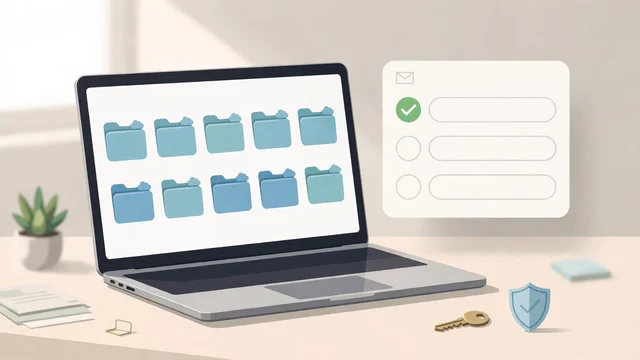
Dropbox Verify Email: The 3-Minute Test, the Traps, and What Verification Actually Protects
I verified a Dropbox account with a temp inbox on Nov 24, 2026 — the email arrived in under a minute. Steps, traps, and what it really protects.

Temp Email for Luma Signup: the Free Tier Is Gone — the Trial Credits Are the Real Gate
Luma dropped its free plan in 2026 — new accounts get unpublished trial credits instead. Signup needs only an email, no card, but the credits run out fast.
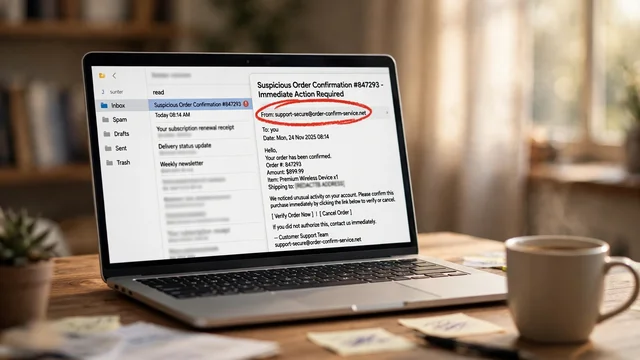
Best Buy Phishing Email: The Fake Order, the Real Panic, and the Number You Must Never Call — 2026
A Best Buy phishing email wants one thing: a panicked phone call. How to spot the fake order, check the real sender, and report it in five minutes.

Temp Mail API: I Created a Disposable Inbox With One Request — Here's What Actually Works in 2026
A temp mail API creates disposable inboxes from code. I tested one live with curl, compared the free keyless options, and mapped TempoMailUSA's own API.
Frequently Asked Questions
Everything you need to know about disposable temporary inboxes, custom domains, developer API, and TempoAI tools.
1 · How long does a temporary email address last?
2 · Is it safe to use a temporary email address?
3 · Can I use a temporary email address for attachments?
4 · Do I need to register to use the service?
5 · What is a temporary email address?
6 · How can I recover my temporary mailbox if I close the browser?
7 · TempoMailUSA vs. Internxt Temp Mail: Which Should You Use?
8 · Can I use a temporary email for account verification?
9 · Can I use TempoMailUSA instead of Outlook for signups?
Still have questions or need assistance? Contact Support Team →