30,000+ Games Catalog
Start with a large collection of online games covering multiple genres and categories.
GAME CATALOG

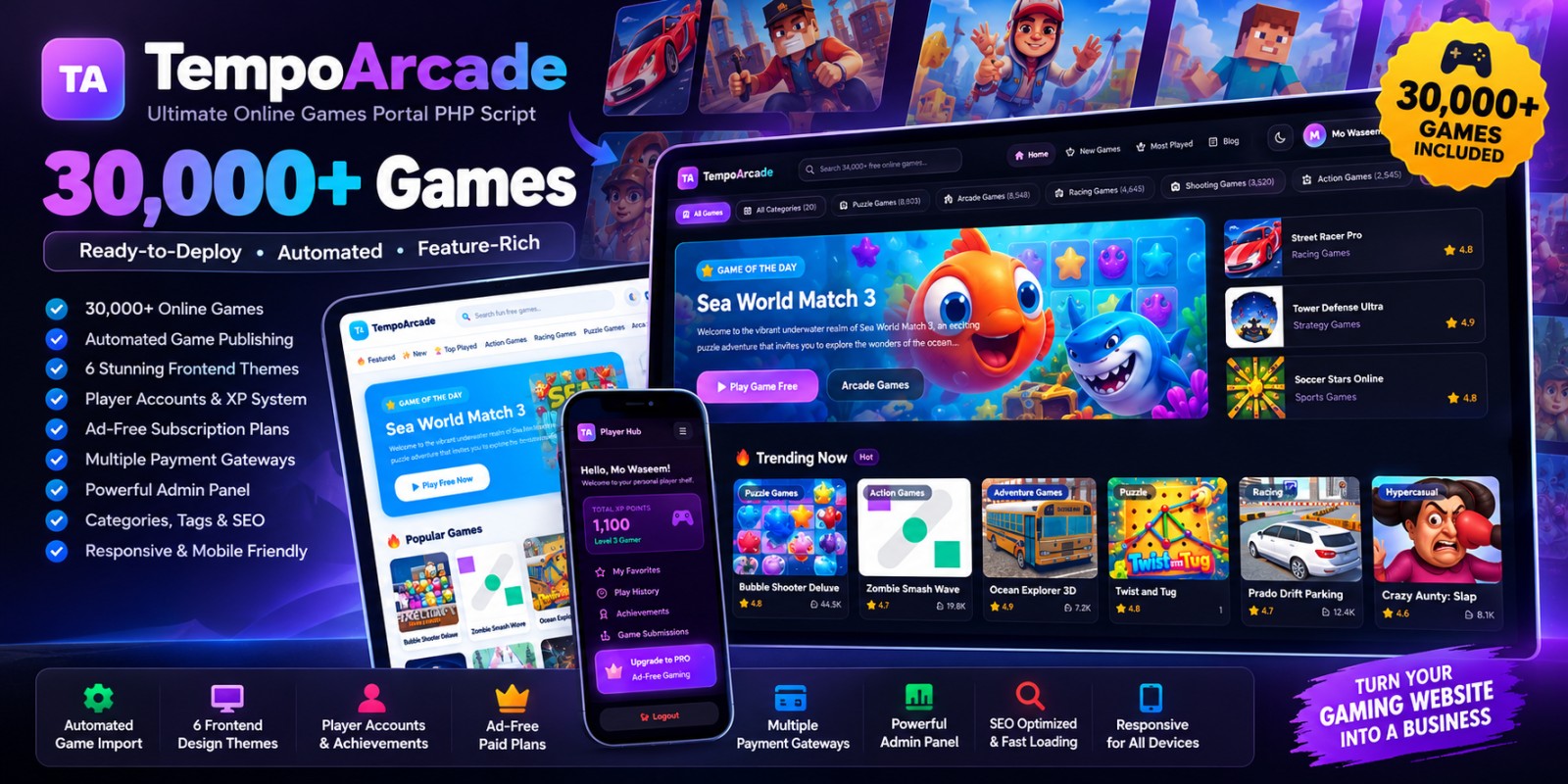
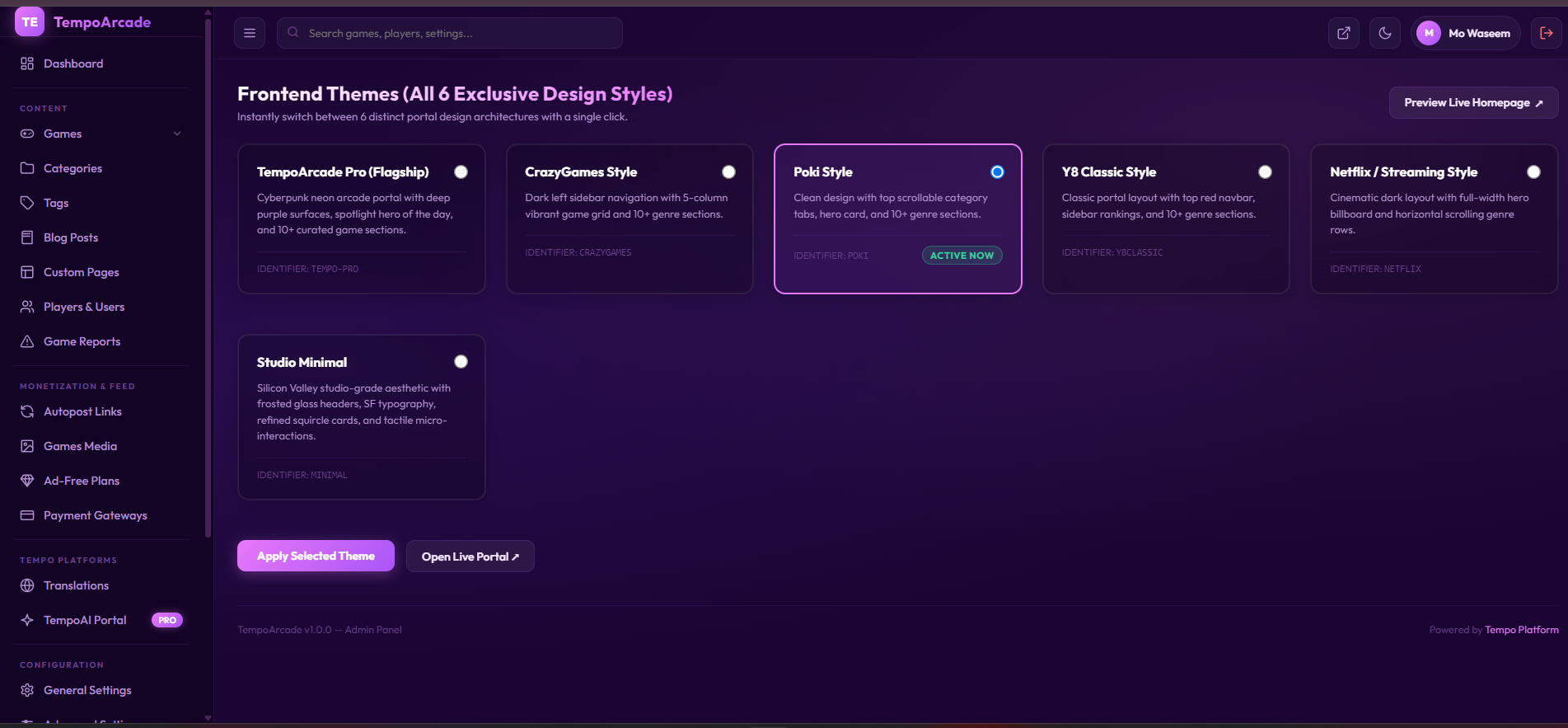
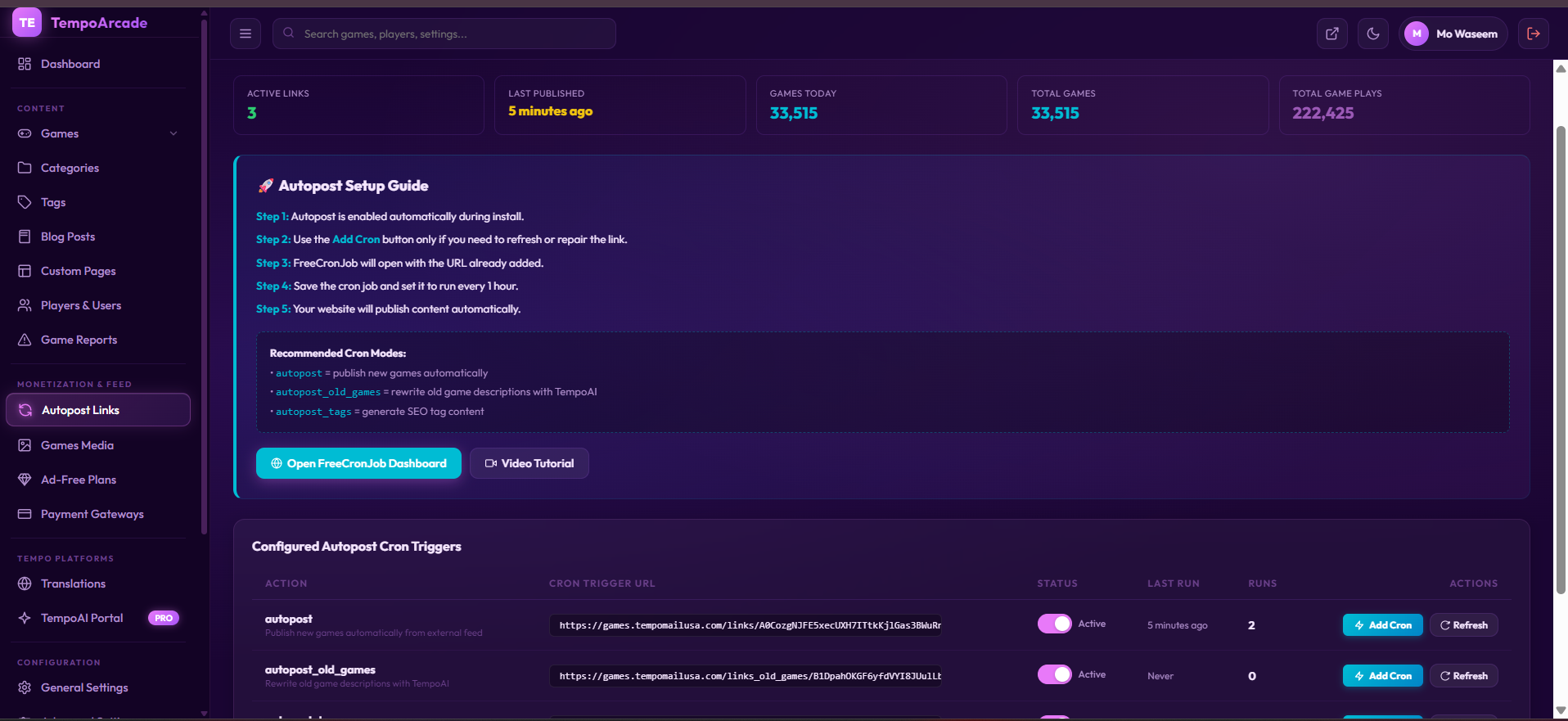
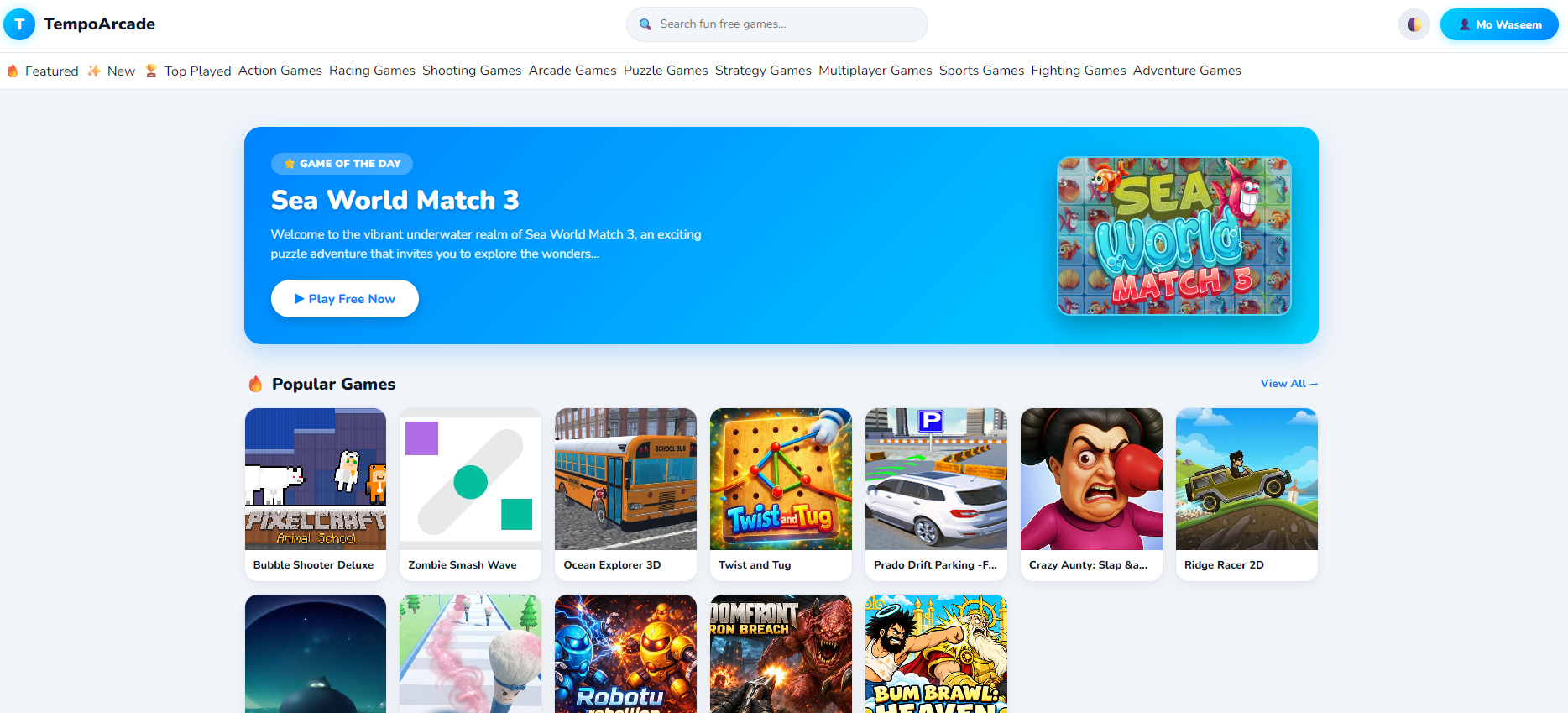
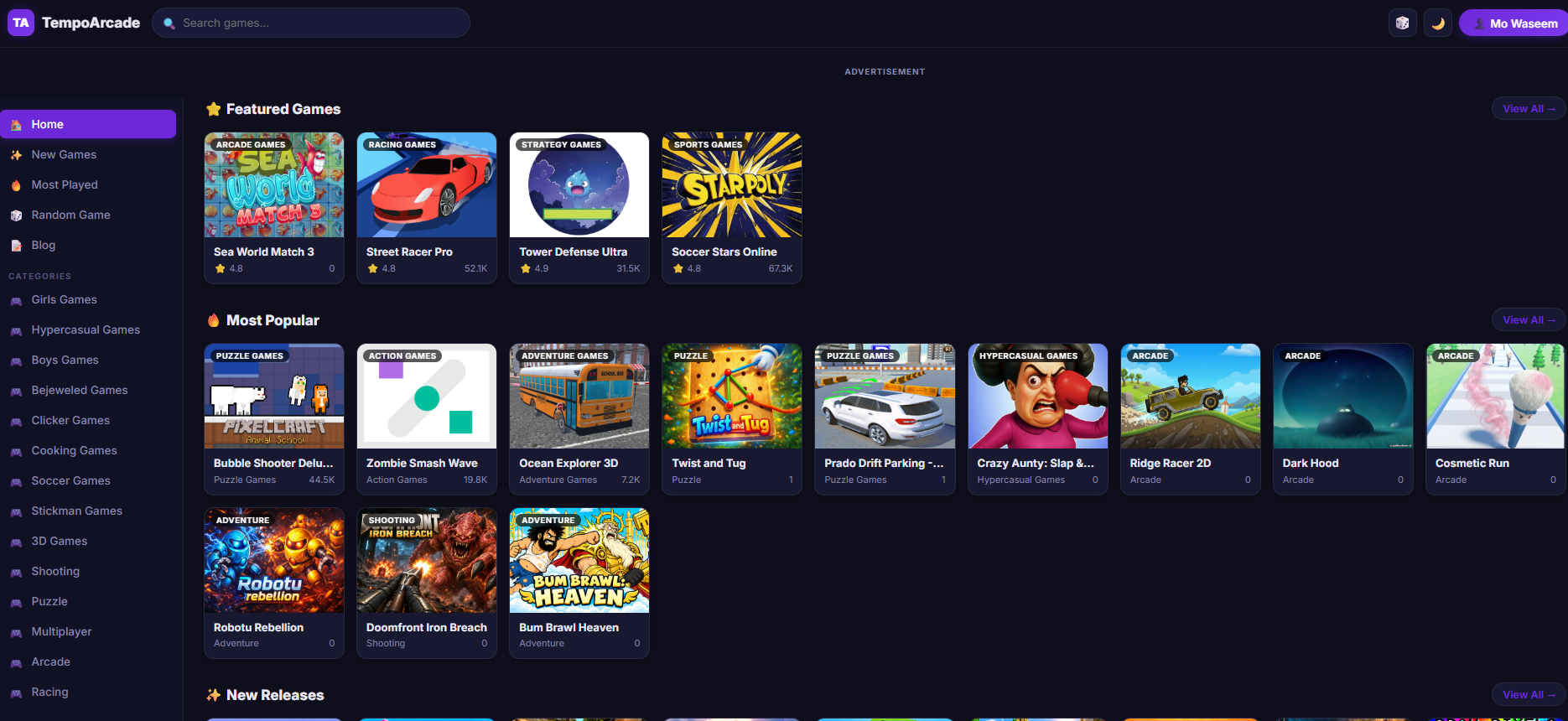
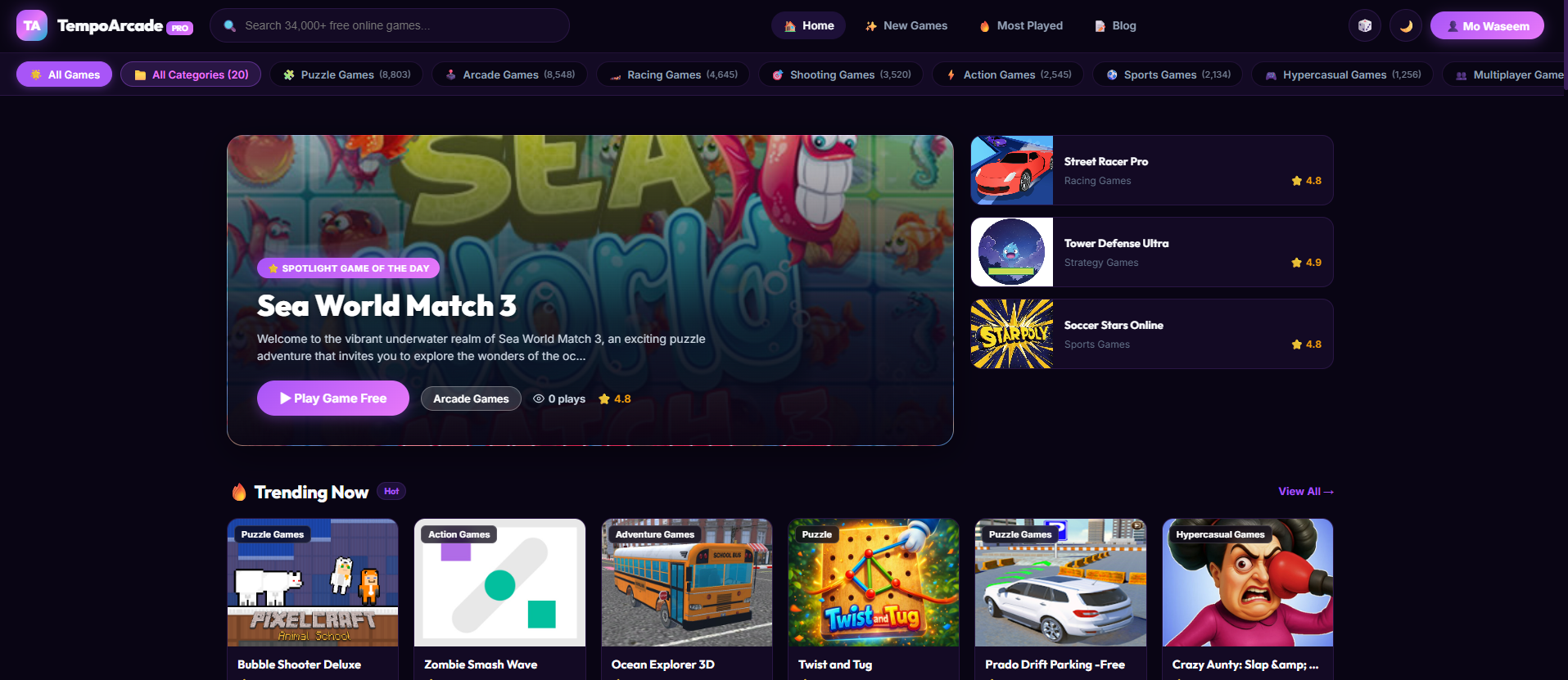
TempoArcade is a ready-made PHP gaming portal designed for launching a large online games website with 30,000+ games, automated publishing, multiple frontend themes, player accounts, ad-free plans, payment gateways, SEO features and a powerful administration panel.
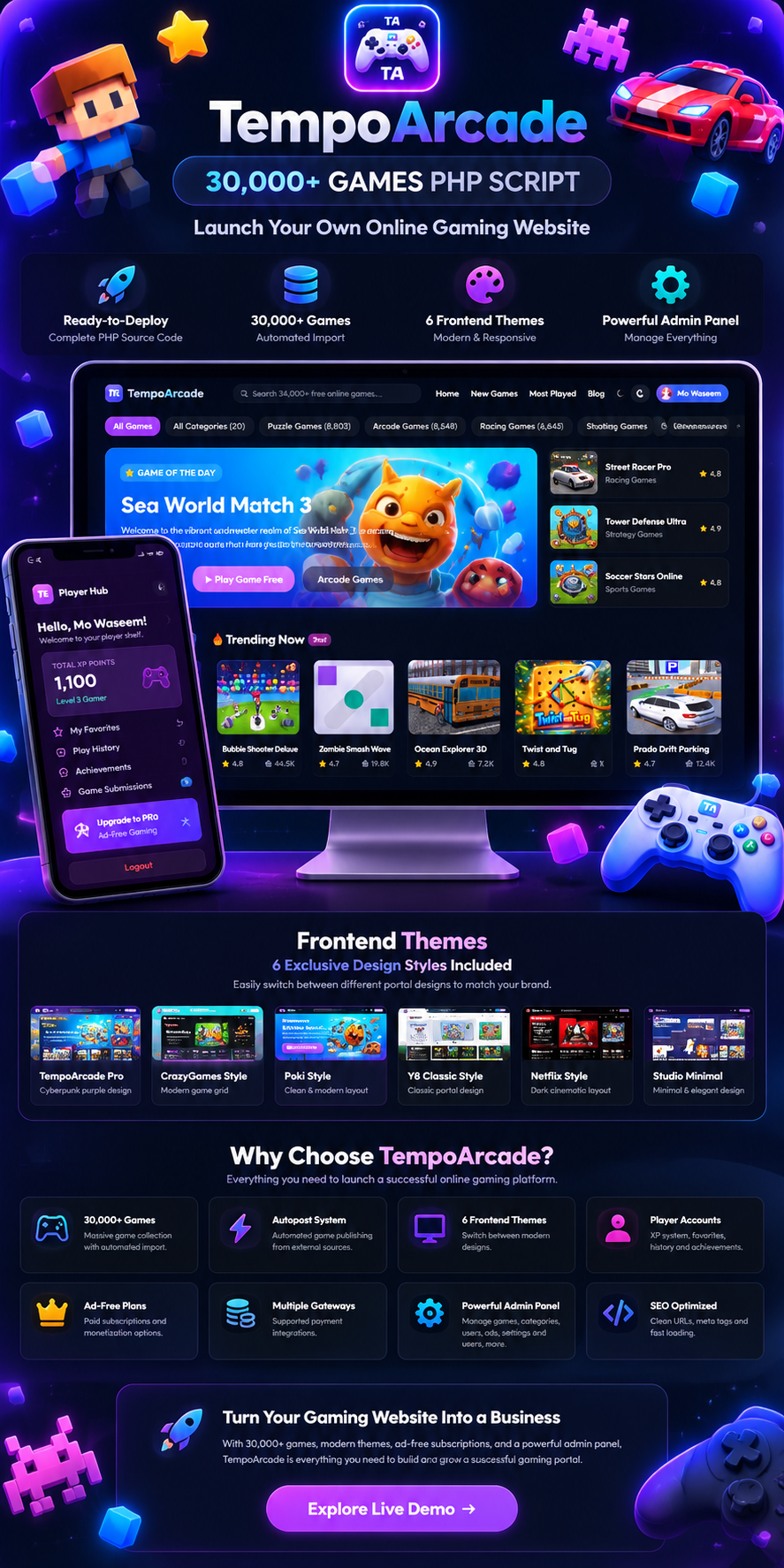
TempoArcade gives you the foundation for launching a professional online gaming website without developing the complete platform from scratch. The system combines a large game catalog with content management, player features, monetization options, multiple frontend experiences and a centralized admin dashboard.
From importing and publishing games to managing categories, players, subscriptions, payments and website content, TempoArcade is built around the workflow of running a modern web gaming portal.
Start with a large catalog of online games covering multiple genres and categories.
Automate the publishing workflow and keep your gaming portal populated with new content.
Switch between multiple frontend design styles to match your brand and preferred gaming portal layout.
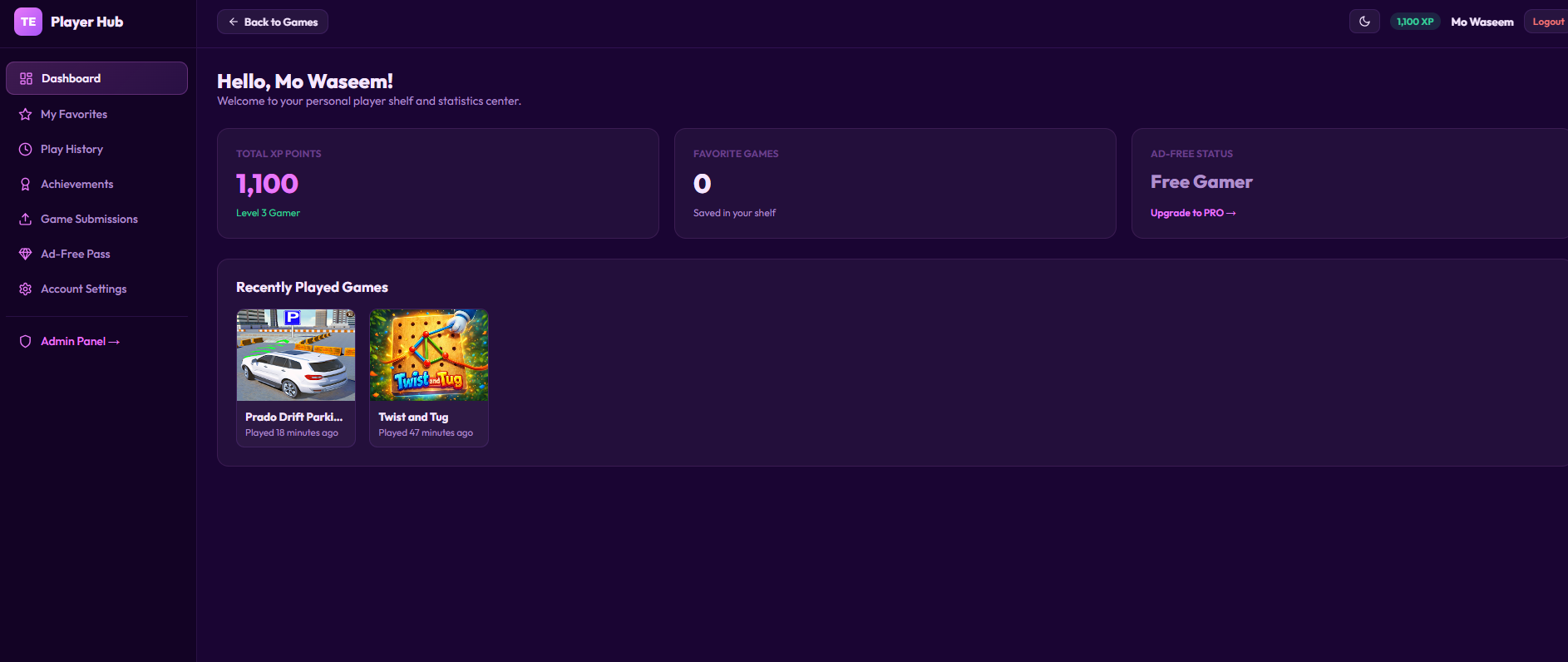
Give players personal accounts with profiles, favorites, play history, XP and achievements.
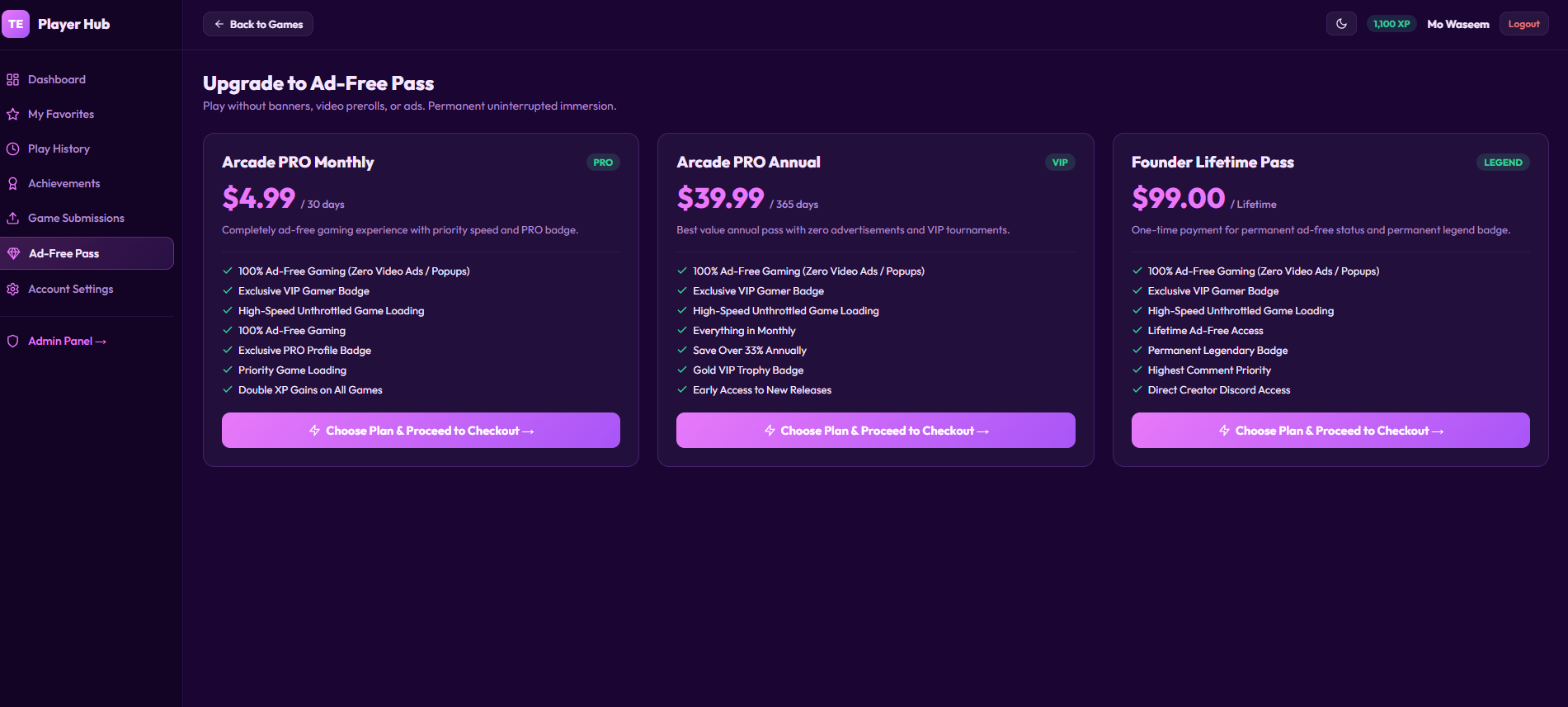
Offer paid plans and create a premium gaming experience with ad-free access and additional benefits.
Configure supported payment gateways for premium plans, subscriptions and monetization workflows.
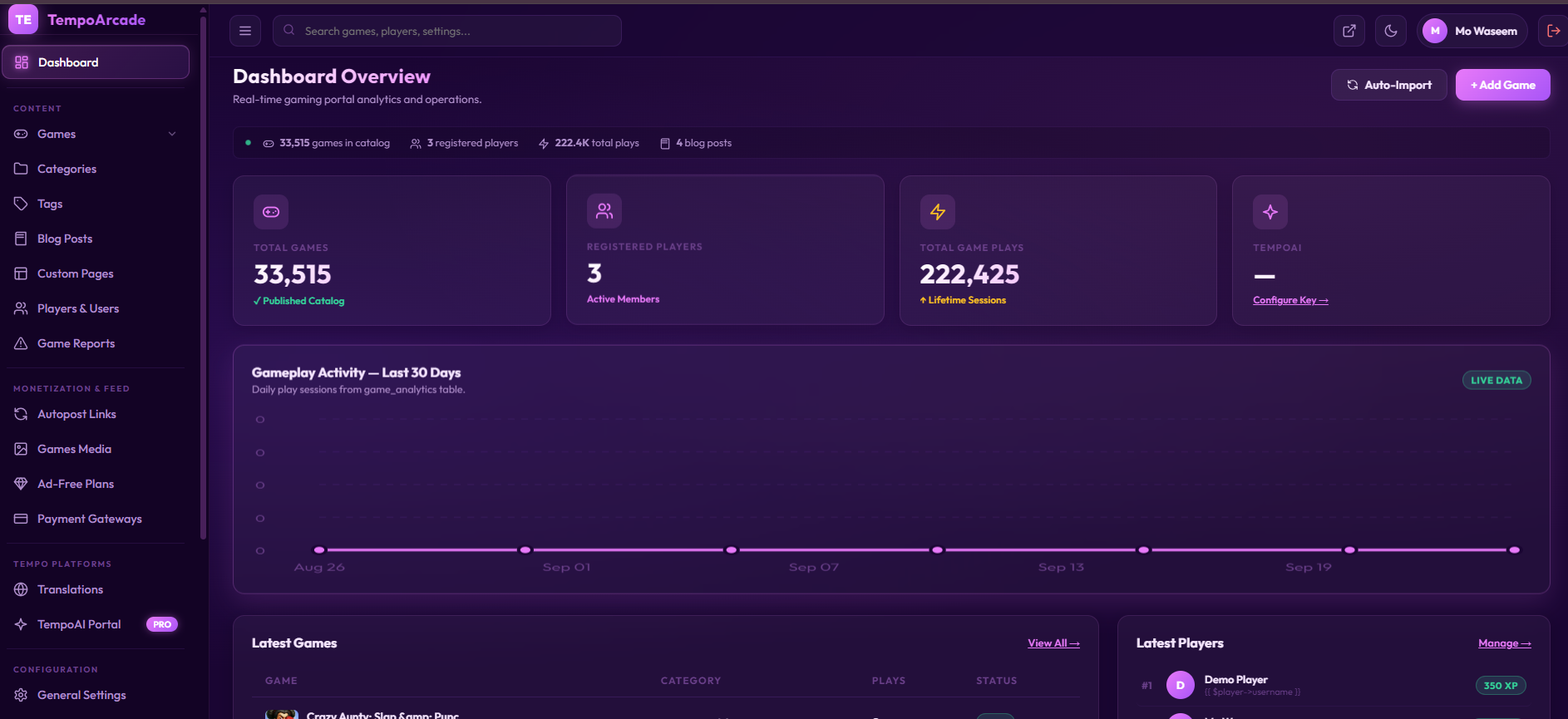
Manage games, categories, tags, players, reports, content, monetization and platform settings from one dashboard.
Manage categories, tags, blog posts and content-focused website sections for your gaming portal.
TempoArcade includes a centralized administration interface for managing the core operations of your online gaming portal.
Track game counts, registered players, total plays and other platform activity.
Manage your game catalog, publishing workflow, categories, tags and game-related content.
Manage player accounts and monitor your gaming community from the admin area.
Publish blog content and create custom website pages to expand your gaming portal.
Visit the live portal to explore the frontend experience. You can also access the administrator and player demo accounts provided below.
Explore the public gaming portal, categories, games and responsive frontend experience.
https://games.tempomailusa.comUse the following credentials to explore the demo interfaces.
Build a modern gaming website with 30,000+ games, automated publishing, multiple frontend themes, player accounts, monetization tools and a complete administration system.
TempoArcade combines a large game catalog, automated publishing, multiple frontend themes, player features, monetization tools and a complete administration system in one ready-made PHP platform.
Start with a large collection of online games covering multiple genres and categories.
GAME CATALOGAutomate your game publishing workflow and keep the portal populated with new gaming content.
AUTOPOSTOrganize thousands of games using categories, tags and structured game content.
CONTENTSwitch between six exclusive portal designs and choose the visual experience that fits your gaming brand.
THEMESDesigned to provide a consistent experience across desktop, tablet and mobile devices.
RESPONSIVEHelp visitors quickly find games, players and content through fast and accessible search interfaces.
DISCOVERYGive players personal accounts with profiles, favorites, game history, achievements and XP progress.
PLAYER HUBAdd progression mechanics that encourage players to return, play games and build their personal profiles.
GAMIFICATIONPublish supporting content and create custom pages around your gaming portal.
CMSCreate premium plans that offer players an enhanced, advertising-free gaming experience.
SUBSCRIPTIONSConnect supported payment gateways for paid plans and subscription-based monetization.
PAYMENTSCombine subscriptions, advertising opportunities and premium player features to create multiple revenue channels.
REVENUEManage the gaming platform, games, players, content and configuration from one centralized dashboard.
ADMINMonitor games, registered players, game plays and other platform-level activity.
ANALYTICSMaintain visibility into reported game content and platform management workflows.
MODERATIONConfigure website options, themes, content, players, monetization and other system settings.
CONFIGURATIONMake sure your hosting environment is ready before installing TempoArcade. The exact configuration can vary depending on your hosting provider, game feed and enabled platform features.
A compatible PHP hosting environment is required to run the TempoArcade application and its backend functionality.
REQUIREDA MySQL-compatible database is required for storing games, categories, users, player activity, subscriptions and platform settings.
DATABASECron access is recommended for automated game publishing and scheduled background tasks. The platform includes an autopost workflow that can be triggered automatically.
AUTOMATIONHTTPS is strongly recommended for production websites, especially when user accounts, player sessions and payment functionality are enabled.
RECOMMENDEDYour hosting account should provide sufficient storage for the application, game data, website assets, logs and any configured media.
HOSTINGA properly configured domain with working DNS and a compatible web server environment is required for the public gaming portal.
DOMAINIf you enable automated game publishing, your hosting environment should allow scheduled requests or cron-based execution for the configured autopost links.
AUTOPOSTPayment gateway requirements depend on the payment providers you choose to enable for your ad-free plans and other paid features.
OPTIONALFollow the steps below to prepare your hosting environment, install the script and configure the core features of your online gaming portal.
Set up a compatible PHP hosting environment, database, domain and SSL certificate. VPS or suitable shared hosting can be used according to your configuration.
Upload the TempoArcade files to your website's document root or the directory configured for your gaming portal.
Create the required MySQL database and database user, then complete the application's database configuration during installation.
Open your domain in a browser and follow the installation process to configure the application and create the required initial settings.
Set your website identity, frontend theme, categories, navigation, content and other platform preferences from the administration area.
Add and configure the provided autopost or scheduled links when you want games to be imported and published automatically.
Review player accounts, favorites, play history, XP, achievements and other user-facing features from the administration panel.
Set up supported payment gateways, ad-free subscription plans and other monetization options according to your business requirements.
TempoArcade includes an automated publishing workflow. After configuring the required autopost link or cron task, scheduled execution can be used to keep the game catalog updated.
Engineered for maximum compatibility with shared cPanel hosting, Cloud VPS, or bare-metal Linux servers:
| PHP Version | PHP 8.2.x or PHP 8.3.x (Clean Support) |
| Framework Core | Laravel 10 / 11 with Clean Modular Service Architecture |
| Database Server | MySQL 8.0+ / MariaDB 10.4+ / Percona |
| Mail Protocol Support | cPanel Catch-All UAPI / IMAP (Port 993 SSL) / SMTP (Port 465/587) |
| Required PHP Extensions | BCMath, Ctype, cURL, DOM, Fileinfo, JSON, Mbstring, OpenSSL, PCRE, PDO, Tokenizer, XML |
| Package Format | Clean ZIP Archive with Standard Manifest & Blade Views |
Discover proven ways our customers generate immediate return on investment with this software:
Charge recurring monthly or annual memberships for premium features: custom inbox names, 30-day email retention, pristine reserved domains, and an ad-free user experience.
Monetize massive daily page views with Google AdSense, direct banners, or VPN / Antivirus affiliate offers. Anti-AdBlock recovery ensures you never lose revenue from blocker users.
QA teams and software developers constantly need automated temporary email inboxes for integration testing. Sell high-rate-limit API access keys on recurring subscription plans.
Deployment takes less than 3 minutes with zero terminal coding or command-line experience required:
After completing checkout, download your unencrypted ZIP package and copy your instant commercial license key from your confirmation screen.
Upload the script files to your web root (e.g. public_html) and visit your domain. The visual 8-step installer will guide you through database and mailbox setup.
Configure your custom branding, connect your domains, and begin serving global visitors with automated mailboxes!
Have questions or recently deployed this script? Share your review with the community!
If you experience any technical defect or cannot get this software running on a standard supported server environment with our developer support, we will issue a full refund within 14 days.